Real-Time HubSpot Forms Validation using Form Guard
Turn every HubSpot form submission into a qualified opportunity. Clearout seamlessly validates emails, phone numbers, and names in real time—eliminating fake, mistyped, and low-quality entries before they enter your CRM. Power your campaigns with clean data, sharper targeting, and higher conversions right from the first interaction.
Trusted By Businesses of All Sizes Worldwide
80,000+ growing businesses rely on Clearout to verify leads every day
What type of HubSpot form would you like to integrate Form Guard with?
Select the type of integration you need to enable Clearout's seamless email validation and ensure accurate lead capture across your HubSpot forms.
- Embed Forms
- Landing Page & Website Page Forms
- Site-wide Integration with Header HTML
- Site-wide Integration with Google Tag Manager (GTM)
- CTA Forms
Why should you validate your HubSpot form leads with Form Guard?
HubSpot Forms are powerful—but on their own, they can't detect fake, mistyped, or low-quality contact data like invalid Emails, disposable emails, gibberish names, spam traps, role-based addresses, phone type(such as mobile, landline, VOIP etc) or typos. This leads to cluttered CRMs, wasted marketing spend, and lower engagement.
By integrating Clearout's Form Guard with your HubSpot forms, you can automatically filter out invalid entries at the point of capture. The result? Cleaner data, stronger campaigns, and a lead list full of contacts who are actually ready to convert.
Looking to validate emails across other HubSpot Features?
- Chatflows: Connect the Email Verification API for real lead conversations. Learn More
- Workflows: Sync Clearout to automate email validation for new/existing contacts. Learn More
- CRM Cleanup: Run Clearout's bulk verification to clean your historic database. Learn More
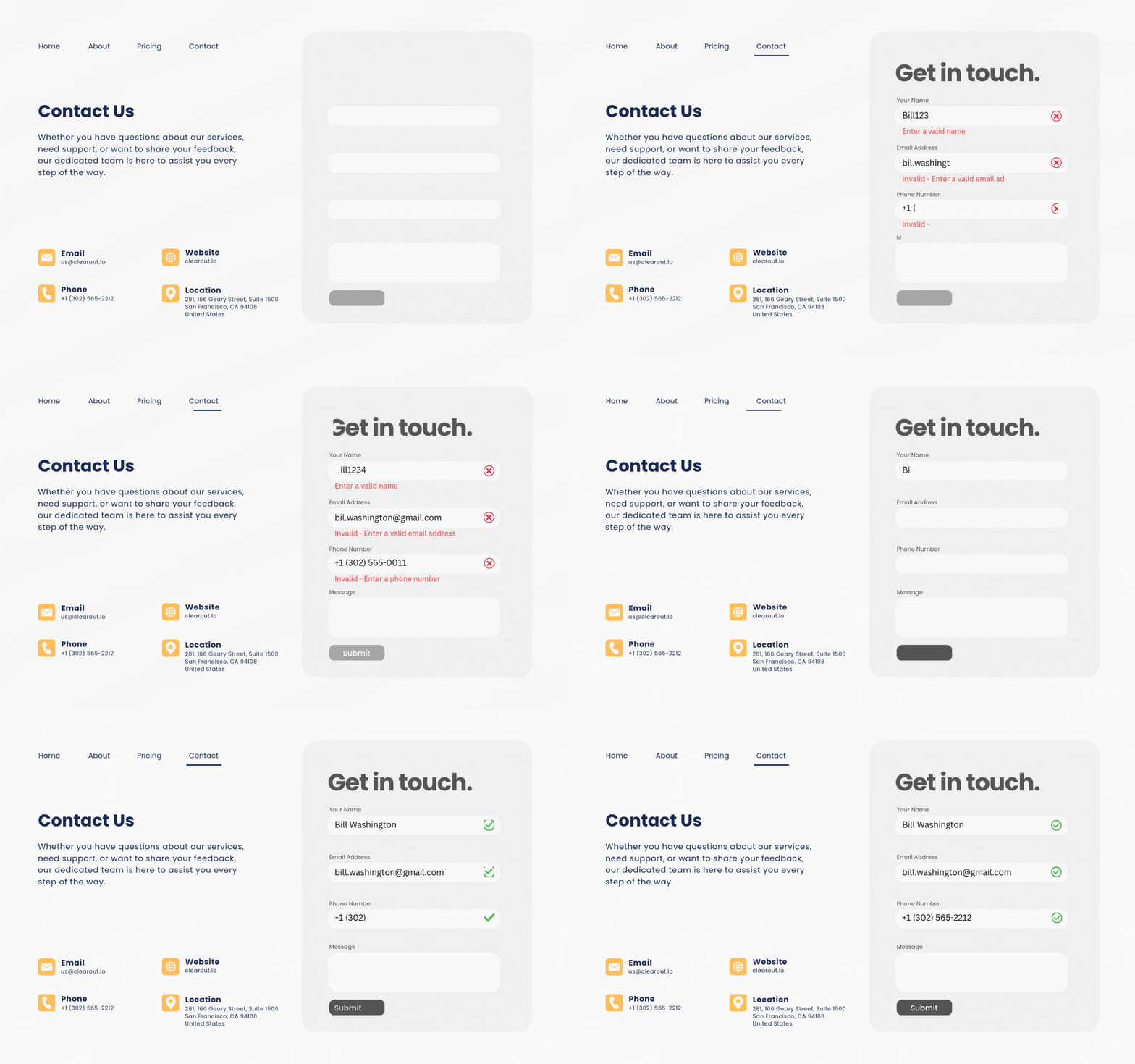
Works with every HubSpot form - however you capture leads
Set it up once and Form Guard validates every submission in real time, right at the point of entry - so fake emails, junk names, and invalid numbers never reach your CRM. Pick the method that matches your setup.
Real-time checks on your native forms
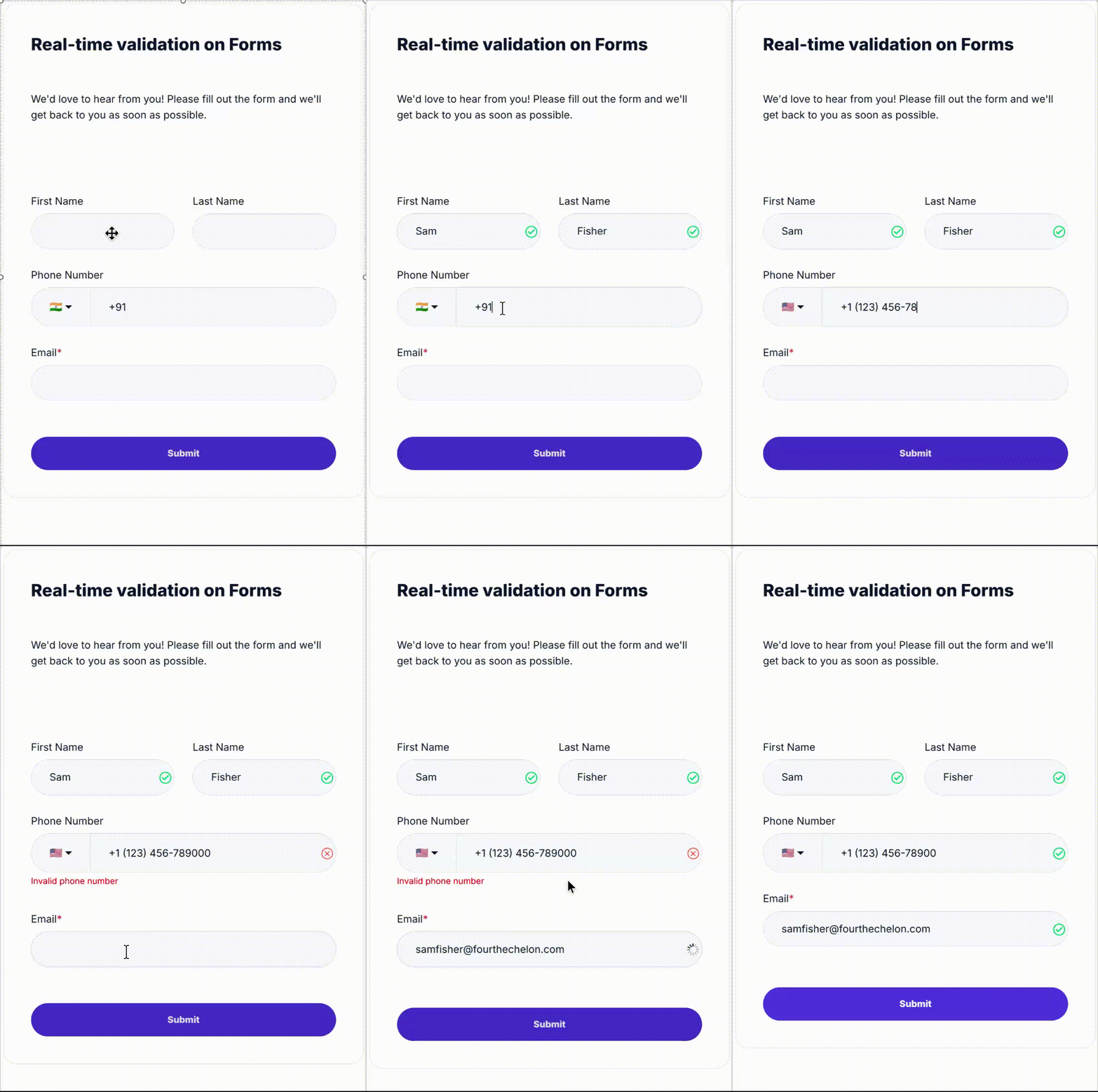
Add Form Guard to HubSpot's native and new embed forms and every field is validated as the visitor types. Rendered from your own domain, so it sidesteps the iframe limits that block real-time validation on default embeds.
Set up embed forms →
Switch it on for hosted pages in a few clicks
Running HubSpot-hosted landing or website pages? Turn on real-time validation from the page settings and drop the Clearout snippet into the Header HTML - no developer required, live in minutes.
Set up landing & website page forms →
One snippet, every form on your site
Add the Clearout Widget once to your site's header and it validates every form across your entire domain automatically - new forms included, with nothing extra to wire up each time.
Set up site-wide (Header HTML) →
Deploy through GTM - zero code changes
Prefer to manage tags in one place? Add Form Guard as a Custom HTML tag in GTM and choose exactly which pages it fires on. No edits to your site's code, full control over where it runs.
Set up with Google Tag Manager →
Cover your CTA and pop-up forms too
HubSpot CTA and pop-up forms are validated as well. Where a form is locked inside an iframe, HubSpot Workflows or a connector keep coverage complete - so no lead source slips through unchecked.
Set up CTA & pop-up forms →
Turn every blocked submission into insight
Form Guard doesn't just stop bad leads at the door. It shows you where they come from, recovers the good ones you were losing, and keeps a full audit trail of every submission.


See which pages attract junk
Every page URL ranked by block rate, sortable and exportable to CSV. Spot the forms quietly pulling in fake and low-quality leads, and fix the worst offenders first.

Win back the leads you never saw
Roughly half of visitors abandon before submitting. Form Guard captures the ones who entered a valid email or phone and hands them back to you as CRM-ready contacts.

A full audit trail for every entry
A verdict and reason for every submission, down to the field, by device and source, with timestamps. Fully searchable and exportable whenever you need to dig in.
Take the Next Step
Explore our services and connect with our team for seamless solutions.
HubSpot Email Validation
Talk To An Expert
Certified by HubSpot, Awarded by the Best!


Testimonials
Hear What Our HubSpot Users Say About Us

Greg Ibbotson
Head of Marketing at TH March Group
Seamless HubSpot integration and very high accuracy. Clearout helps us keep our email list in great shape by checking addresses in real time and making bad or invalid data easy to spot. It plugs into HubSpot without making the process complicated, and cleaning the list is straightforward. Since using it, we have more confidence in the email addresses we are sending to and our emails are successfully landing where they should. Simple integration, accurate results and very useful for keeping HubSpot data clean.

Aseem Gupta
Marketing Operations Manager, Docyt.com
Clearout has been a game-changer for our email marketing! This tool is incredibly accurate and easy to use, ensuring our emails land directly in the inbox without any bounces. It's perfect for cleaning junk emails from our HubSpot CRM and preventing spam or gibberish form submissions. The real-time support is fantastic, and we've encountered no issues at all. I highly recommend Clearout for anyone involved in marketing operations, especially using HubSpot!

Jeroen Riesewijk
Senior B2B Digital Marketeer at Novulo
Solid HubSpot integration that does what we need. Clearout is working properly and automatically helps us identify email addresses that no longer exist, so they can be removed from HubSpot. This saves us from having to manually clean outdated email addresses and helps keep the database in better shape. The overall experience has been good and the integration is working as expected.
Greg Ibbotson
Head of Marketing at TH March Group
Seamless HubSpot integration and very high accuracy. Clearout helps us keep our email list in great shape by checking addresses in real time and making bad or invalid data easy to spot. It plugs into HubSpot without making the process complicated, and cleaning the list is straightforward. Since using it, we have more confidence in the email addresses we are sending to and our emails are successfully landing where they should. Simple integration, accurate results and very useful for keeping HubSpot data clean.
Aseem Gupta
Marketing Operations Manager, Docyt.com
Clearout has been a game-changer for our email marketing! This tool is incredibly accurate and easy to use, ensuring our emails land directly in the inbox without any bounces. It's perfect for cleaning junk emails from our HubSpot CRM and preventing spam or gibberish form submissions. The real-time support is fantastic, and we've encountered no issues at all. I highly recommend Clearout for anyone involved in marketing operations, especially using HubSpot!
Frequently Asked Questions
HubSpot forms don't automatically catch invalid or spammy email addresses (like disposables, typos, role-based, or gibberish), invalid phone numbers, or valid names. Clearou's real-time contact verification ensures your forms collect only high-quality, deliverable leads, helping you reduce bounce rates and improve engagement.
- Embedded Forms (V3 & V4)
- Landing Page & Website Page Forms
Not supported: HubSpot CTA forms rendered inside an <iframe>. These restrict JavaScript access. We recommend migrating to standard forms or using Workflows for post-capture validation.
Simply paste the Clearout Form Guard Snippet into the header section of the page where your HubSpot form is embedded. No code changes to the Form Guard Snippet are needed.
- Use the Developer Embed Code to render the HubSpot form as a raw HTML form.
This ensures proper detection and validation without <iframe> interference.
- Open Settings > Advanced Settings > Additional code snippets > Header HTML
- Paste your Clearout Form Guard code in the header
- Publish the page and test with Clearout's sample test data to confirm integration.
- Add the Clearout Form Guard code directly to your website's global header, or
- Use Google Tag Manager (GTM) or similar tag management tools to deploy the Form Guard Snippet across all page's Header.
Not at all — that's the magic of Clearout Form Guard!
Once the snippet code is installed on your website or HubSpot form page, any changes made in the Clearout Form Guard settings are automatically reflected in real-time. Just refresh the page and there's no need to re-copy or re-paste the code each time you tweak a validation rule, enable/disable fields, or adjust error messages.
This ensures a hassle-free experience where your forms always reflect the latest configuration, giving you more time to focus on what matters — capturing high-quality leads.
- Chatflows: Connect Clearout's Email Verification API to validate email inputs in real time. Learn more >>
- Workflows: Use Clearout + HubSpot integration to validate new or existing contacts via automated workflows. Learn more >>