clearout
  • Products
    • Email Verifier Verify emails addresses individually, in bulk or through API, with 99% accuracy
    • Email Finder Find individual or bulk emails by entering the person & company name or domain
    • Form Guard IconForm Guard Protect your forms from spam, bots, and invalid submissions with real-time email, phone, and name verification.
    • Prospect SQL/MQL list building with high levels of personalization, real-time data enrichment and prospect search
    • Clearout For SheetsVerify email addresses directly on Google Sheets with Clearout for sheets add-on
    • Prospect – LinkedIn Chrome ExtensionBuild verified, targeted prospect lists directly from LinkedIn profiles
    • ClearoutPhoneValidate phone numbers across 240+ countries in bulk, quick or real time validation
    • Free Tools
    • Disposable Email Checker
    • Reverse LinkedIn Profile Lookup Tool
    • Reverse Email Lookup Tool
    • Email List Cleaner
  • Resources
      DEVELOPERAPI iconAPI
      Clearout APIs are structured around REST and JSON
      Webhooks iconWebhooks
      Capture real-time events in your application workflow
      Form Guard iconForm Guard
      Real-time form validation to keep bad contacts out of your CRM
      KNOWLEDGE BASEGetting started iconGetting started
      Sending campaigns without bounces is made simple
      FAQ iconFAQ
      Easily find answers to services, security and common questions
      USE CASESLead Generation iconLead Generation
      Learn how professionals generate quality leads
      GUIDESPricing arrow iconTransparent & flexible pricing to support pay-per-use or recurringCompare Email Verification Tools arrow iconAI-powered email verification with 99%+ accuracy, real-time validation, and transparent risk scoringCompare Email Finder Tools arrow iconPre-verified B2B email addresses with confidence scoring, find real person email, not role-based addressBLOGSEmail Verification ToolsFind Anyone’s Email Address
      Most Accurate, Fast & Free Ways
      Form Validation
      Importance, Ways & Best Practices
      View All Blogs
  • Pricing
  • Integrations
  • Enterprise
  • Login
Try it free Book a 1-to-1 demo
Akanksha Mishra / January 29, 2026 January 29, 2026

Dynamic Email Content: A Complete Beginner’s Guide (2026)


Dynamic Email Content: A Complete Beginner’s Guide (2026)

Emails with dynamic email content see up to 29% higher open rates and over 40% more clicks. That’s the power of relevance. When email marketing dynamic content adjusts messaging based on real user behavior, emails stop getting ignored and start getting engagement.

That’s exactly why more teams are switching to dynamic content email marketing software. Below, we’ll show how it actually works, share real dynamic email content examples, talk through the best tools, and call out the mistakes that trip most teams up early.

Table of Content


‣ What is Dynamic Email Content?
‣ How to Use Dynamic Email Content (Step-by-Step)
‣ Types of Dynamic Content in Emails
‣ What are the Benefits of Using Dynamic Content in Email Marketing
‣ Dynamic Content Email Examples by Industry
‣ Tools Needed for Dynamic Email Content
‣ Common Mistakes to Avoid With Dynamic Email Content
‣ Final Thoughts: Is Dynamic Email Content Worth It?
‣ FAQs


What is Dynamic Email Content?


Dynamic Email

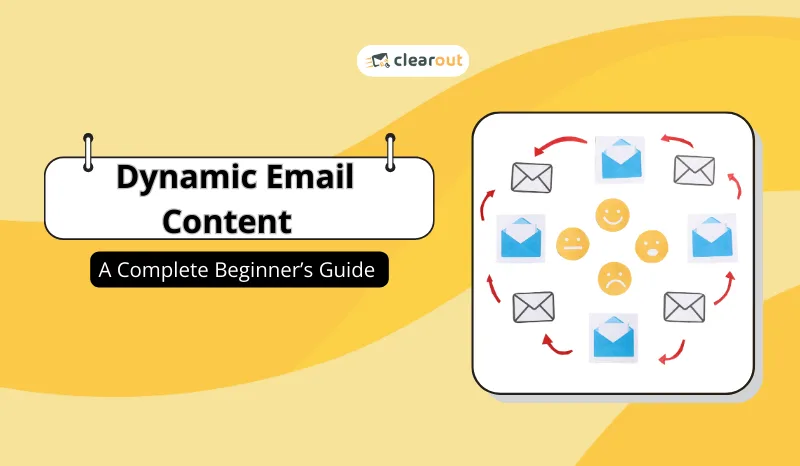
Dynamic email content is basically the magic that lets part of your email change automatically, depending on who’s getting it. Maybe one subscriber lives in New York and gets a local event invite, while someone else in California sees a beach promo.

It uses real details like where someone lives, what they’ve clicked on, or what they’ve bought before. You create one email, and it automatically adjusts for each person who opens it.

How Does Dynamic Content Actually Work?


Dynamic Content Work

Your email platform does the work. It pulls data from your contact list, CRM, store, or website activity. Based on simple rules you set, different content shows up for recent buyers, new subscribers, or users in specific locations.

Each message is triggered by real behavior, not assumptions. You stay in control. You decide what changes and when. New subscribers might see a welcome message, while long-time customers see something more relevant to them.

When the email is opened, the platform builds each version in real time. Two people can open the same email and see completely different content. One person gets a special welcome offer. Someone else sees product picks just for them. Another gets prices or timing that actually fits their location all from the same email blast.

How to Use Dynamic Email Content (Step-by-Step)


You don’t need to overthink while using dynamic email content. You don’t need to know any coding or do anything grand. You need solid data and tools that know how to use it.

Step 1: Pick Your Email Software


Pick Software

The foundation of any dynamic email strategy is the software you use. Without the right platform, personalization quickly becomes hard to manage.

Look for features like:

  • Conditional content rules
  • Merge tags and personalization fields
  • Behavioral triggers
  • Real-time content rendering

These features are what allow dynamic content email marketing to actually work at scale.

Step 2: Clean and Verify Your Email Data


Verified List

Dynamic content only works if your data is right.

Bad emails break everything.

Before you send anything:

  • Remove invalid and disposable addresses
  • Verify emails to prevent bounces
  • Keep subscriber details accurate

Clearout is a 99% accurate email verification tool used to keep lists clean and deliverable. Clean data means your emails get delivered. Simple as that.

Step 3: Segment Your Audience


Segment Audience

Segmentation makes dynamic content smarter.

You can segment by:

  • Location, role, and industry
  • Customer behavior like opens, clicks, and purchases
  • Lifecycle stage to understand if they are your new lead, active user, or a loyal customer

Step 4: Create Dynamic Rules and Conditions


Rules & Conditions

Now define when and why content changes.

Examples:

  • If user viewed Product A → show Product A content
  • If cart abandoned → show reminder + incentive
  • If inactive for 30 days → show re-engagement message

These rules tell your email platform which content block to display for each subscriber.

Step 5: Design and Test Dynamic Content Blocks


Design & Test

Design modular email sections such as:

  • Dynamic headlines
  • Personalized CTAs
  • Product recommendations
  • Location-based banners

Always test:

  • Different data scenarios
  • Fallback content (if data is missing)
  • Rendering across devices and inboxes
  • Location-based banners

Testing prevents broken personalization and awkward experiences.

Step 6: Launch, Monitor, and Optimize


Launch, Monitor & Optimise

After launch, track performance closely:

  • Open rates
  • Click-through rates
  • Conversion metrics
  • Engagement by segment

Optimize by refining rules, updating content logic, and improving data quality over time.

Types of Dynamic Content in Emails


Dynamic content in emails shows up in more ways than most people realize. In this section, we’ll walk through the most common types, what changes, when it changes, and how teams actually use it to keep emails relevant instead of generic.

1. Personalization-based content


Uses basic subscriber data like:

  • Name
  • Company
  • Preferences

Example: “Hi (person name), here’s something you might like.”

2. Behavioral Dynamic Content


Changes based on actions taken by the subscriber:

  • Browsed products
  • Downloaded content
  • Past purchases

Ideal for nurturing and retargeting.

3. Location & Time-Based Content


Displays content based on:

  • Country or city
  • Local time
  • Weather or regional events

Perfect for promotions and announcements.

4. Transactional Email Dynamic Content


Enhances transactional emails such as:

  • Order confirmations
  • Password resets
  • Account alerts

You can dynamically include cross-sells, tips, or support links without hurting clarity.

5. AI-Powered Dynamic Content


Uses AI to automatically:

  • Recommend products or content
  • Optimize subject lines
  • Predict user behavior
  • Adjust messaging in real time

This is the future of scalable personalization.

What are the Benefits of Using Dynamic Content in Email Marketing


Dynamic content helps teams send emails people actually want to read, without creating more work.The message changes based on what someone does or needs, not guesswork. Here’s what that improves in practice.

1. Higher Engagement That Feels Natural

People don’t ignore emails because they hate them, they ignore emails that feel irrelevant. Dynamic content in email marketing fixes that by reacting to what subscribers do.

If someone browsed a product, clicked a feature page, or signed up recently, the next email reflects that. The result is higher opens and clicks, not because you pushed harder, but because the message made sense to the reader.


2. Better Conversions Without More Emails

Dynamic content email marketing helps you show the right offer to the right person at the right time. Instead of promoting everything to everyone, content changes based on interest or intent.


3. Less Manual Work for Marketing Teams

With the right dynamic content email marketing software, one email can serve multiple audiences. A single dynamic content email template adjusts based on rules you set, not manual edits.

You build fewer versions, make fewer mistakes, and get campaigns out faster. Teams spend less time copying emails and more time thinking about what actually works.


4. Smarter Insights From Real Behavior

Email dynamic content doesn’t just personalize messages it reveals what people actually care about. Clicks, interactions, and responses become useful signals.

As people click and interact, patterns start to show up. You can use that insight to tighten messaging and plan smarter follow-ups, even with basic setups.


5. Stronger Long-Term List Health

Dynamic content keeps messages relevant by adjusting to the reader, not assumptions.

Over time, this improves trust, engagement, and deliverability especially for ongoing campaigns and transactional email dynamic content.


Dynamic Content Email Examples by Industry


Not every dynamic email looks the same. What works for an e-commerce store won’t work for a B2B software company, and a non-profit has different priorities altogether.

Here, we’ll show real examples how companies use dynamic content, what changes for each audience, and why it actually works. You’ll see relevance in action, not just in theory.

IndustryHow Dynamic Content Is UsedWhy It Works
Retail & eCommerce Product recommendations as per the browsing history, past purchases, or cart activity. Shoppers see items they already care about, which increases clicks and drives more purchases over time.
Media & Publishing Content suggestions based on topics a subscriber reads most, along with previews or estimated reading time. Readers understand what is important to them and will click on the links provided in the email.
Travel Industry Trip details such as booking dates, destinations, and itinerary updates, paired with helpful add-ons. Brands can create natural upsell opportunities here for travellers.
Healthcare Appointment reminders, order details, and clear usage or activation instructions. Clear guidance increases follow-through and builds confidence in the service or product.

Tools Needed for Dynamic Email Content


Dynamic email campaigns only work if your tools and data are actually good. If you’ve got the right setup, you can send emails that feel personal, go out automatically, and actually get to the people you want.

1. Email Marketing Platforms

Dynamic content is best done when you are aware of the reader and the interests. To that, the platform should modify components of the email automatically under basic conditions.

That is why you should use email marketing automation tools. You can get tools like HubSpot, Salesforce Marketing Cloud or Marketo, ActiveCampaign or Mailchimp to make sure that the messages remain relevant.


2. AI-Assisted Dynamic Content Tools

AI tools make personalization smarter and faster. They can generate multiple copy variations, suggest the best send times, and predict subscriber behavior to improve opens and clicks.

Tools like Persado, Phrasee, Copy.ai, Seventh Sense, and HubSpot’s AI features can do a lot of the personalization work for you. That way, your emails feel tailored without you spending forever on them.


3. Data & Verification Tools

Dynamic emails only work if your data’s solid. If your list has fake, disposable, or outdated addresses, your emails might never land and that can mess with your sender reputation. That’s where a tool like Clearout Email Verifier really helps. It checks your emails so you know they’ll actually reach the right people.

Clearout supports dynamic campaigns by ensuring your email data is clean, accurate, and deliverable, which directly impacts the success of every personalized send.


Here’s how Clearout adds value in a dynamic email workflow:

  • High-Accuracy Verification: Clearout’s email verification engine is super precise up to 99% accurate. It spots invalid, disposable, role-based, or risky emails before you even hit send, so your messages reach real people.
  • Guaranteed Deliverability: Once emails are verified, Clearout gives you a deliverability status. That means most of your emails should reach the inbox if you send within a day, which helps keep your sender reputation solid.
  • Real-Time & Bulk Support: You can check emails in bulk before sending a campaign, or plug Clearout’s API into your CRM.
  • Form Guard: Clearout can also verify leads in real time as they sign up on your website. Tools like Form Guard catch spam sign ups, bots, and junk data before they even reach your list.

Common Mistakes to Avoid With Dynamic Email Content


Dynamic content can make your emails way more effective, but it’s easy to slip up if you’re not paying attention. Here, we’ll go over the mistakes teams run into most often.

  • Depending on old or wrong subscriber info
  • Getting way too personal so much that it just feels uncomfortable
  • Forgetting fallback content when data is missing
  • Skipping testing across devices and scenarios
  • Forgetting about deliverability, skipping list cleaning, or not checking if emails are real

Best Practices for Successful Dynamic Email Marketing

  • Start simple and scale gradually
  • Focus on relevance, not complexity
  • Keep data clean and verified
  • Test continuously
  • Always provide value

The Future of Dynamic Content in Email Marketing


Key trends in email marketing are as follows:

  • Real-time dynamic content updates
  • Predictive and behavioral automation
  • Stronger focus on inbox placement, trust, and data quality.

Final Thoughts: Is Dynamic Email Content Worth It?


Dynamic email content isn’t just a buzzword. Honestly, it actually makes your emails work smarter. When you send messages that match what each person cares about, your emails feel personal and people notice. Open rates go up. People actually click. And engagement? Yeah, it goes up and people actually click, too.

👉Start Verifying Your Email List Today


Try Clearout

FAQs


1. What is dynamic email content?
It’s basically emails that change depending on who’s reading them. It’s a product they checked out, or a special deal just for their area. Each email feels like it was made for them, not the same generic message everyone else gets.
2. Can small businesses benefit from dynamic email content?
Absolutely even small lists perform better when customized content is used. It helps brands build stronger subscriber relationships and increase sales with smarter messaging.
3. What tools to use to create dynamic content in emails?
Yes. Dynamically changing content requires a mailing system capable of reading user information. Recently, such tools as HubSpot, Marketo, Salesforce Marketing Cloud, ActiveCampaign, or Mailchimp have already done a great job in personalizing emails, and you do not have to create complex systems to personalize email or handle everything manually.
4. How does AI help with dynamic email content?
AI basically takes a lot of the guesswork out of dynamic emails. Tools like Persado, Phrasee, Copy.ai, Seventh Sense, and HubSpot’s AI features can suggest subject lines, recommend products, predict what people might do next, and even create different content variations on their own. It saves a ton of time and makes campaigns smarter without your team having to do all the heavy lifting.

Share this article

Recent Posts

29 Jan 2026
Dynamic Email Content: A Complete Beginner’s Guide (2026)

Discover what dynamic email content is, how it works, types, examples by industry, tools, benefits a ...

27 Jan 2026
How to Choose the Right Email Verification API (Buyer’s Guide)

Explore the list of 100+ spam-associated words to be cautious with in 2026, and see how modern email ...

23 Jan 2026
7 Reasons Why Cold Emails Fail (And How to Fix Them)

Explore the list of 100+ spam-associated words to be cautious with in 2026, and see how modern email ...

22 Jan 2026
6 Biggest Email Verification Myths and What’s Actually True

Discover the truth behind common email verification myths. Learn how proper email list verification ...

21 Jan 2026
100+ Email Spam Trigger Words to Be Cautious With in 2026

Explore the list of 100+ spam-associated words to be cautious with in 2026, and see how modern email ...

Clearout's

Form Guard

Validate email, phone & name on any forms!

  • Real signups only
  • Verified emails
  • Valid phone numbers
  • No fake names
  • Cleaner CRM
  • No devs needed
Try for Free Now

Email Verification, Email Finding Form Guard & Prospecting Service

Expand Your Reach By Finding & Verifying Ideal Prospects.

Sign up & get 100 free credits

No Credit Card required

Create Free Account
Company

Why Clearout?

Pricing

Contact Us

Careers

Press

Enterprise

Sitemap

FAQ

Status

Products

Email Verifier

Email Finder

Form Guard

Prospect

LinkedIn Email Finder

Reverse Lookup

Google Sheets Add-on

WordPress Plugin

ClearoutPhone

What's New?

Resources

Integrations

HubSpot

Team Account

API

Compare Email Verifier

Compare Email Finder

Compare Prospecting

Use Cases

Blog

Help

Legal

Privacy Policy

Terms

DPA

Security

Trust Center

Certification

ISO 27001/2022

SOC 2 Type 2

GDPR

Partnership

HubSpot Certified

Affiliates

Partners

Clearout for browser

⚡ Supercharge Your Prospect Research with Clearout's LinkedIn Chrome Extension - Find and Verify Emails with Confidence!

Clearout Chrome extension

clearout
© 2026 Clearout. All Rights Reserved. Powered by Clearout, LLC.
Auto Credit Replenishment is here! Your credits can now recharge automatically. Learn More ➞
X