

- Products
- ResourcesDEVELOPER

 API
API
Clearout APIs are structured around REST and JSON Webhooks
Capture real-time events in your application workflow Form Guard
Real-time form validation to keep bad contacts out of your CRMKNOWLEDGE BASE Getting started
Sending campaigns without bounces is made simple FAQ
FAQ
Easily find answers to services, security and common questionsUSE CASES Lead Generation
Learn how professionals generate quality leadsGUIDESPricing Transparent & flexible pricing to support pay-per-use or recurringCompare Email Verification Tools AI-powered email verification with 99%+ accuracy, real-time validation, and transparent risk scoringCompare Email Finder Tools Pre-verified B2B email addresses with confidence scoring, find real person email, not role-based addressBLOGSEmail Verification ToolsFind Anyone’s Email Address
Most Accurate, Fast & Free WaysForm Validation
Importance, Ways & Best PracticesView All Blogs - Pricing
- Integrations
- Enterprise
- Login


Honeypots vs Modern Bots: Why Spam Still Gets Through

Every day, your contact forms are under attack, and the defenses most websites rely on are losing the battle. The 2025 Imperva Bad Bot Report found that bad bots now make up 37% of all internet traffic up from 32% the previous year.
Honeypot fields helped slow them down for years. But the bots that exist today are a different problem. They render pages, read HTML, and know how to skip hidden fields. They submit forms the same way a real person would. If a honeypot is all you're running, it's not enough.
This article breaks down how honeypots work, why they're no longer enough, and how combining them with a real-time validation layer like Clearout Form Guard gives your forms the protection they actually need.
Honeypot fields helped slow them down for years. But the bots that exist today are a different problem. They render pages, read HTML, and know how to skip hidden fields. They submit forms the same way a real person would. If a honeypot is all you're running, it's not enough.
This article breaks down how honeypots work, why they're no longer enough, and how combining them with a real-time validation layer like Clearout Form Guard gives your forms the protection they actually need.
Table of Content
What Is a Honeypot Field and How Does It Work?
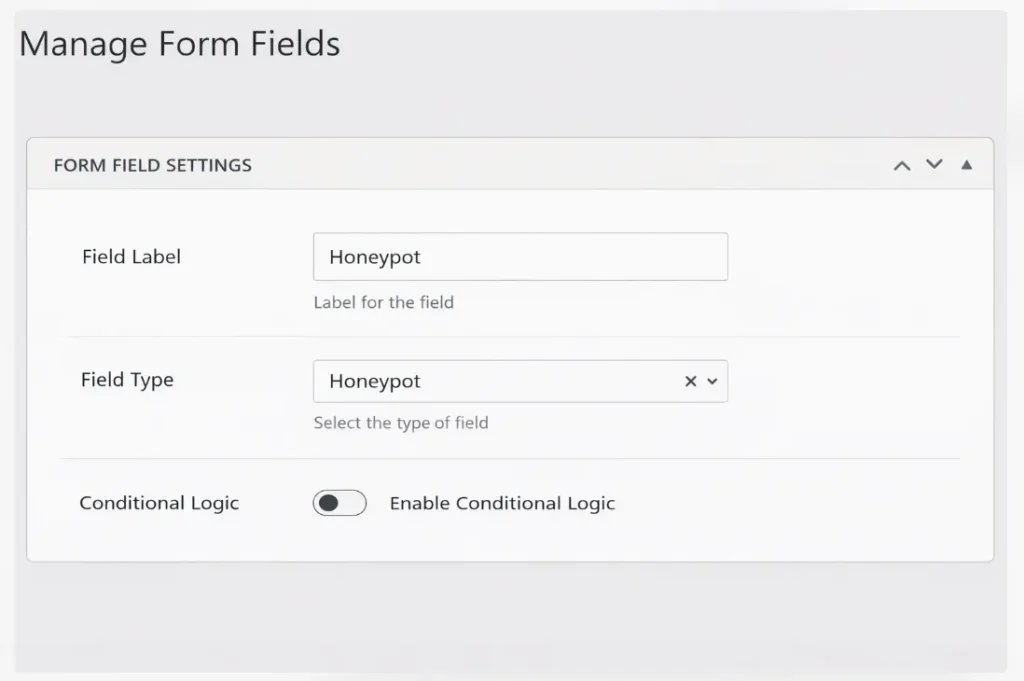
A honeypot field is an input, in a web form. Bots work differently; they look at the HTML code directly. They can find inputs that are not visible. Real users never see the field, so they leave it empty. When a value shows up in that field, the form processor flags the submission and drops it.
The field is hidden using CSS, either set to not display or pushed off-screen. It's also given a name that bots commonly go after, like "website" or "URL," to increase the chances they fill it in. If anything appears in that field on submission, the entry gets rejected.
The field is hidden using CSS, either set to not display or pushed off-screen. It's also given a name that bots commonly go after, like "website" or "URL," to increase the chances they fill it in. If anything appears in that field on submission, the entry gets rejected.
Types of Honeypot Fields in Web Forms
1. CSS-Hidden Fields
A text input is added to the form and hidden with CSS, either display: none or an off-screen position. Real users never interact with it. Basic bots fill it in because they scan the raw HTML without actually rendering the page visually.
2. Time-Based Honeypots
Time-based honeypots track how quickly a form is submitted. They do not just rely on hidden fields. Rather than this, they track how fast someone submits your form. Bots fill forms almost instantly. Real users take time to read and type. So if a form is submitted too quickly, it gets flagged. The best part is this works in the background.
3. Fake Link or Invisible Anchor Honeypots
Some implementations place invisible links or anchor tags on a page. Bots that crawl and follow links will trigger them, flagging the visit. This way of doing things is more common on pages with a lot of content and where people leave comments than on contact forms.
How to Add a Honeypot Field to Your Forms
To set up a honeypot field you do not need to use any service or plugin. You just add an input to your form so real users do not see it and you set up a check, in your form processor that does not accept any submission where that field has something in it. If you use HubSpot or Gravity Forms check your form settings first. Many builders already have a honeypot option.
Step 1: Add a Hidden Input Field
You will have to insert a text field on your form. Name something that bots tend to target, such as "website". You may also enter "url", "company", or "address". Scanning bots will detect it and fill it out, but a real user will not see it.
Step 2: Hide It From Real Users
Hide the field using CSS so real users never see or interact with it. You have the option of not showing it on the page or moving it out of the screen view. Both methods work. The HTML hidden attribute should be avoided because certain bots are designed to ignore the fields that are given this attribute.
Step 3: Add an Accessibility Label
Include a secret field in your form which will go unseen by regular users. Add a plain message such as Please do not fill this field because anyone who may accidentally see it will know not to fill this field. The field will then be filled in by most bots, which will be used to identify and block spam submissions. This is the way you can have your form still being used by real users and the automated entries are filtered without harming the user experience in general.
Step 4: Set Up the Rejection Logic
To your form processor, include a check to examine the existence of a honeypot field. In case it does, delete the submission and reply with a generic response. Do not return an error message confirming the submission was flagged. That tells the bot detection is in place.
Step 5: Test Before Going Live
Before you push your form live, take a minute and test it like a real user. No one visiting your page should even know it exists. After you submit the form, double check everything works as expected. Also, try tabbing through the form. The hidden field should not mess with the tab order or layout. If your site supports screen readers, test that too. The labels should still make sense and read correctly.
Honeypot vs Bots: What's the Difference
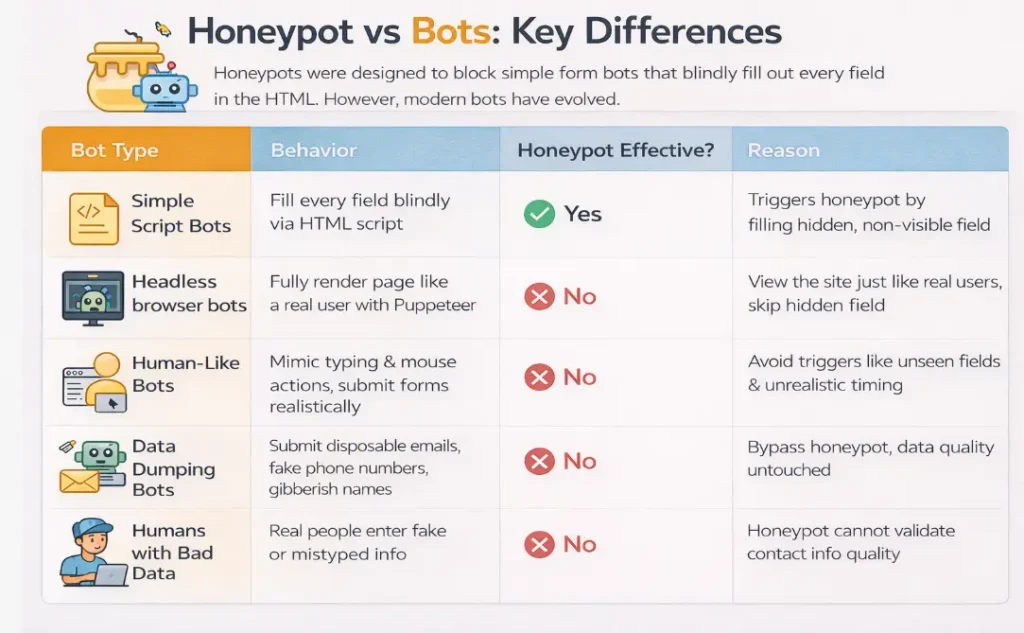
The honeypot was created to stop a kind of threat: simple bots that are controlled by scripts and fill in every field they find. This threat still exists today.
| Threat Type | How It Works | Does Honeypot Stop It? | Why/Why Not |
|---|---|---|---|
| Basic script bots | Blindly fill every field in the HTML without rendering the page | Yes | They fill in the hidden field, which triggers the honeypot, and the submission gets dropped |
| Headless browser bots | Use tools like Puppeteer or Playwright to fully render the page | No | They see the same view a real user does, so display:none fields are invisible to them, too |
| Human-behavior mimicking bots | Create typing delays, mouse movement, and realistic form-fill timing | No | They're built to avoid the signals that honeypots and time-based checks rely on |
| Bots submitting fake data | Clear the honeypot but enter disposable emails, invalid phone numbers, or gibberish names | No | Honeypots only check if the hidden field was filled. They have no visibility into data quality |
| Human submissions with bad data | Real people entering fake or mistyped contact details | No | A honeypot has no way to validate whether an email is deliverable or a phone number is real |
Introducing Clearout Form Guard: Real-Time Form Validation Tool
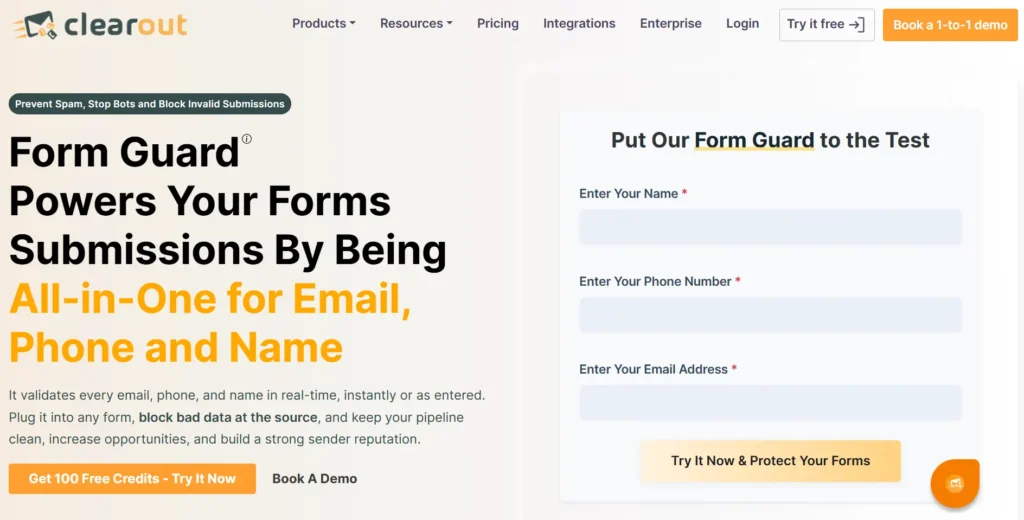
Clearout Form Guard is a real-time form validation tool that checks every email, phone, and name field as visitors fill out your form. It validates this information before the submission ever reaches your CRM.
Form Guard works even better alongside honeypot fields together. They cover fake form submissions from every angle, including advanced bots, invalid contact data, and deliberate junk entries.
What Form Guard Validates
Form Guard works even better alongside honeypot fields together. They cover fake form submissions from every angle, including advanced bots, invalid contact data, and deliberate junk entries.
What Form Guard Validates
- Email Field Validation: Checks email addresses for deliverability in real time. Disposable emails, role-based addresses, fake or invalid entries, catch-all domains, gibberish, and undeliverable addresses Form Guard validates these in real time before submission.
- Phone Field Validation: It doesn't stop at emails. Every phone number entered into your form gets validated in real time too. Invalid numbers, wrong formats, and unreachable digits are flagged and blocked on the spot so only genuine, reachable contacts make it through.
- Name Field Validation: If someone types a name full of random characters, numbers, or nonsense, Form Guard flags it on the spot and stops the submission right there.
Built-In Bot Detection
Form Guard includes built-in bot detection that you can switch on from the advanced settings. When enabled, it uses Form Guard's own detection methodology to identify automated submissions, with no extra integration needed. For teams already using Google reCAPTCHA v3, Form Guard supports that too. You can configure your site key, secret key, and a custom score threshold to tune sensitivity.
Works With Major Form Builders
Form Guard works with plain HTML forms and all major form builders. Live demos are available for:
Form Guard includes built-in bot detection that you can switch on from the advanced settings. When enabled, it uses Form Guard's own detection methodology to identify automated submissions, with no extra integration needed. For teams already using Google reCAPTCHA v3, Form Guard supports that too. You can configure your site key, secret key, and a custom score threshold to tune sensitivity.
Works With Major Form Builders
Form Guard works with plain HTML forms and all major form builders. Live demos are available for:
Additional supported platforms include Marketo, Zoho, WordPress, and more. Form Guard generates a JavaScript snippet that you can embed once. Any changes you make to settings apply immediately without needing to re-embed the code.
Honeypot & Form Guard Is the Complete Defense
Running a honeypot alongside Clearout Form Guard creates a two-layer defense where each layer handles what the other can't.
What Each Layer Defends Against?
What Each Layer Defends Against?
Layer 1: Honeypot Field
- Catches simple, script-based bots that blindly fill every field, including hidden ones.
- Works passively with no friction for real users.
- Requires no external validation calls or credits.
Layer 2: Clearout Form Guard
- Stops advanced bots that render JavaScript and pass right through honeypots.
- Rejects typos in phone numbers, email addresses, and fake names before they reach your database.
- Catches human submissions with deliberately false contact data, not just bot traffic.
- Covers bot detection through its own built-in system or Google reCAPTCHA v3.
Together, they cover the full range of form threats. A basic bot hits the honeypot and gets dropped. A sophisticated bot that clears the honeypot gets stopped by Form Guard's bot detection. A person who enters a fake email or an invalid phone number gets blocked at the field level before the form can go through. Your CRM only receives contacts that cleared both layers.
Fix Your Forms, Fill Your Pipeline
Honeypot fields earned their place in form security, and they still belong in your setup. But they were designed for a simpler threat. Modern bots have gotten good at passing as real users. They're faster and harder to detect than they used to be. When the bots get through, the damage shows up in your CRM as bad contacts, in your sales team as wasted calls, and in your reports as numbers you can't trust.
Honeypots alone cannot provide all the security to your CRM. Pair them with Clearout Form Guard and you've got a defense against bot submissions and junk data, all handled before they ever touch your CRM.
Honeypots alone cannot provide all the security to your CRM. Pair them with Clearout Form Guard and you've got a defense against bot submissions and junk data, all handled before they ever touch your CRM.
Start Blocking Fake Submissions
FAQs
1. Do honeypot fields work?
Honeypot fields work against basic bots that fill every input they find in the HTML. But they don't hold up against modern bots that render pages the same way a real user does. That's where Clearout Form Guard steps in validating every email, phone, and name field in real time so the submissions that make it through are actually worth your team's time.
2. How to add a honeypot field?
Add a hidden text input to your form using CSS and give it a name bots commonly target, like "website" or "url." In your form processor, reject any submission where that field has a value.
3. What is honeypot spam?
Honeypot spam is basically what happens when a bot walks straight into your trap. The hidden field catches the automated submission and it gets discarded on the spot and nothing reaches your database.
4. What is a honeypot field?
A honeypot field sits inside your form, completely invisible to real users. Bots though they dig through the HTML, find it, and fill it in without a second thought. The moment they do, the form processor flags it and throws the submission out before it gets anywhere near your data.
5. Do honeypot fields work against modern bots?
Honeypots are still worth it if you want to filter out the bot and fake submissions. But advanced bots today use headless browsers to render pages exactly like a human would, and honeypots just don't see them coming. That's where Clearout Form Guard picks up the slack catching advanced bots, bad emails, fake numbers, and junk names in real time, so your forms are covered from every angle.