


clearout
  • Products
    • Email Verifier Verify emails addresses individually, in bulk or through API, with 99% accuracy
    • Email Finder Find individual or bulk emails by entering the person & company name or domain
    • Form Guard IconForm Guard Protect your forms from spam, bots, and invalid submissions with real-time email, phone, and name verification.
    • Prospect SQL/MQL list building with high levels of personalization, real-time data enrichment and prospect search
    • Clearout For SheetsVerify email addresses directly on Google Sheets with Clearout for sheets add-on
    • Prospect – LinkedIn Chrome ExtensionBuild verified, targeted prospect lists directly from LinkedIn profiles
    • ClearoutPhoneValidate phone numbers across 240+ countries in bulk, quick or real time validation
    • Free Tools
    • Disposable Email Checker
    • Reverse LinkedIn Profile Lookup Tool
    • Reverse Email Lookup Tool
    • Email List Cleaner
  • Resources
      DEVELOPERAPI iconAPI
      Clearout APIs are structured around REST and JSON
      Webhooks iconWebhooks
      Capture real-time events in your application workflow
      Form Guard iconForm Guard
      Real-time form validation to keep bad contacts out of your CRM
      KNOWLEDGE BASEGetting started iconGetting started
      Sending campaigns without bounces is made simple
      FAQ iconFAQ
      Easily find answers to services, security and common questions
      USE CASESLead Generation iconLead Generation
      Learn how professionals generate quality leads
      GUIDESPricing arrow iconTransparent & flexible pricing to support pay-per-use or recurringCompare Email Verification Tools arrow iconAI-powered email verification with 99%+ accuracy, real-time validation, and transparent risk scoringCompare Email Finder Tools arrow iconPre-verified B2B email addresses with confidence scoring, find real person email, not role-based addressBLOGSEmail Verification ToolsFind Anyone’s Email Address
      Most Accurate, Fast & Free Ways
      Form Validation
      Importance, Ways & Best Practices
      View All Blogs
  • Pricing
  • Integrations
  • Enterprise
  • Login
Try it free Book a 1-to-1 demo
Akanksha Mishra / January 21, 2026 January 21, 2026

100+ Email Spam Trigger Words to Be Cautious With in 2026


100+ Email Spam Trigger Words to Be Cautious With in 2026

On average, only 82.63% of emails actually land in the main inbox. The rest, about 13.8%, go into the "spam" folder. If you're trying to grow a business, this gives you no conversations and missed sales.

Nevertheless, the current spam filters at Gmail or Outlook have changed. They are no longer seeking some get-rich-quick schemes.

Before you press the send button on your next campaign, the question arises: “Are your words putting your email at spam risk?”

Let's find out the common email spam trigger words for 2026 to avoid.

Table of Content


‣ What is an Email Spam Trigger Word?
‣ Why Spam Trigger Words Still Hurt Email Deliverability in 2026
‣ 100+ Spam Trigger Words to Avoid (And What to Use Instead)
‣ How Spam Filters Identify Suspicious Content?
‣ How to Avoid Spam Filters & Improve Deliverability?
‣ How Clearout Helps Reduce Spam Risk?
‣ Protect Your Inbox Placement
‣ FAQs
What is an Email Spam Trigger Word?


Email spam trigger words act as risk signals for inbox providers. Use the wrong words or phrases, and suddenly your email will go into the spam folder instead of someone’s inbox.

But it's no longer just about a single “bad word.” Today’s filters consider the format and interaction trends of your messages. If your emails get ignored, the filters will notice.

Old vs Modern Filtering of Spam Trigger Words: What Changed?


A decade ago, spam protection was fairly basic. If your email didn’t include certain “blacklisted” words, you were usually safe.

Modern spam filters are powered by machine learning models that analyze context, behavior, and reputation patterns over time.

Instead of asking “Does this email contain a bad word?” they now ask:

  • Does this sender usually get opened or ignored?
  • Do recipients trust this domain?
  • Does this copy feel exaggerated, misleading, or manipulative?

That’s why understanding how modern filtering works matters more than memorizing a few “spam words.”

A Comparison Between Old vs Modern Filtering Logic


Old-School Blacklist LogicModern Filtering Logic
Fixed banned wordsContext-based scoring
Simple keyword detectionReputation + behavior + content
Easy to “trick”AI-driven & adaptive
One-time judgmentOngoing trust scoring over time

Important: Spam trigger words are not guarantees of spam placement. They act as risk multipliers when combined with other negative signals.

Why Spam Trigger Words Still Hurt Email Deliverability in 2026


Even as filters get smarter, they still look for patterns. If your emails sound like the millions of fake offers and scams they see every day, they’ll treat you like one, even if you have the best intentions.

In 2026, inbox providers are working harder than ever to protect people from clutter and "fake" urgency. If you accidentally mirror those old salesy habits, the algorithms won't take the risk. They’d rather block a legitimate message than let a suspicious one slip through to their users. That means:
  • Aggressive hype language raises suspicion
  • Clickbait subject lines lose trust
  • Over-promotional phrasing reduces engagement
  • Poor list hygiene magnifies content-based risk

So while words alone won’t send you to spam, they influence how your sender reputation is scored over time.

100+ Spam Trigger Words to Avoid (And What to Use Instead)


Even great emails get buried in spam sometimes. Most of the time, it’s because a few "loud" words or messy formatting trigger spam filters.

Here are the top spam trigger words you should avoid.

1. Money & Financial Words


These words are frequently linked to scams and unrealistic promises, so filters treat them cautiously:

Avoid ThisUse This Instead
Free moneyCredit card offer
Cash bonusSpecial credit
Make money fastGrow your revenue
Earn extra cashCreate an additional income stream
Get paidReceive your earnings
Double your incomeIncrease your income
$$$Revenue/returns
Investment opportunityBusiness opportunity
Lottery / PrizeGiveaway
WinnerSelected customer
Wire transferBank transfer
Credit card offerPayment option

2. Urgency & Pressure Words


Spam filters are highly sensitive to “panic-style” language designed to rush users:

Avoid ThisUse This Instead
Act nowGet started today
Limited TimeAvailable for a short period
UrgentImportant update
Don’t miss outHere’s something you may find useful
Expires todayAvailable until [date]
Only X leftLimited availability
Ending SoonClosing shortly
Once in a lifetimeSpecial opportunity
What are you waiting forReady when you are

3. “Free” Related Words


Overusing “free” (especially in caps or repeated) can quickly raise red flags:

Avoid ThisUse This Instead
FREE!!!No-cost
Absolutely freeIncluded at no charge
Free trialTry it at no cost
Free GiftComplimentary item
Free accessFull access included
Gift certificateBonus credit
Free bonusExtra benefit

4. Action Command Words


These direct commands often make emails look overly promotional:
Avoid ThisUse This Instead
Click hereView details
Buy nowSee pricing
Order nowGet started
Call nowTalk to our team
Sign up for freeCreate your account
Subscribe hereJoin our updates
Apply onlineSubmit your request
Visit our websiteLearn more

Real Subject Line Examples


Risky Subject LineCleaner Alternative
FREE MONEY – Act Now!!!How companies improve ROI with cleaner data
Last Chance to Double SalesA proven way to improve lead quality

How Spam Filters Identify Suspicious Content?


Modern spam filters don’t just scan your email for a few “bad words.” They behave more like smart security systems that study your entire message before deciding where it belongs.

  • Your email subject line and formatting style: They also examine the structure and formatting of your email, such as subject line style, formatting, links, and the rest of your composition to identify patterns that are often used in bad or deceptive emails.
  • Message intent signals: Inbox systems are trained on how trusted brands communicate. When a message sounds exaggerated, pushy, or emotionally manipulative, it does not just annoy readers. It sends a signal. Promises that feel too big, language that pressures immediate action, or sudden tone shifts raise suspicion.
  • Receiving engagement behavior: Filters analyse behavioural indicators and the manner in which individuals tend to respond to emails such as yours. When such emails are often ignored, deleted or considered spam, your message will be considered spam as well.

Know more about common triggers and patterns in this detailed guide on spam filter triggers.

How to Avoid Spam Filters & Improve Deliverability?


Landing in the inbox isn’t guaranteed anymore. In 2026, spam filters will judge your emails based on trust, behavior, and content patterns. Certain words, formats, and list quality signals can quietly raise spam risk. Knowing what spam trigger words to avoid helps protect your sender reputation and keeps your campaigns visible.

  • Write naturally, not aggressively. Emails that sound human and helpful perform better than hype-heavy sales copy.
  • Use clear, honest subject lines. People think subject lines affect only email open rates. What they do not realize is that subject lines also influence trust signals over time.
  • SPF, DKIM, and DMARC.
    • SPF is to understand which servers are allowed to send emails for your domain.
    • DKIM proves that the message was not altered after it was sent.
    • DMARC tells inbox providers what to do when SPF or DKIM fails. DMARC also sends reports.
  • Clean your lists regularly. Old and inactive contacts silently increase deliverability issues and damage your sender reputation.
  • Verify new leads at capture. Stop fake, disposable, and mistyped emails before they enter your system.
  • Track engagement trends. Opens, clicks, and spam complaints shape how inbox providers score your domain.

💡 The data behind your well-written emails is typically what's missing from inboxes, not the copy. Long before you realize it, sender reputation is subtly harmed by outdated contacts, disposable emails, and spam traps.

How Clearout Helps Reduce Spam Risk?


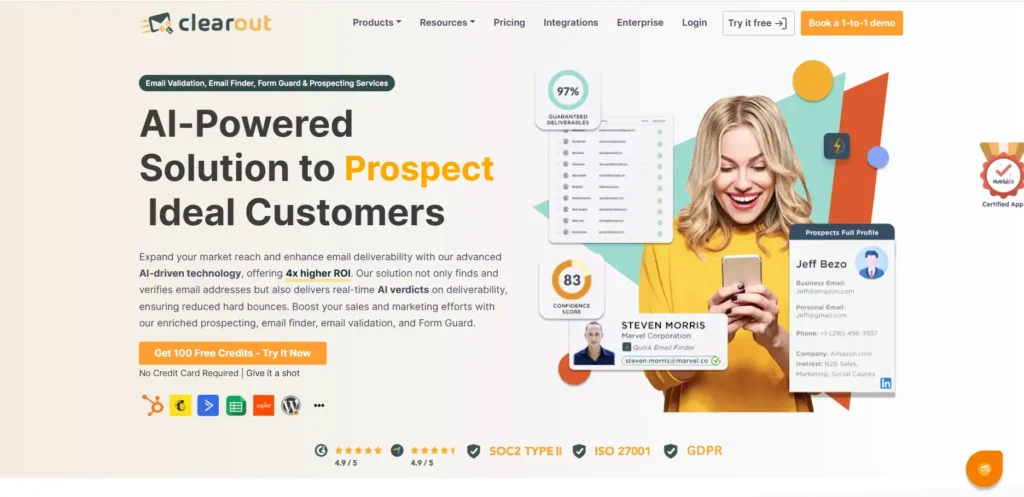
Clearout Home Page

Clearout helps maintain high-quality email lists by identifying and removing invalid, gibberish, role-based, disposable, and high-risk addresses before sending campaigns. It increases the sender's reputation by ensuring that there is a lower bounce rate and more email deliverability.

Here’s how Clearout supports email campaigns:

1. Real-Time Email Verification at the Point of Capture


Clearout’s email verifier tool and Form Guard validate email addresses. This prevents invalid, gibberish, role-based, risky, disposable, or fake addresses from ever entering your CRM. It protects your list from low-quality contacts before they become a problem.

2. Comprehensive Bulk Email Validation


Whether you upload a CSV, Excel file, or connect via API/CRM integration, Clearout runs your entire list through 20+ advanced validation checks. These include catch-all, greylisting, syntax, domain, MX records verification, SMTP verification, and spam trap detection to help you remove risky entries that damage deliverability.

3. Disposable & Spamtrap Detection


Temporary or disposable emails and spamtrap addresses harm your sender reputation and bounce rates. Clearout determines the chances of an email address being a spam trap.

4. Integration With Your Tools & Workflows


Clearout works with CRM platforms, form tools, cold outreach tools, Email sending services, and more. This makes sure your contact data stays clean across your entire stack without manual effort.

Quick Checklist – Reduce Spam Risk in 2026

  • Avoid hype-heavy subject lines
  • Verify new leads instantly
  • Remove disposable & risky emails
  • Monitor engagement and complaints
  • Authenticate your sending domain

Protect Your Inbox Placement


By 2026, landing your emails in someone’s inbox is about building real trust. Some of the major factors to consider for this include the words you choose, how you organize your message, and even how clean is your email list.

One risky phrase won’t automatically push you into spam. But when spam-prone language combines with outdated lists, disposable emails, and low engagement, inbox placement often starts slipping without any obvious warning. And once your sender reputation drops, rebuilding it can take months.

That’s why smart marketers don’t just focus on copy; they focus on a clean email list first.

You can validate your campaign's email list in real time with Clearout and filter out invalid/gibberish/disposable/risky/role-based emails. It will reduce the number of bounced emails, give greater engagement, and improve sender score.

Protect Your Sender Reputation


Start Verifying With Clearout Today

FAQs


1. What are spam trigger words?
Spam trigger words are phrases or terms that email filters commonly flag as risky, like “free,” “act now,” or “limited time offer.” They don’t automatically block your email, but overuse can increase the chance of landing in spam.
2. Do spam trigger words really affect email deliverability?
Yes, spam trigger words can influence deliverability, but filters also consider sender reputation, engagement rates, and authentication. Using spammy phrases excessively can raise your spam score.
3. What are the riskiest spam trigger words I should avoid?
Suggestive or over-promotional words such as last chance, urgent, or buy now are usually identified as risky words. Simple words are better to use in your emails to avoid getting into spam folders.
4. What actually lands your email in spam?
Several reasons can get your email into spam folders. These are suspicious content, spam trigger words, low sender reputation, unverified domain, low engagement, and absence of authentication, such as SPF, DKIM, and DMARC.
5. How to use a spam trigger word checker to improve email deliverability?
A spam trigger word tool scans your email message prior to delivery. These assist you in finding problem words, refining words, and increasing email deliverability.

Share this article

Recent Posts

21 Jan 2026
100+ Email Spam Trigger Words to Be Cautious With in 2026

Explore the list of 100+ spam-associated words to be cautious with in 2026, and see how modern email ...

16 Jan 2026
Why IP Blocking on Forms is Not Enough to Stop Fake Signups

Learn why IP blocking alone can’t stop modern fake signups and how pairing it with real-time form va ...

30 Dec 2025
Build a Verified Email List That Actually Converts in 2026

Learn how to build verified email lists in 2026. Discover email list building tools, common mistakes ...

26 Dec 2025
11 Reasons Why Email Verification is Crucial in Healthcare

Learn 11 reasons why email verification is crucial in the healthcare industry, from HIPAA compliance ...

24 Dec 2025
MX Records Simplified: Sustain Email Effectiveness in 2026

Explore what MX records are, how they work, their components, common mistakes, examples and why corr ...

Clearout's

Form Guard

Validate email, phone & name on any forms!

  • Real signups only
  • Verified emails
  • Valid phone numbers
  • No fake names
  • Cleaner CRM
  • No devs needed
Try for Free Now

Email Verification, Email Finding Form Guard & Prospecting Service

Expand Your Reach By Finding & Verifying Ideal Prospects.

Sign up & get 100 free credits

No Credit Card required

Create Free Account
Company

Why Clearout?

Pricing

Contact Us

Careers

Press

Enterprise

Sitemap

FAQ

Status

Products

Email Verifier

Email Finder

Form Guard

Prospect

LinkedIn Email Finder

Reverse Lookup

Google Sheets Add-on

WordPress Plugin

ClearoutPhone

What's New?

Resources

Integrations

HubSpot

Team Account

API

Compare Email Verifier

Compare Email Finder

Compare Prospecting

Use Cases

Blog

Help

Legal

Privacy Policy

Terms

DPA

Security

Trust Center

Certification

ISO 27001/2022

SOC 2 Type 2

GDPR

Partnership

HubSpot Certified

Affiliates

Partners

Clearout for browser

⚡ Supercharge Your Prospect Research with Clearout's LinkedIn Chrome Extension - Find and Verify Emails with Confidence!

Clearout Chrome extension

clearout
© 2026 Clearout. All Rights Reserved. Powered by Clearout, LLC.
Auto Credit Replenishment is here! Your credits can now recharge automatically. Learn More ➞
X