clearout
  • Products
    • Email Verifier Verify emails addresses individually, in bulk or through API, with 99% accuracy
    • Email Finder Find individual or bulk emails by entering the person & company name or domain
    • Form Guard IconForm Guard Protect your forms from spam, bots, and invalid submissions with real-time email, phone, and name verification.
    • Prospect SQL/MQL list building with high levels of personalization, real-time data enrichment and prospect search
    • Clearout For SheetsVerify email addresses directly on Google Sheets with Clearout for sheets add-on
    • Prospect – LinkedIn Chrome ExtensionBuild verified, targeted prospect lists directly from LinkedIn profiles
    • ClearoutPhoneValidate phone numbers across 240+ countries in bulk, quick or real time validation
    • Free Tools
    • Disposable Email Checker
    • Reverse LinkedIn Profile Lookup Tool
    • Reverse Email Lookup Tool
    • Email List Cleaner
    • Company Domain Finder API
  • Resources
      DEVELOPERAPI iconAPI
      Clearout APIs are structured around REST and JSON
      Webhooks iconWebhooks
      Capture real-time events in your application workflow
      Form Guard iconForm Guard
      Real-time form validation to keep bad contacts out of your CRM
      KNOWLEDGE BASEGetting started iconGetting started
      Sending campaigns without bounces is made simple
      FAQ iconFAQ
      Easily find answers to services, security and common questions
      USE CASESLead Generation iconLead Generation
      Learn how professionals generate quality leads
      GUIDESPricing arrow iconTransparent & flexible pricing to support pay-per-use or recurringCompare Email Verification Tools arrow iconAI-powered email verification with 99%+ accuracy, real-time validation, and transparent risk scoringCompare Email Finder Tools arrow iconPre-verified B2B email addresses with confidence scoring, find real person email, not role-based addressBLOGSEmail Verification ToolsFind Anyone’s Email Address
      Most Accurate, Fast & Free Ways
      Form Validation
      Importance, Ways & Best Practices
      View All Blogs
  • Pricing
  • Integrations
  • Enterprise
  • Login
Try it free Book a 1-to-1 demo
Priyanshi Sharma / April 1, 2026 April 1, 2026

How Bad Data Breaks a Data-Driven Go-to-Market Strategy?


How Bad Data Breaks a Data-Driven Go-to-Market Strategy?

Your go-to-market plan may look perfect. You defined your ideal customer, built campaigns, and set targets. Still, results fall short. Replies are low. Costs go up. Sales teams start questioning the system.

Here is the real issue. Your data is not clean.

Bad data quietly damages your entire GTM plan. You end up targeting the wrong people. Emails never reach inboxes. Reports show numbers that do not reflect reality. Over time, every decision starts drifting in the wrong direction.

Bad data sends your team in the wrong direction. You talk to the wrong people, spend more money than planned, and lose deals you should have closed.

Most companies face this problem. Around 9 out of 10 businesses deal with data quality issues. For GTM teams, this is not a small problem as it directly impacts revenue.

Table of Content


‣ What Is a Data-Driven Go-to-Market Strategy?
‣ Why Data Quality Is Important for GTM Strategy?
‣ How Does Bad Data Break Your Go-to-Market (GTM) Strategy?
‣ How Does Bad Data Actually Break Your GTM Strategy?
‣ How Can You Spot Bad Data Before It Wrecks Your GTM?
‣ How Does Clearout Stop Bad Data From Breaking Your GTM?
‣ What You Should Do Next?
‣ FAQs

What Is a Data-Driven Go-to-Market Strategy?


An image showing what a data-driven go-to-market strategy is.

A data-driven GTM approach implies that you rely on real customer statistics in order to take action. Rather than assuming who your buyer is, you look at real customers, the best time to send emails, and test what actually gets responses.

This approach helps you make smarter moves.

GTM itself is simply your plan to reach customers and bring in revenue. It involves the targeting, the message you communicate, the place you can access them, and how sales & marketing co-exist. With all this, you eliminate blind spots. In firms that depend on this strategy, revenue growth and levels of marginality tend to increase. However, this is only possible when the data that supports it is right.

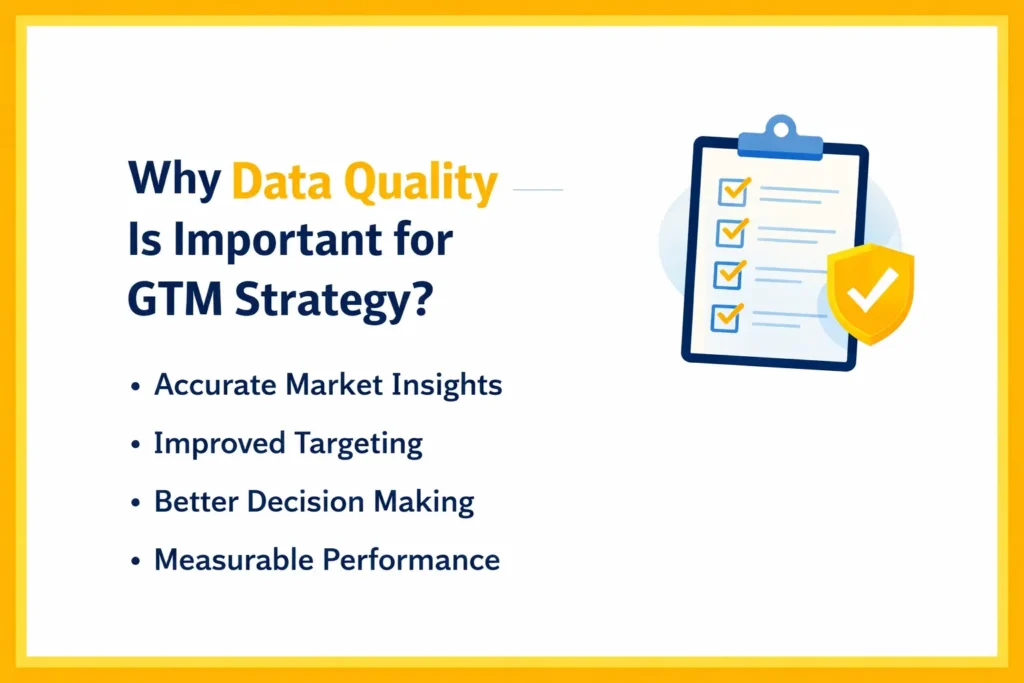
Why Data Quality Is Important for GTM Strategy?


An image showing the importance of data in a go-to-market strategy.

Every team in your company depends on data.

  • Sales teams pull contact lists from your CRM.
  • Marketing builds campaigns using company and contact details.
  • Revenue teams predict pipelines based on deal data.
  • Product teams study customer feedback to decide what to build next.
Now think about what happens when that data is wrong.

  • Sales emails bounce because addresses are invalid.
  • Marketing spends money on companies that are not a good fit.
  • Prospects are good, but acquisitions never get finished since contacts were made months ago.
  • Product teams act on feedback from users who are no longer active.
There is another problem. Bad data creates more bad data.

If your emails do not reach inboxes, your engagement numbers drop. You may think your messaging is weak. In reality, people never saw your emails. This leads to wrong conclusions and poor changes in strategy.

On top of that, data keeps getting outdated. In B2B, contact data changes quickly. People switch jobs. Companies restructure. Email addresses stop working and database becomes outdated.

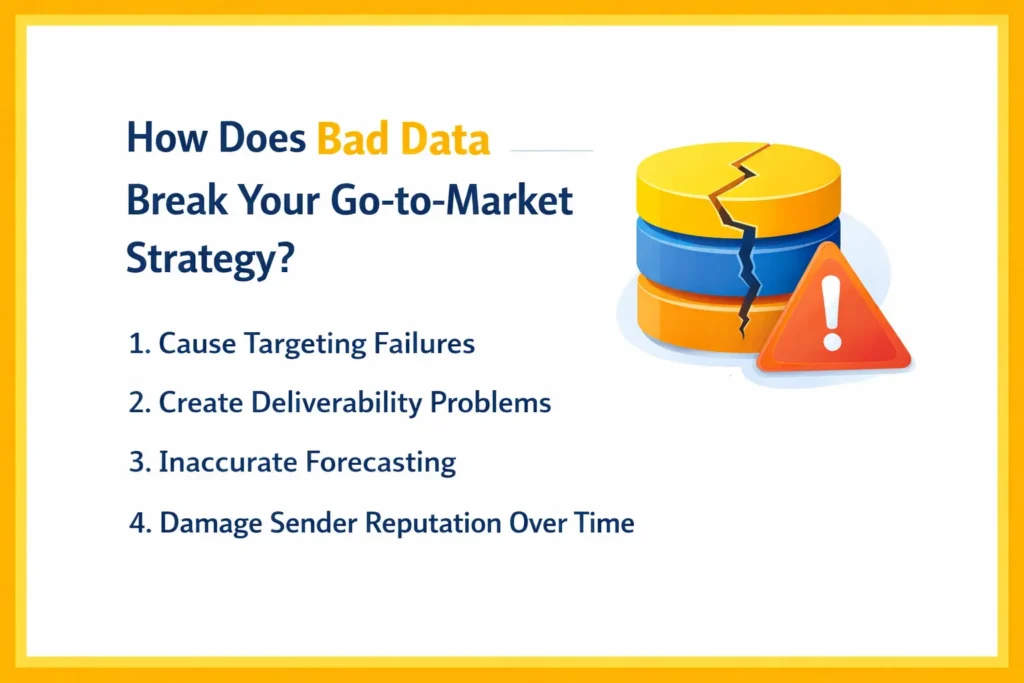
How Does Bad Data Break Your Go-to-Market (GTM) Strategy?


An image showing how bad data breaks a go-to-market strategy.

Bad data affects GTM execution in five major ways. Each one directly impacts your revenue and team output.

1. Cause Targeting Failures


  • Your ICP looks correct on paper, but your data is outdated
  • 30% of companies may no longer fit your criteria
  • Some have grown too large, some got acquired, others changed industry
What happens:

  • Sales reaches companies that will never convert
  • Marketing spends budget on the wrong accounts
  • Strong campaigns fail despite good messaging
At the contact level:

  • You target CFOs, but many contacts have changed roles
  • Your message reaches the wrong person
Result: 30–40% of your GTM effort gets wasted.

2. Create Deliverability Problems


  • Around 15% of your email list may be invalid
  • Out of 5,000 emails, ~750 can bounce
  • Some have grown too large, some got acquired, others changed industry
What happens:

  • High bounce rates damage your sender reputation
  • Future emails land in spam even for valid contacts
Real impact:

  • Inbox placement can drop from 90%+ to nearly 60%
  • Emails show “sent” but never reach inboxes
For calls:

  • 20–25% numbers may be wrong or inactive
  • Sales reps waste hours on failed calls
Result: Your outreach does not reach people.

3. Inaccurate Forecasting


  • Your CRM shows a strong pipeline
  • Example: $4.5M pipeline → expected $1.8M revenue
Reality:

  • Contacts have left companies
  • Wrong people listed as buyers
  • Some emails are not even deliverable
What happens:

  • Deals look real but are not
  • Revenue comes much lower than expected
Result:

  • Missed targets
  • Wrong hiring and budget decisions
  • Internal blame across teams
Result: Your outreach does not reach people.

4. Damage Sender Reputation Over Time


  • Every campaign with invalid emails reduces your sender score
Example:

  • 10,000 emails sent
  • 800 invalid → 8% bounce rate
What happens over time:

  • Email providers reduce trust gradually
  • More emails start going to spam
  • Engagement drops further
The hidden problem:

  • Your system shows “delivered”
  • But users never see your emails
Result:
  • A slow decline that becomes hard to recover from.
  • In some cases, companies must switch domains to fix it.

How Does Bad Data Actually Break Your GTM Strategy?


Bad data does not fail your strategy in one big moment. Instead, it quietly damages different parts of your execution. Over time, small issues turn into serious revenue problems.

1. Reaching the Wrong People


First, targeting starts to fall apart. You define your ideal customer clearly. For example, Series B SaaS companies with 50 to 200 employees in financial services. Then you build a list and your team starts outreach.

But here is where things go wrong.

Around 30% of your data may already be outdated. Some companies have grown bigger. Others got acquired. Some even changed industries. So even though your list looks correct, it is not.

As a result, your sales team spends time on companies that will never buy. At the same time, marketing spends the budget on the wrong audience. Even worse, your messaging may be perfect. Still, nothing converts.

Now think at the contact level.

You target CFOs. But many contacts changed roles or left. So your message lands with someone who no longer cares about it. This eventually consumes much of your team's time.

2. Messages Not Reaching Anyone


Even when you are aiming at the right people, your messages might not come through at all. Assume that your team sends 5000 emails a month. Sounds great. But if 15% of those emails are invalid, that is 750 emails failing instantly.

Now it gets worse.

Email providers track these failures. So when bounce rates go up, your sender reputation drops. Slowly, your emails start going to spam even for valid contacts. At first, you may not notice. Then open rates drop. Replies disappear.

Naturally, teams blame subject lines or messaging. But the real issue is bad data. The same happens with phone numbers. Sales reps call numbers that do not work. Some are disconnected. Some are wrong. Some are landlines marked as mobile.

As a result, reps lose time and trust in the system.

3. Revenue Forecasts Keep Missing


Now let’s look at forecasting.

You check your CRM and see a strong pipeline. For example, $4.5M in deals and you expect $1.8M in revenue.

So you plan to hire and spend around this number.

But the data inside that pipeline is not accurate. Some deals have contacts who already left. Some list the wrong person as buyer. Others cannot even be contacted because the email is invalid.

So your pipeline looks strong on paper, but in reality, many deals are not real. When the quarter ends, you close far less than expected. At this point, teams start blaming each other. Sales blames leads. Marketing blames the product. But the real issue started with bad data.

4. Your Personalization Isn’t Working


Now think about personalization. When done right, it improves conversions a lot. But it only works when your data is current.

For example, you send an email like: Congrats on your Series B. As your team grows from 50 to 150 employees…”

This will work in case the information is not incorrect. And when such funding occurred 18 months ago or the number of employees in the company now is 200, your message will be old-fashioned. The same applies to roles. You may address someone as a CFO when they are no longer in that role. Or mention a company they left years ago.

5. Email Performance Getting Worse Over Time


Finally, there is a long-term impact that many teams miss.

Sender reputation.

This does not drop suddenly. It declines slowly. At first, you send campaigns with some invalid emails. Bounce rates increase slightly. Email providers notice but do not block you yet. Then it keeps happening.

Each campaign adds more damage. After a few months, your sender reputation drops enough that emails start going to spam. Even valid emails. Now, engagement drops further. Low engagement sends a negative signal again. So the problem keeps growing. Eventually, a large portion of your emails stops reaching inboxes.

And fixing this is not quick. You need months of clean sending to recover. In some cases, companies even switch domains and start from zero. During this time, your main outreach channel becomes weak.

How Can You Spot Bad Data Before It Wrecks Your GTM?


There is no need to use complicated dashboards or costly tools to identify data problems promptly.

1. Check Bounce Rates


Your team may use email bounce rate as a measure of the campaign, yet it is a data quality indicator. When a bounce rate exceeds 2%, it is likely to indicate that your list contains risky emails and not necessarily poor targeting. The moment it reaches 5%, mailbox providers begin flagging your sender behavior, and this impacts future campaigns despite sending a powerful message.

2. Call Connect Rates Reveal Data Decay


Poor connect rates can be attributed to timing or scripts, yet the actual problem is most likely to be data accuracy. When less than 30% of your callouts are to real people, then your database is probably full of old numbers or invalid contacts. This becomes more severe in industries where contacts change roles frequently.

3. Incomplete Data Weakens Targeting


Missing fields do not look critical at first, but they break segmentation logic. Without job roles, company size, or industry data, your campaigns become broad and less relevant. What people often miss is that incomplete data also disrupts automation workflows and leads to routing.

4. Sudden Engagement Drops


When open rates or replies drop suddenly, teams tend to rewrite copy. As a matter of fact, it is usually a deliverability problem due to bad data. Bad emails, spam traps, or bad list hygiene will lower inbox placement, and hence, your message never gets into the inbox.

5. Duplicates and Forecast Errors


Duplicate records are not just a CRM issue; they distort reporting and pipeline visibility. This directly impacts forecast accuracy because the same opportunity may be counted multiple times. If your numbers are consistently off, your data foundation needs attention.

How Does Clearout Stop Bad Data From Breaking Your GTM?


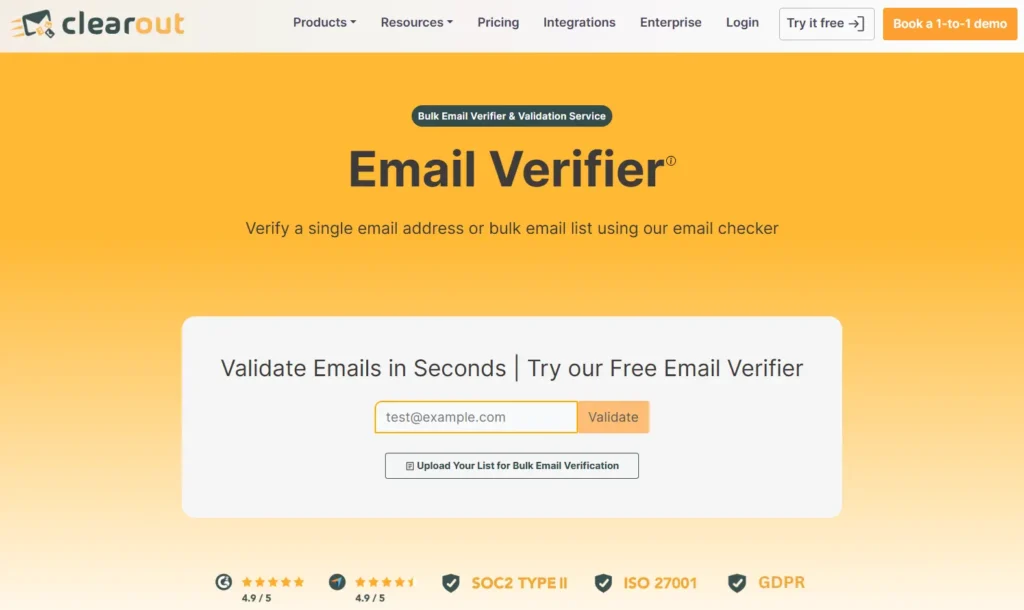
An image showing the Clearout Email Verifier page.

The real advantage comes from preventing bad data at every stage instead of fixing it later. Here’s how Clearout makes sure your GTM does not have bad data anymore.

1. Multi-Layer Email Verification That Reduces Risk


Clearout Email Verifier runs emails through 20+ validation checks including syntax validation, MX record verification, SMTP validation, and spam trap detection. It also identifies gibberish, disposable emails, invalid, role-based accounts, and catch-all domains, which are common sources of hidden deliverability issues. It checks the status of all the email addresses in real-time and gives a guaranteed deliverability score.

2. Bulk Verification With Deliverability Insight


When you process large datasets, Clearout does more than label emails as valid or invalid. It provides detailed classifications so you can remove risky contacts with precision. This helps reduce bounce rates to 3% or less and protects your sender reputation at scale.

3. Real-Time Validation at the Point of Capture


Bad data often enters through forms and manual inputs. Clearout validates emails in real time with 99.73% accuracy. It catches typos, fake entries, and bot submissions instantly. It also suggests corrections for domain errors, which improves data accuracy.

4. API Integration for Continuous Data Hygiene


Rather than running one-time cleanups, Clearout allows you to automate validation through its API. This ensures that every new record entering your system is verified instantly. Over time, this creates a self-maintaining data environment without constant manual effort.

What You Should Do Next?


A new strategy will not necessarily improve go-to-market (GTM) performance. It has been found in most instances that the quickest returns come with high data quality. Hence, here’s what you should do now.

Check bounce rates, call connect rates, missing fields, duplicates, and forecast accuracy. These indicators will quickly reveal weak points in your system.

Start with email verification to stabilize deliverability. Then prevent bad data from entering through real-time validation. After that, clean existing records and remove duplicates to restore accuracy.

Rather than relying on manual fixes, use Clearout for verification in your workflow. From bulk email verification to real-time form validation and API-based automation, it makes sure your data stays accurate at every stage.

Create the Best Go-to-market Framework


Start Data Verification With Clearout

FAQs


1. In simple terms, what is a GTM strategy?
Your plan to access customers and earn money is called a go-to-market (GTM) strategy. It concerns the targeted individuals, the method by which you get to them, what you are selling, and the teamwork.
2. What is the impact of bad data on the go-to-market strategy?
Low data quality leads to poor targeting, ineffective outreach, poor predictions, and poor personalization. It reduces your potential to tap and transform prospects in the long run.
3. What is GTM data enrichment?
Go-to-market data enrichment refers to the inclusion of missing information or the revision of records that are of old age. It will help you in being more precise and delivering related messages only.
4. What are the 5 pillars of a go-to market strategy?
The 5 pillars comprise the target audience, value proposition, channels, sales process and data. The first four are where most conversations end, but data is the layer which ties it all together. In the absence of clean data, your targeting will be too general, your message will not be relevant and your channels will fail to perform effectively. Clearout email verifier helps here by validating emails, removing invalid contacts, and assisting you in maintaining a high-quality database, which supports every pillar of GTM.
5. What is a data-driven go-to-market framework?
A data-driven framework refers to a method of making GTM decisions using real data. It means collecting information, analyzing it, testing ideas, and improving them based on what you learn.

Share this article

Recent Posts

01 Apr 2026
How Bad Data Breaks a Data-Driven Go-to-Market Strategy?

Discover how bad data impacts your go to market strategy causing bounces, low conversions, poor targ ...

31 Mar 2026
The Complete B2B Go-To-Market Strategy Guide for 2026

Explore how modern B2B teams design a strong go-to-market strategy that aligns sales and marketing, ...

23 Mar 2026
How to End an Email: 15 Sign-Off Examples by Context

Discover how to end an email professionally with 15 sign-off examples. Choose the right closing by c ...

20 Mar 2026
Why Many Email Finders Return Inaccurate Emails | How to Fix

Many email finders return inaccurate emails due to outdated data, lack of verification, and other hi ...

18 Mar 2026
How to Automate Bulk Email Verification With API (Step-by-Step)

Learn how to automate bulk email verification using an API. Explore this step-by-step guide on setup ...

Clearout's

Form Guard

Validate email, phone & name on any forms!

  • Real signups only
  • Verified emails
  • Valid phone numbers
  • No fake names
  • Cleaner CRM
  • No devs needed
Try for Free Now

Email Verification, Email Finding Form Guard & Prospecting Service

Expand Your Reach By Finding & Verifying Ideal Prospects.

Sign up & get 100 free credits

No Credit Card required

Create Free Account
Company

Why Clearout?

Pricing

Contact Us

Careers

Press

Enterprise

Sitemap

FAQ

Status

Products

Email Verifier

Email Finder

Form Guard

Prospect

LinkedIn Email Finder

Reverse Lookup

Google Sheets Add-on

WordPress Plugin

ClearoutPhone

What's New?

Resources

Integrations

HubSpot

Team Account

API

Compare Email Verifier

Compare Email Finder

Compare Prospecting

Use Cases

Blog

Help

Legal

Privacy Policy

Terms

DPA

Security

Trust Center

Certification

ISO 27001/2022

SOC 2 Type 2

GDPR

Partnership

HubSpot Certified

Affiliates

Partners

Clearout for browser

⚡ Supercharge Your Prospect Research with Clearout's LinkedIn Chrome Extension - Find and Verify Emails with Confidence!

Clearout Chrome extension

clearout
© 2026 Clearout Inc. All Rights Reserved. Powered by Clearout.
Auto Credit Replenishment is here! Your credits can now recharge automatically. Learn More ➞
X