

- Products
- ResourcesDEVELOPER

 API
API
Clearout APIs are structured around REST and JSON Webhooks
Capture real-time events in your application workflow Form Guard
Real-time form validation to keep bad contacts out of your CRMKNOWLEDGE BASE Getting started
Sending campaigns without bounces is made simple FAQ
FAQ
Easily find answers to services, security and common questionsUSE CASES Lead Generation
Learn how professionals generate quality leadsGUIDESPricing Transparent & flexible pricing to support pay-per-use or recurringCompare Email Verification Tools AI-powered email verification with 99%+ accuracy, real-time validation, and transparent risk scoringCompare Email Finder Tools Pre-verified B2B email addresses with confidence scoring, find real person email, not role-based addressBLOGSEmail Verification ToolsFind Anyone’s Email Address
Most Accurate, Fast & Free WaysForm Validation
Importance, Ways & Best PracticesView All Blogs - Pricing
- Integrations
- Enterprise
- Login


Valid vs Active Email Contacts: The Difference Marketers Miss

Unlike social media platforms, email doesn’t rely on algorithms to decide whether your audience sees your message. If the address is real, your email simply lands in their inbox.
However, not every email address is valid.
Invalid addresses cause hard bounces that damage the sender's reputation. But even among valid addresses, not all subscribers actively engage. Valid emails make sure deliverability, while active subscribers drive opens, clicks, and conversions.
However, there's a big difference between a valid and active email address that you should know before you start email marketing. Let's understand it in this blog.
Table of Content
What Is a Valid Email Address?
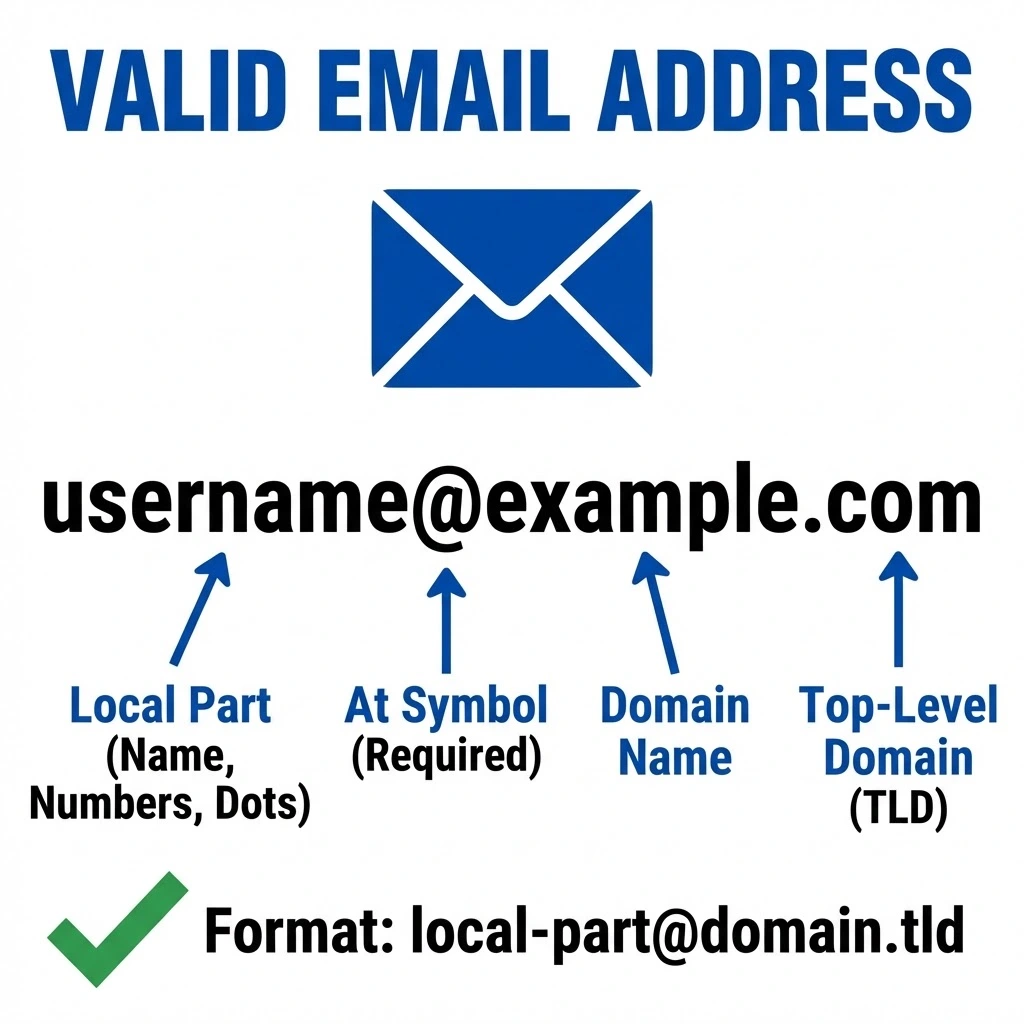
In a nutshell, 3 primary criteria must be met in order to have a valid email address:
- They follow standard email such as [email protected].
- The domain is in place and mail exchange (MX) records are configured.
- The inbox of a valid address may receive the incoming emails.
Why Do You Need Valid Emails?
- Improved deliverability: When you're only sending to real, valid addresses, mailbox providers are far more likely to drop your emails straight into the inbox rather than sending them off to spam.
- Lower bounce rates: Every invalid address on your list is just waiting to generate a hard bounce and too many of those tell email service providers that you're not taking care of your list.
- Stronger sender reputation: Consistently sending to valid contacts builds trust with email providers over time and a good sender reputation is something you really don't want to mess with.

Clearout performs over 20+ validation checks, including mailbox existence verification, to make sure an email address is actually capable of receiving messages.
These checks include:
- Syntax validation
- Domain and MX record verification
- SMTP mailbox verification
- Disposable email detection
- Catch-all server detection
In addition, Clearout Form Guard helps prevent invalid or disposable emails from entering your CRM in the first place by verifying addresses at the moment users submit forms.
Marketers can validate entire mailing lists or instantly verify emails when users submit forms on a website with Clearout's bulk and real-time email verification.
What Is an Active Email Address?
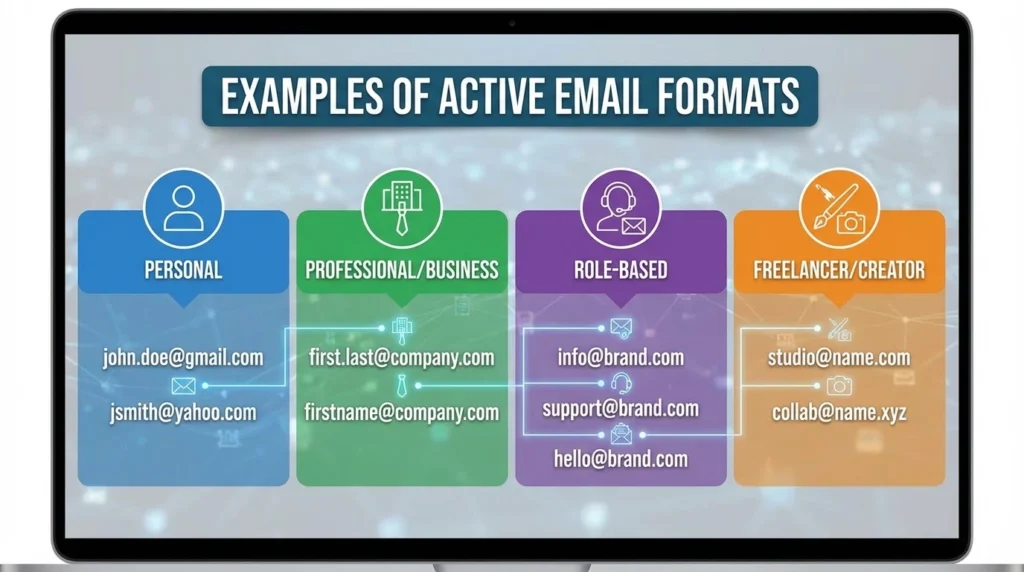
A subscriber who opens emails, clicks links, replies, or otherwise engages with campaign content has an active email address.
Engagement is usually demonstrated by an active email address through quantifiable actions like:
- Email opens
- Link clicks
- Replies to messages
Consider this situation:
| Email Address | Valid | Active |
|---|---|---|
| [email protected] | Yes | No |
| [email protected] | Yes | Yes |
But how do email platforms determine which subscribers are active? Let's see it in the section below.
How Email Platforms Track Subscriber Activity?

Platforms like Moosend examine some basic signals in order to gain insight into the engagement of subscribers to campaigns. These usually include:
- Email opens: This is tracked when the email has been opened and loaded by the subscribers.
- Link clicks: These are logged when the recipients visit websites, landing pages, and other resources by clicking on the links.
- Replies: When subscribers directly reply to an email.
- Conversions: This involves an action taken by a person like signing up, downloading or making a purchase.
- Timing of engagement: Trends that indicate when individuals tend to open or read email.
Difference Between a Valid and Active Email
| Factor | Valid Email Address | Active Email Address |
|---|---|---|
| Primary Focus | Deliverability | Engagement |
| Verified through | Technical validation checks | Behavioral Metrics |
| Key indicators | Domain verification, SMTP confirmation | Open clicks responses |
| Role in campaigns | Prevents bounces | Drives performance |
| Tools to Check | Clearout, ZeroBounce, NeverBounce, Hunter.io, Mailfloss | Moosend, Mailchimp, Klaviyo, HubSpot, ActiveCampaign |
| Risk if Ignored | High bounce rate, damaged sender reputation | Wasted budget, low engagement, poor ROI |
| What It Tells You | Whether the address exists and can receive mail | Whether the person behind it is paying attention |
| How Often to Check | Before every send or import | After every campaign cycle |
1. Technical validation vs behavioral engagement
Technical email validation checks the address itself. It looks at the email format, the domain behind it, and the mail server that receives messages. If the address is fake, typed incorrectly, or linked to a temporary mailbox, the system flags it before any message is sent. Behavioral engagement looks at what happens after the email arrives. It studies how people interact with your messages. Do they open the email? Do they click a link? Do they reply or ignore it completely? These signals show the level of interest a contact has in your emails.
2. Deliverability vs marketing impact
Valid emails keep your sending infrastructure healthy. They assist in reducing bounced mail and ensure that your emails move to the inbox. The email being delivered to the inbox does not guarantee that people will interact.
3. List hygiene vs audience quality
Verification tools handle the technical side; they tell you which addresses are safe to send to. Engagement analytics handle the strategic side they tell you which contacts are worth sending to. Both matter, but for different reasons. A clean and engaged list is what actually grows your business.
How to Check if Email Contacts Are Valid?
1. Verify email validity using a dedicated verification tool
Use an email verification tool like Clearout to check if your contacts are legitimate. Clearout examines every email address on your list. It verifies MX records, authenticates the email address, checks the mailbox as well as identifies risky catch-all, suspicious, and other types of email addresses.
2. Monitor engagement metrics
After verifying email addresses, marketers should track which contacts stay active by watching engagement signals. Email marketing platforms such as Moosend provide metrics including:
- Open rates
- Click-through rates
- Subscriber interaction history
- Campaign performance data
3. Segment contacts based on validity and engagement
After verification and engagement analysis, email lists should be segmented into three categories:
- Active contacts: Valid email addresses that consistently interact with campaigns.
- Valid but inactive contacts: Deliverable addresses that rarely engage with messages.
- Invalid contacts: Those addresses that do not pass the verification test or those addresses that increase the bounce rate.
Benefits of Maintaining Valid and Active Email Contacts
1. Improved deliverability
A clean list means your emails stop getting lost and actually reach the inbox which is the whole point.
2. Higher engagement rates
Genuine contacts actually read your emails, click what grabs their attention and interact with what you put out instead of just sitting there doing nothing.
3. Accurate performance metrics
Real contacts give you real numbers you stop guessing and start actually knowing what's hitting and what's missing.
4. Higher marketing ROI
When your emails are hitting individuals who have an interest in what you are sending, the time and money spent in email marketing will finally begin giving you a higher ROI.
Best Practices for Email Validation
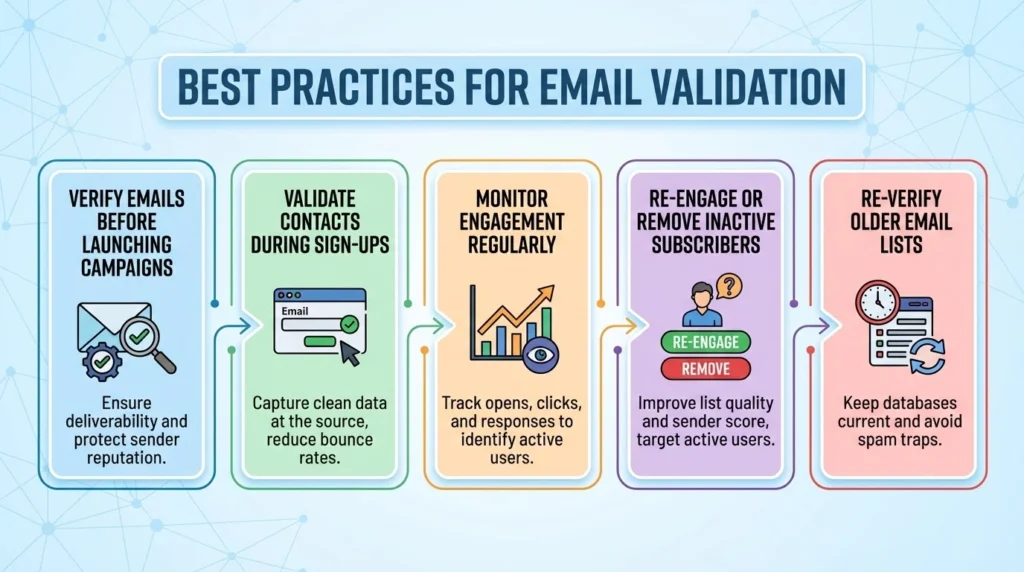
1. Verify emails before launching campaigns
Before sending your campaign, make sure you verify email addresses before sending to remove invalid contacts. Running your list through a verification tool takes barely any time but prevents major deliverability issues later
2. Validate contacts during sign-ups
Validating contacts during sign-ups can block typos, bot, fake submissions, and invalid information. At this point, Clearout Form Guard can help you verify the email, phone number, and name of the lead submitting form.
3. Monitor engagement regularly
Monitor who is opening, clicking and actually attending. You should know how many have opened, checked your website, signed up, or ended up closing the email without any engagement.
4. Re-engage or remove inactive subscribers
Individuals that have lost interest in engaging on a long time basis can damage your deliverability. You should immediately remove these inactive subscribers from your list.
5. Re-verify older email lists
People change jobs, abandon inboxes, and switch emails all the time. A list from two years ago probably isn't as clean as you think.
Make Every Email Count
The best approach combines validating your emails with Clearout as it is 99.73% accurate and then getting engagement insights from Moosend, so you target people who actually care.