clearout
  • Products
    • Email Verifier Verify emails addresses individually, in bulk or through API, with 99% accuracy
    • Catch-all Email Verification IconCatch-all Email Verification Resolve more catch-all and SEG-protected emails into Valid or Invalid results with Deep Verify.
    • Email Finder Find individual or bulk emails by entering the person & company name or domain
    • Form Guard IconForm Guard Protect your forms from spam, bots, and invalid submissions with real-time email, phone, and name verification.
    • Form Guard IconData Pulse Verify, enrich, and monitor your CRM contacts in real time - heartbeat monitor for your data.
    • ProspectSQL/MQL list building with high levels of personalization, real-time data enrichment and prospect search
    • Clearout For SheetsVerify email addresses directly on Google Sheets with Clearout for sheets add-on
    • Prospect – LinkedIn Chrome ExtensionBuild verified, targeted prospect lists directly from LinkedIn profiles
    • ClearoutPhoneValidate phone numbers across 240+ countries in bulk, quick or real time validation
    • Free Tools
    • Disposable Email Checker
    • Reverse LinkedIn Profile Lookup Tool
    • Reverse Email Lookup Tool
    • Email List Cleaner
    • Company Domain Finder API
  • Resources
      DEVELOPERAPI iconAPI
      Clearout APIs are structured around REST and JSON
      Webhooks iconWebhooks
      Capture real-time events in your application workflow
      Clearout MCP icon Clearout MCP
      Verify and find emails from AI assistants like Claude and Cursor
      Form Guard iconForm Guard
      Real-time form validation to keep bad contacts out of your CRM
      KNOWLEDGE BASEGetting started iconGetting started
      Sending campaigns without bounces is made simple
      FAQ iconFAQ
      Easily find answers to services, security and common questions
      USE CASESLead Generation iconLead Generation
      Learn how professionals generate quality leads
      GUIDES Clearout Insights arrow icon Explore original research, industry statistics, and data-backed insights Pricing arrow iconTransparent & flexible pricing to support pay-per-use or recurringCompare Email Verification Tools arrow iconAI-powered email verification with 99%+ accuracy, real-time validation, and transparent risk scoringCompare Email Finder Tools arrow iconPre-verified B2B email addresses with confidence scoring, find real person email, not role-based addressData Pulse & HubSpot Breeze Intelligence arrow iconPre-verified B2B email addresses with confidence scoring, find real person email, not role-based addressBLOGSEmail Verification ToolsFind Anyone’s Email Address
      Most Accurate, Fast & Free Ways
      Form Validation
      Importance, Ways & Best Practices
      View All Blogs
  • Pricing
  • Integrations
  • Enterprise
  • Login
Try it free Book a 1-to-1 demo
Aastha Shaw / August 12, 2022 October 24, 2026

What is a Valid Email Address Format?


What is a Valid Email Address Format?

Over 376 billion emails are sent every single day. Yet studies show that nearly 1 in 5 marketing emails never reaches the inbox at all.

One of the most preventable reasons? Not knowing what a valid email format actually looks like before the campaign launches.

Table Of Content


‣ Why do we say ‘Valid’?
‣ What is a Valid Email Address Format?
‣ Does a Valid Email Format Mean The Address Exists?
‣ What is an Invalid Email Address?
‣ Why Do You Need To Validate Email Addresses?
‣ How To Validate an Email Address with Clearout?
‣ Before You Send Email, Check What’s on Your List
‣ FAQ


Why do we say ‘Valid’? 🤔


Firstly, it is important to make sure the email address is correct and actually exists so that you know you are reaching out to a real person.

Secondly, invalid email addresses can ruin your database, resulting in bounced emails, damaged sender reputation, and campaigns that never had a chance.

Disappointed man saying, “That’s a little depressing”

So let’s dig into what makes a valid email address format and how Clearout can help you validate email address formats.

What is a Valid Email Address Format?


A valid email address follows the local-part@domain structure. The local part identifies the mailbox, while the domain identifies the mail system responsible for receiving email. The @ symbol separates the mailbox name from the domain and is required for the address to follow the standard email format.

Let’s understand what a valid email address contains:

1. The local part or username: The part before the @ symbol identifies the mailbox. It can contain letters, numbers, and certain special characters. Periods can be used within the local part, but they cannot appear at the beginning or end.

2. The symbol: The @ separates the local part from the domain. Every standard email address uses it to connect the mailbox name with the domain.

3. The domain: The domain appears after the @ symbol and identifies the mail system that handles the address. It is made up of labels separated by dots. Each label can be up to 63 characters long, while the full domain can be up to 255 octets.

It consists of one or more parts separated by a dot. Each part must be no longer than 63 characters and can contain any combination of letters and numbers without having a hyphen as the first or last character.

Hence, an email with all of these elements as per the guidelines is a valid email address format.

Examples of Valid Email Address Formats:


  • [email protected]

  • [email protected]

  • [email protected]

Examples of Invalid Email Address Formats:


  • @clearout.io – (contains no username)

  • John.doesocialfrontier.com – (contains no @)

  • [email protected] – (contains no domain name)

Does a Valid Email Format Mean The Address Exists?


No. Format only tells you the address is written correctly. It doesn’t tell you whether the mailbox exists. For example, [email protected] is written in the proper email address format, but if that mailbox was never created or has been deleted, any email sent to it will bounce.

If you need to know whether an address is actually deliverable, use Clearout Email Verifier. It checks additional signals without sending an email to the recipient, helping you identify addresses that are valid, invalid, catch-all, or unknown.

Now, let’s have a quick look at what invalid email addresses are and their cause.

What is an Invalid Email Address?


An invalid email address cannot receive emails either because it is formatted incorrectly, the mailbox no longer exists, or the domain it belongs to is not active.

What makes an email address invalid?


1. Human error: Typos can happen at the point of entry by either the person trying to sign up or by a company representative when getting the information. Sometimes users intentionally provide incorrect information to exploit the system for free with multiple signups.

2. Formatting: An address is invalid when it doesn’t follow the proper email address format. Common examples include a missing @ symbol, an empty local part, an incomplete domain, or invalid characters.

3. Domain: An address can follow the expected format but still fail verification if its domain does not exist or is not configured to receive email. This may happen if a business goes out of business or changes names.

4. Missing mailbox: A domain can exist while a specific mailbox does not. If the mailbox has been deleted, the email address cannot receive messages.

5. Inactive addresses: Some addresses may no longer be actively used even though they still exist. Depending on the provider, an inactive mailbox may eventually be disabled or deleted.

A bad email address can enter your database through a typo, an inactive mailbox, or other verification issues. Checking email addresses before they are added to your list helps you catch these issues early instead of carrying invalid addresses into your campaigns.

Find Invalid Emails in Your List - Free

Why Do You Need To Validate Email Addresses?


Invalid email addresses entering your system should not be taken lightly, as sending email campaigns to these addresses can lead to wasted resources, a higher bounce rate, and potential damage to your sender reputation and brand.

And that’s why you need to verify email addresses before starting cold outreach. It helps you identify invalid, risky, or catch-all addresses. Checking addresses as they enter your database and before every bulk send lets you remove invalid ones early. Every email sent to an invalid address bounces, and mailbox providers like Gmail and Outlook count those bounces against your sender reputation.

Too many bounces can send your emails to spam, and your email service provider may pause your account. Removing invalid addresses means fewer bounces, more emails in the inbox, and more opens and replies.

How To Validate an Email Address with Clearout?


Clearout Email Verifier verifies email addresses without sending an email to the recipient. It check syntax, domain, MX records, and the mail server to identify valid, invalid, catch-all, and unknown addresses.

Here's how:


You'll Never Know Unless You Try Email Validator!

You've exceeded allowed limit, so create an account to get 100 FREE credits
[No Credit Card Required]

Timeout occured.
Click here to try again

Something went wrong. Please try later!!

User Picture
(Did you mean : )
Safe To Send
? Based on best practices followed in the industry, Safe To Send flag will provide one of the 4 values to know the deliveriablity chances
Yes - Valid mailbox addresses with guranteed deliveriablity of message thus help to keep sender reputation high %
No - Invalid mailbox addresses can be safely removed, try sending message will bounce and degrade the sender reputation
Risky - Contact these email addresses only when bounce rate is less than 5 % or when using own email sending service
Unknown - Due to unavoidable reasons the status of the email cannot be determined, so retry before using them
Status
? What does Status value means?
Valid - Secure, go ahead and send
Invalid - Don't send, drop these emails
Catch-all - Maybe, at your own risk
Unknown - Don't send, verify later an hour to know the status
Reason
Account
Domain
Disposable
Free Account
Role Account

Real-time verification to keep out invalid entries:


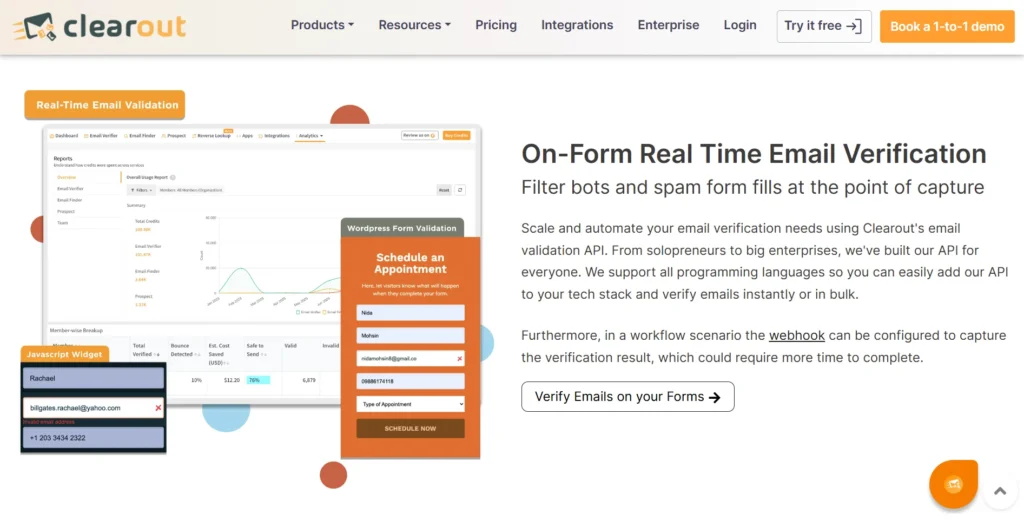
With Clearout’s real-time email verification, you can ensure that you capture only valid email addresses, leading to a clean and reliable database. There are multiple ways, from a custom API to a JavaScript widget, to connect your landing pages, forms, and apps to Clearout.

Clearout real-time email validation dashboard and form verification tools

Bulk verification for maintaining a healthy database:


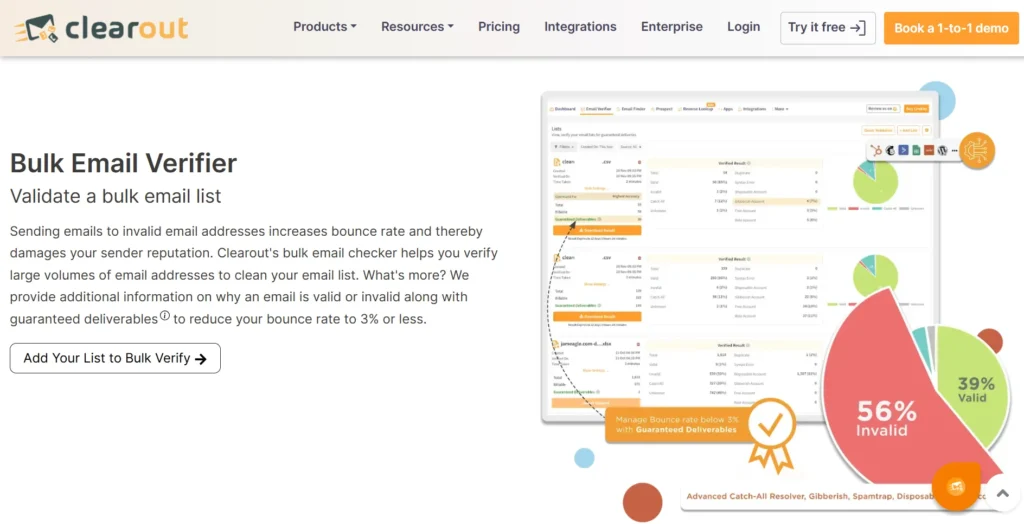
Clearout bulk email verification lets you upload and verify millions of email address all at once email list. You can also verify existing contacts from your database or CRM through Clearout API. Connect it with Zapier, or Make before using the list for campaigns.

Clearout bulk email verification dashboard with validity results

With Clearout, you can be confident in your email campaigns without worrying about bounces and a bad reputation!

Find valid email addresses with Email Finder:


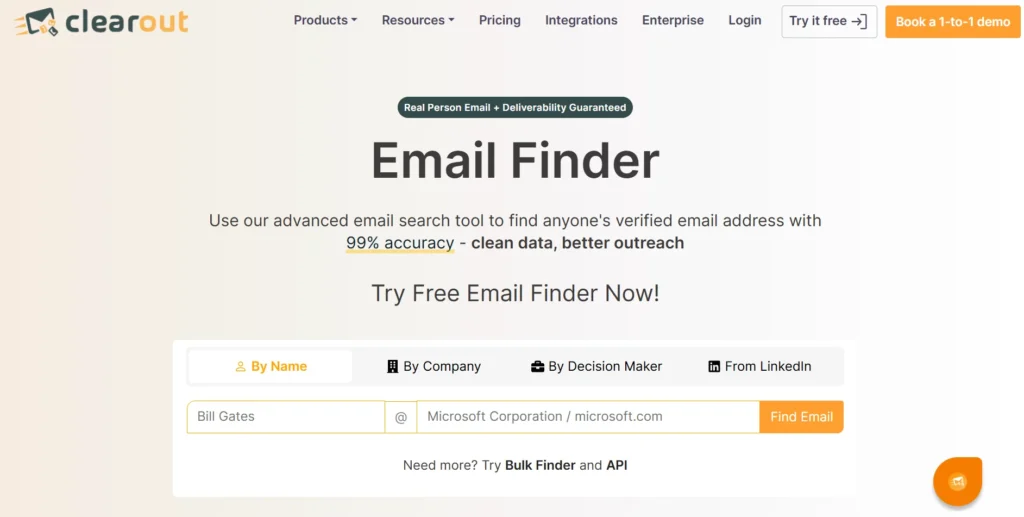
Clearout Email Finder helps you find business email addresses using a prospect’s full name and company or domain. You can search for one prospect at a time or find emails in bulk. Discovered email addresses are pre-verified and do not require an additional verification tool to verify them.

Clearout email finder landing page

Before You Send Email, Check What’s on Your List


A single typo can cost you a lead. A deleted mailbox can turn a once-valid contact into a bounce. And when you're working with hundreds or thousands of addresses, checking them one by one isn't realistic.

Clearout Email Verifier lets you check your list in bulk. So, now you can spot invalid addresses before your next campaign goes out.

Have a list ready to check?


Try Free with Clearout

FAQ


1. Why am I getting an invalid email address?
Typos are one of the most common reasons for unintentionally getting invalid email addresses into the database. Invalid addresses can also come from incomplete form entries, disposable addresses, or users entering incorrect information.
2. What is the syntax of a valid email address?
The syntax of a valid email address is local-part@domain. The local part can be up to 64 octets, while the domain can be up to 255 octets. These limits describe the address structure, but they do not confirm that the mailbox exists or can receive email.
3. What is Email Validation?
Email validation checks whether an email address is correctly formatted and can actually receive emails. Depending on the verification method, checks can include syntax, domain, mail-server, and mailbox-level signals.
4. How do I validate an email address without sending an email?
You can validate an email address without sending an email by using an email verification tool like Clearout Email Verifier. It runs an email list through 20+ checks. You get the address categorized into valid, invalid, catch-all, or unknown.

Share this article

Recent Posts

05 Nov 2026
How to Win Back Closed Lost Deals: 6-Step Strategy

Learn how to win back closed-lost deals, reconnect with decision-makers, verify email addresses, and ...

04 Nov 2026
How Sales and SDR Teams Use Email Verification to Protect Quota-Driving Outreach

Learn how sales and SDR teams use email verification to reduce bounces, protect sender reputation, ...

30 Oct 2026
How Invalid Catch-All Leads Drain Your Sales Budget

Learn how catch-all leads waste sales budget on ad spend, SDR time, and outreach. Calculate cost per ...

28 Oct 2026
AI Agents: Why They Are Becoming GTM Infrastructure

Discover how AI agents are transforming GTM workflows through prospecting, outreach, and lead routin ...

27 Oct 2026
How to Add Email Validation to Webflow, Wix, and Squarespace Forms

Add real-time email validation to Webflow, Wix, and Squarespace forms with Clearout Form Guard. Lear ...

Clearout's

Form Guard

Validate email, phone & name on any forms!

  • Real signups only
  • Verified emails
  • Valid phone numbers
  • No fake names
  • Cleaner CRM
  • No devs needed
Try for Free Now

Email Verification, Email Finding Form Guard & Prospecting Service

Expand Your Reach By Finding & Verifying Ideal Prospects.

Sign up & get 100 free credits

No Credit Card required

Create Free Account
Company

Why Clearout?

Pricing

Contact Us

Careers

Press

Enterprise

Sitemap

FAQ

Status

Products

Email Verifier

Catch-all Verification

Email Finder

Form Guard

Data Pulse

Prospect

LinkedIn Email Finder

Reverse Lookup

Google Sheets Add-on

WordPress Plugin

ClearoutPhone

What's New?

Resources

Clearout Insights

Integrations

HubSpot

Team Account

API

Clearout MCP

Compare Email Verifier

Compare Email Finder

Compare Prospecting

Use Cases

Blog

Help

Legal

Privacy Policy

Terms

DPA

Security

Trust Center

Certification

ISO 27001/2022

SOC 2 Type 2

GDPR

Partnership

HubSpot Certified

Affiliates

Partners

Clearout for browser

⚡ Supercharge Your Prospect Research with Clearout's LinkedIn Chrome Extension - Find and Verify Emails with Confidence!

Clearout Chrome extension

Clearout
© 2026 Clearout Inc. All Rights Reserved. Powered by Clearout.
Validate Enrich New Salesforce contacts automatically with Data Pulse. Learn More ➞
X