

- Products
- ResourcesDEVELOPER

 API
API
Clearout APIs are structured around REST and JSON Webhooks
Capture real-time events in your application workflow Form Guard
Real-time form validation to keep bad contacts out of your CRMKNOWLEDGE BASE Getting started
Sending campaigns without bounces is made simple FAQ
FAQ
Easily find answers to services, security and common questionsUSE CASES Lead Generation
Learn how professionals generate quality leadsGUIDESPricing Transparent & flexible pricing to support pay-per-use or recurringCompare Email Verification Tools AI-powered email verification with 99%+ accuracy, real-time validation, and transparent risk scoringCompare Email Finder Tools Pre-verified B2B email addresses with confidence scoring, find real person email, not role-based addressBLOGSEmail Verification ToolsFind Anyone’s Email Address
Most Accurate, Fast & Free WaysForm Validation
Importance, Ways & Best PracticesView All Blogs - Pricing
- Integrations
- Enterprise
- Login


Why Finding a CEO’s Email Is Harder Than You Think

Reaching a CEO by email is never easy.
On average, executives open less than one-third of the cold emails they get, and many messages are blocked or filtered before they even appear in the inbox.
Even highly targeted emails see open rates of around 27.7%, so getting a CEO to open your email isn’t easy. With advanced security measures, CEOs are now more secured by their companies.
That’s why you need email finder tools like Clearout, which can significantly improve accuracy and engagement while protecting deliverability.
On average, executives open less than one-third of the cold emails they get, and many messages are blocked or filtered before they even appear in the inbox.
Even highly targeted emails see open rates of around 27.7%, so getting a CEO to open your email isn’t easy. With advanced security measures, CEOs are now more secured by their companies.
That’s why you need email finder tools like Clearout, which can significantly improve accuracy and engagement while protecting deliverability.
Table of Content
Why Are CEO Emails Difficult to Find?

Finding a CEO’s email address is much more challenging than locating a regular corporate contact. Here are the key reasons:
1. Strict Privacy Measures
In order to protect against spam, phishing, and unsolicited solicitations, businesses frequently limit public access to executive email addresses. Even publicly listed emails can be outdated or incorrect.
2. Spam Filter Scanning
Do you trigger red flags before a human sees your message?
Spam filters analyze:
Spam filters analyze:
- Link count
- Image to text ratio
- HTML weight
- Sales phrases
- Attachment type
- Domain age
- Sudden sending spikes
A 180-word email with 3 links and a calendar button looks like a campaign. A 70-word plain text email with one link looks like a conversation.
3. Advanced Email Filtering
CEOs’ inboxes are typically equipped with sophisticated filters that prioritize internal communications and verified contacts. Generic outreach often fails to penetrate these layers.
4. Security protocols
From multi-factor authentication to domain protections and anti-spam systems, CEOs’ emails are heavily shielded. Unverified contacts are unlikely to get through these defenses.
5. Executive Assistant Screening
Does this look important enough to forward? Many CEOs do not manage their inbox alone.
Executive assistants filter aggressively. They scan for:
What gets deleted?
Executive assistants filter aggressively. They scan for:
What gets deleted?
- Vague pitches
- Generic compliments
- Long background stories
What gets forwarded?
- A specific business issue
- A number that affects revenue or risk
- A peer reference
6. Subject Line Filtering
Does your subject line signal urgency without looking promotional? Subject lines are scanned in less than two seconds.
What fails:
What fails:
- Long headlines
- Marketing style hooks
- Discount language
- Buzzwords
What works:
- Specific topic
- Clear business angle
- Short phrasing
7. Trust Pattern Recognition
CEOs receive patterns daily. They subconsciously categorize messages.
Signals that reduce trust:
Signals that reduce trust:
- Overly polished marketing tone
- Too many claims
- Over-explaining credibility
- Listing awards and funding
Signals that increase trust:
- Calm tone
- Direct statement
- Specific context
- Concrete outcome
- One clear proof point beats three vague statements.
Why Generic Search Tactics Often Fail When Finding a CEO’s Email?
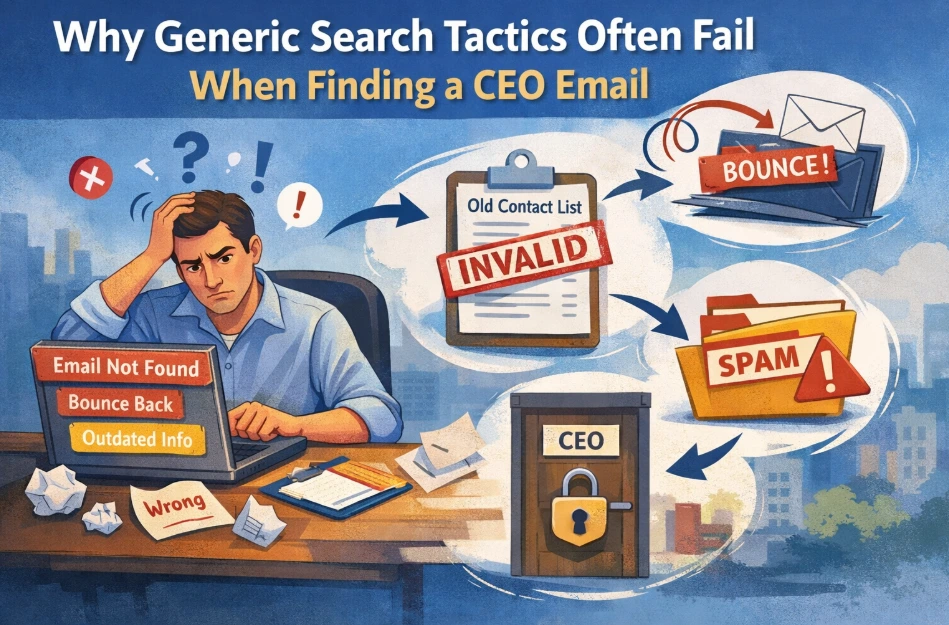
Many people assume finding a CEO’s email is easy just check public sources or try common email formats. But in reality, reaching executives is much harder.
Companies actively protect leadership contact details, and basic search methods often lead to wrong or outdated information. Here’s why these common approaches usually don’t work.
Companies actively protect leadership contact details, and basic search methods often lead to wrong or outdated information. Here’s why these common approaches usually don’t work.
1. Guessing Common Email Formats Rarely Works
Trying standard formats such as [email protected] seems obvious, but CEOs specifically avoid them. Organizations use special naming systems, confidential nicknames, or internal routing to secure their executive leadership.
Companies change these formats quarterly to avoid prospecting tools from getting their information. Hence, only assumptions can consistently produce incorrect addresses and unsuccessful outreach.
Companies change these formats quarterly to avoid prospecting tools from getting their information. Hence, only assumptions can consistently produce incorrect addresses and unsuccessful outreach.
2. Public Sources Are Often Outdated
Public contact lists don’t stay updated for long. Companies change leaders, move teams around, or switch domains, but public records don’t always reflect these changes right away.
So even if the details look correct, they might not work anymore. Depending on this information can lead to bounced emails and make it harder to reach the right person.
So even if the details look correct, they might not work anymore. Depending on this information can lead to bounced emails and make it harder to reach the right person.
3. Deliverability May Be Affected by Unverified Emails
Invalid emails bounce, signaling poor data quality to email providers who then filter all your future sends, even the legitimate ones. Recurring delivery errors over time can harm a sender's reputation and lower the chance that subsequent messages will be received by the recipient.
This makes outreach difficult in the long run, particularly when attempting to reach high-level executives whose channels of communication are heavily filtered.
This makes outreach difficult in the long run, particularly when attempting to reach high-level executives whose channels of communication are heavily filtered.
4. Generic Outreach Weakens Credibility
CEOs get tons of emails, most of which they ignore. If your email feels copy-pasted, it won’t stand out. Take a few minutes to learn about who they are and mention something real they’ve done or achieved recently. It makes your message feel human, shows you care, and actually gets noticed.
Smartest Ways to Find a CEO’s Email Address
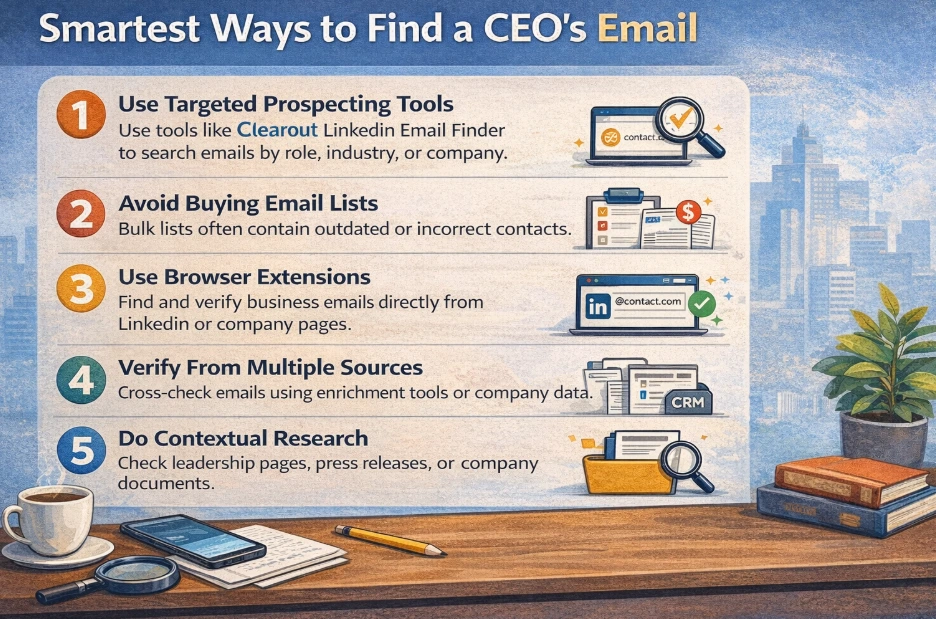
1. Use Targeted Sales Intelligence and Prospecting Tools
Clearout LinkedIn email finder can extract the information from a CEO's LinkedIn profile. You can use it to build a list of Ideal Customer Profiles (ICPs). It helps you get enriched and pre-verified data in one search. You can collect emails with their phone numbers with 99% accurate email verification.
2. Avoid Manual List Buying
Buying bulk email lists looks easy, but they’re usually full of outdated or flat-out wrong info. That leads to bouncebacks and compliance risks. Use the tools that only give you real and accurate contacts.
3. Try Browser Extensions and Data Extraction Tools
Browser extensions make tracking down executive emails way easier when you’re on LinkedIn or company sites. Take the Clearout LinkedIn Email Finder Chrome Extension, for example. It finds business emails directly from LinkedIn profiles and company pages.
4. Check With Multiple Sources
Sources to check:
- Press releases (often include PR contact info that routes to executives)
- SEC filings (required executive contact disclosure for public companies)
- Patent filings (list inventors and company contacts)
- Conference speaker bios (sometimes include direct contact info)
- Podcast appearances (hosts often share how they booked the guest)
5. Supplement With Contextual Research
When tools don’t yield results, check company press releases, leadership pages, or investor relations documents. While less reliable than verified tools, this can provide additional clues.
What is the Best Tool to Find CEO’S Emails?
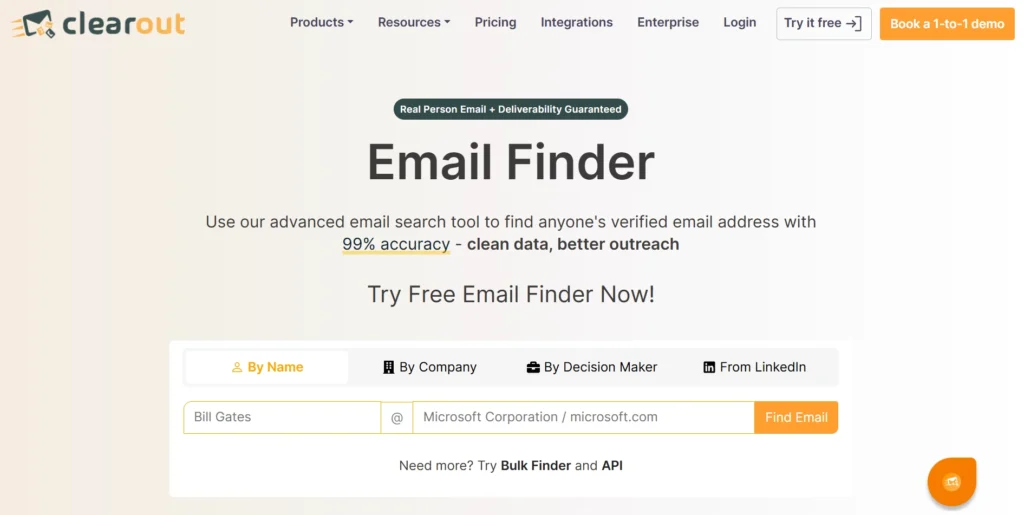
Finding a CEO’s email is not as simple as looking up a name. Accurate outreach today depends on verified, reliable contacts. The Clearout Email Finder helps teams discover CEO emails that are verified and ready to use.
- Confidence scoring: It's a score that shows how reliable your discovered email list is. It helps you understand how accurate the emails are and how safely you can use them for outreach. This score is available only for Bulk Email Finder.
- Pre-verified and accurate: Emails are checked in real time and against multiple signals. You can trust that the data is current and deliverable.
- Email Finder API: Integrate Clearout’s REST API into CRM, sales tools, or custom workflows to automate finding emails.
- Used in all industries: Clearout supports multiple regions, domains, and languages. It supports global enterprise and small markets.
- Regulatory compliance: Your outreach can adhere to privacy regulations, including GDPR, SOC 2 Type II, ISO 27001:2022, and ISO 27701:2019.
Key Takeaways
- Real-time email verification with Clearout, domain verification, and spotting alias patterns make all the difference. That’s what turns cold outreach into real conversations, instead of just wasted time.
- When you use verified CEO emails in campaigns that actually feel personal and relevant, people respond, and your messages land where they’re supposed to.
Build Better Outreach, Not Just Better Lists
Companies invest dollars in security infrastructure specifically to prevent unsolicited messages from entering into CEO's inboxes.
That’s why tools like Clearout Email Finder are useful. Clearout makes sure that your messages reach verified addresses, reducing bounces and improving your connection rate with decision-makers.
That’s why tools like Clearout Email Finder are useful. Clearout makes sure that your messages reach verified addresses, reducing bounces and improving your connection rate with decision-makers.
Get a Verified CEO Email List
FAQs
1. How do I find a CEO’s email address?
The simplest method: use a reputable email finder tool like Clearout. You won’t have to guess the CEO’s email address. Unlike guessing formats or relying on public directories, verified tools make sure that addresses are active and deliverable.
2. Is it possible to locate a CEO’s email on Google?
Yes. Search operators like “CEO email” site:company.com or filetype:pdf may help identify information in investor documents or press releases. Before making any contact, the email address must be verified using a trustworthy tool like Clearout.
3. Can LinkedIn help find CEO email addresses?
Yes, with the help of Clearout LinkedIn Email Finder, you can get a confirmed CEO’s identity, email address, and company information. Clearout provides a pre-verified email address list ready for outreach.