clearout
  • Products
    • Email Verifier Verify emails addresses individually, in bulk or through API, with 99% accuracy
    • Email Finder Find individual or bulk emails by entering the person & company name or domain
    • Form Guard IconForm Guard Protect your forms from spam, bots, and invalid submissions with real-time email, phone, and name verification.
    • Prospect SQL/MQL list building with high levels of personalization, real-time data enrichment and prospect search
    • Clearout For SheetsVerify email addresses directly on Google Sheets with Clearout for sheets add-on
    • Prospect – LinkedIn Chrome ExtensionBuild verified, targeted prospect lists directly from LinkedIn profiles
    • ClearoutPhoneValidate phone numbers across 240+ countries in bulk, quick or real time validation
    • Free Tools
    • Disposable Email Checker
    • Reverse LinkedIn Profile Lookup Tool
    • Reverse Email Lookup Tool
    • Email List Cleaner
  • Resources
      DEVELOPERAPI iconAPI
      Clearout APIs are structured around REST and JSON
      Webhooks iconWebhooks
      Capture real-time events in your application workflow
      Form Guard iconForm Guard
      Real-time form validation to keep bad contacts out of your CRM
      KNOWLEDGE BASEGetting started iconGetting started
      Sending campaigns without bounces is made simple
      FAQ iconFAQ
      Easily find answers to services, security and common questions
      USE CASESLead Generation iconLead Generation
      Learn how professionals generate quality leads
      GUIDESPricing arrow iconTransparent & flexible pricing to support pay-per-use or recurringCompare Email Verification Tools arrow iconAI-powered email verification with 99%+ accuracy, real-time validation, and transparent risk scoringCompare Email Finder Tools arrow iconPre-verified B2B email addresses with confidence scoring, find real person email, not role-based addressBLOGSEmail Verification ToolsFind Anyone’s Email Address
      Most Accurate, Fast & Free Ways
      Form Validation
      Importance, Ways & Best Practices
      View All Blogs
  • Pricing
  • Integrations
  • Enterprise
  • Login
Try it free Book a 1-to-1 demo
Akanksha Mishra / February 16, 2026 February 16, 2026

WPForms Spam Protection: Features, Limitations & Alternatives


WPForms Spam Protection: Features, Limitations & Alternatives

Online forms are still one of the most effective ways to collect leads, but they’ve also become a major target for spam. A 2025 analysis of millions of spam attacks shows just how heavily WordPress is targeted. That year, 61% of all form spam activity happened on WordPress sites.

Within WordPress form builders, WPForms alone received about 23% of that spam, second only to Contact Form 7, not because it’s weak, but because it’s one of the most widely used form plugins.

That means nearly one in 4 form spam attacks on WordPress sites hit WPForms forms.

And that’s before considering human-generated fake submissions, disposable emails, and low-intent entries that slip past basic protections.

In this guide, we break down how WPForms deals with spam, what works, what doesn’t, and how to cut down on junk entries so your forms bring in leads that actually matter.

Table of Content


‣ WPForms Spam Protection: What Is It?
‣ Which WPForms Anti-Spam Features Work Best?
‣ WPForms Spam Protection: Does it actually Work?
‣ Where does WPForms Spam Protection Fall Short?
‣ Why WPForms Spam Protection Alone Isn’t Enough for Lead Quality?
‣ How Spam Hurts Your Business Beyond Forms
‣ Best Way to Prevent WPForms Spam Submission in 2026
‣ Final Thoughts
‣ FAQs

WPForms Spam Protection: What Is It?


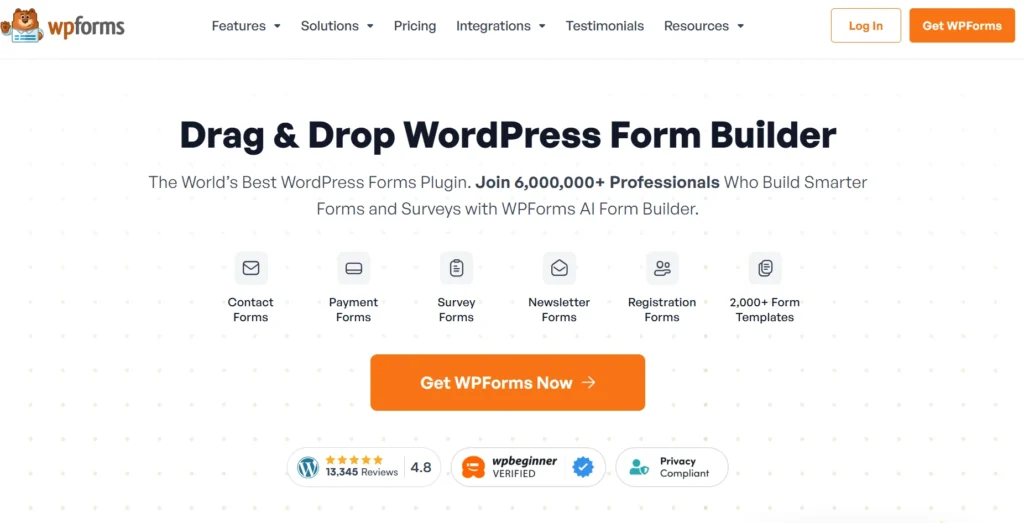
WPFORMS Home Page.

WPForms has a spam protection feature that helps stop messages in your lead forms and contact forms. This WPForms spam protection stops automated bots and scripted attacks. It does this by using honeypots and CAPTCHA.

Filtering rules are also used in WPForms spam protection to assist in ensuring that your forms are not affected by spam. Although the security of forms provided by WPForms is quite basic and is mostly directed at surface-level spam.

Modern form spam has evolved. Today, many low-quality or fake submissions look completely legitimate on the surface.

Which WPForms Anti-Spam Features Work Best?


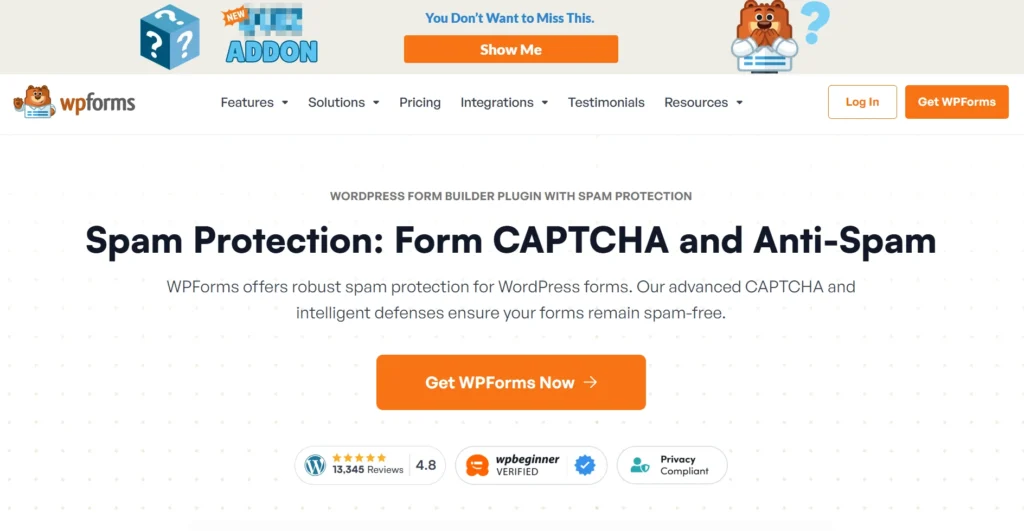
Spam protection feature page of WPForms.

Here’s a closer look at the most commonly used WPForms anti-spam protection options:

1. Anti-Spam Token & Honeypot


WPForms has anti-spam tokens and honeypot fields, which the real users do not see. These are the secret fields that are programmed to trap bots that automatically fill up all the inputs.

In case the honeypot is activated, the submission will be blocked automatically. This is effective in preventing automated spamming, particularly on simple contact forms.

2. WPForms CAPTCHA, reCAPTCHA & hCaptcha


WPForms accepts CAPTCHA as Google reCAPTCHA and hCaptcha. These tools introduce a challenge-response test to verify that a submission is one made by a real user.

CAPTCHA does not prevent human spam or spoofed email addresses, though it is very effective at bots.

3. Spam Filters & Rules


WPForms gives you the ability to set up basic spam filters for things like keywords, email domains, and IP addresses.

While these rules catch many common spam attempts, they need constant upkeep. If they’re not updated as spam tactics change, they become less effective.

4. Lite Version Spam Protection


WPForms Lite includes limited spam protection, like honeypots and basic filtering.

While better than no protection at all, it is minimal and not designed for businesses that rely on form submissions for qualified leads.

WPForms Spam Protection: Does it actually Work?


WPForms Spam Protection Page.

WPForms does a good job at blocking obvious bot submissions. Smaller websites rarely deal with advanced spam. In most cases, tools like CAPTCHA or honeypots are enough to stop automated entries and keep inboxes from becoming difficult to manage.

Spam protection is also effortless to enable by means of WPForms. A majority of the features are enabled with a couple of clicks, and no code is required.

Where does WPForms Spam Protection Fall Short?


Despite its strengths, WPForms spam protection has clear limitations, especially when lead quality matters.

1. Human-Generated Spam Gets Through


CAPTCHA and honeypots can’t stop real people from submitting fake names, throwaway emails, or low-intent entries. These submissions look legitimate to WPForms and pass through unchecked.

2. No Built-In Email Quality Validation


WPForms doesn’t validate whether an email address is real, deliverable, or disposable. Typos, temporary email services, and non-existent inboxes are all accepted by it. This leads to higher bounce rates and wasted follow-ups.

3. Deliverability Issues Aren’t Addressed


When fake or invalid emails enter your list, it affects more than just form data. Over time, poor-quality leads hurt email deliverability, causing even valid WPForms emails to land in spam folders.

Why WPForms Spam Protection Alone Isn’t Enough for Lead Quality?


Form spam protection.

WPForms is good at blocking bots, but that’s only part of the problem. The bigger issue is what slips through as “valid” data. Even when spam filters are on, forms can still accept emails and details that aren’t usable for sales or marketing.

What WPForms doesn’t catch:

  • Mistyped or invalid email addresses
  • Disposable or temporary email IDs
  • Role-based emails like info@ or sales@
  • Fake or low-effort human submissions
  • Leads that look valid but never convert

Over time, these submissions inflate lead numbers while quietly hurting data quality and pipeline performance.

How Spam Hurts Your Business Beyond Forms


Form spam doesn’t end when someone hits “Submit.” Once bad data enters your system, it spreads everywhere from email marketing to sales reporting and deliverability.

Here’s how low-quality form spam causes real damage:

  • Email deliverability takes a hit: Disposable or fake emails cause hard bounces, which slowly damage your sender reputation with Gmail and Outlook.
  • WPForms emails start landing in spam: As bounce rates add up, inbox providers lose trust in your domain, impacting your domain reputation, and even legitimate emails stop reaching inboxes.
  • Sales teams lose time: Reps follow up on leads that never reply. The effort goes in, but nothing comes back.
  • Revenue forecasts go off: Low-intent and fake leads distort pipeline numbers and planning.

The issue isn’t WPForms itself. It’s what happens when low-quality submissions are treated as real leads and allowed to flow into your email and sales systems.

Best Way to Prevent WPForms Spam Submission in 2026


Spam prevention in WPForms isn’t just about turning on a few settings and hoping for the best. In 2026, most form spam comes from real people using disposable emails or submitting low-effort details. To actually protect lead quality, you need a setup that goes beyond basic bot blocking.

Form Guard (Real-Time Data Validation at Capture)


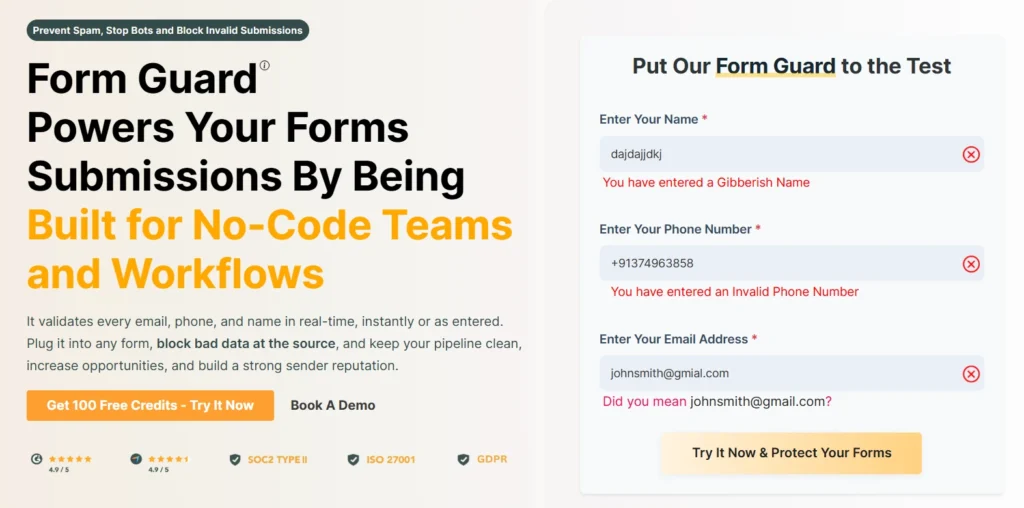
Clearout Form Guard Page.

Form Guard works in real time as users fill out your form, checking names, emails, and contact info. It stops fake, mistyped, or disposable entries before they reach your CRM or email tools, so your team only gets clean, usable leads.

How Form Guard solves the problem of fake form submissions?


  • Validate emails, names, and phone numbers in real time

    Form Guard checks every email, phone number, and name in real time as users enter the information in your form. It runs 20+ validation checks on every email address, including domain verification, syntax validation, mailbox verification, disposable email detection, and spam trap identification. For phone numbers, it validates across 248+ countries and identifies the type of number (mobile or landline). Name validation helps detect invalid entries by identifying gibberish, unusual special characters, and fake patterns.

    It looks at whether this data really exists, is typed correctly, and comes from a valid person. Immediately catching them can help to minimize the bounce rates and leave only the real and useful leads in your CRM.

  • Focus on real leads, not just numbers

    WPForms records every form submission as a lead, but not every entry is genuine. Form Guard validates names, email addresses, and contact info as soon as someone fills out your form.

    It filters out:

    • Invalid or mistyped email addresses
    • Disposable or temporary email accounts
    • Fake names and random inputs
    • Incorrect or incomplete contact information
  • Protect email deliverability

    Email deliverability is directly influenced by list quality. Invalid and disposable addresses lead to bounces, which ISPs and mailbox providers treat as negative signals.

    By preventing bad data, Form Guard helps maintain a healthier sender reputation over time. This reduces the risk of legitimate WPForms emails being filtered into spam due to accumulated list hygiene issues.

  • Integrates with WPForms

    WPForms protects forms at the submission level by blocking bots, scripts, and automated abuse using features like honeypots and CAPTCHA. Form Guard complements this by validating the data itself. It verifies email addresses in real time and checks names and phone numbers, so only valid information gets submitted.


Form Guard works with WPForms and other major form builders through a simple JavaScript snippet just paste it into your form page. All validation settings are managed from Clearout’s dashboard, and any updates take effect instantly without touching the code.

Final Thoughts


WPForms does a good job blocking obvious spam, but fake emails, invalid emails, disposable addresses, and errors damaging your sender reputation still get through. These low-quality leads fill your CRM, waste your team’s time, and hurt the performance of your marketing campaigns.

This is where Form Guard comes in. It validates the data at the form level when it’s entered in the CRM. The result? Cleaner leads and more reliable data.

If you’re still seeing spam, adding more rules won’t help. You need smarter validation at the form itself.

Validate Emails, Names, and Phone Numbers Instantly.


With Clearout Form Guard

FAQs


1. How should I add spam protection to my website forms without any code?
You can make your website forms spam-free without writing any code. Tools like Google reCAPTCHA give simple setup steps you can follow. Many form builders such as WPForms also come with built-in options like honeypots, CAPTCHA, and spam filters that you can turn on directly from the settings. You can also use Clearout Form Guard just add the script once and it helps block spam while checking form submissions in real time.
2. How can websites reduce bot activity in contact forms?
Contact forms are often used by spam bots to submit false or superfluous information, which slows down follow-ups and adds inferior data to your CRM. By using CAPTCHA, Google reCAPTCHA, spam tokens, and honeypot fields to prevent automated submissions, websites can mitigate this. WPForms and other tools make it easy to enable these checks. Clearout Form Guard verifies every submission in real time for added security, assisting in the removal of spam and capturing only legitimate leads.
3. What are common spam prevention features for online forms?
Websites use different ways to keep spam out of online forms. Honeypot fields and CAPTCHA help stop bots, while IP blocking and rate limiting prevent repeated or suspicious submissions from the same source. Some tools also check the quality of the data being submitted. Clearout Form Guard adds another layer by validating every entry in real time and limiting requests by IP, so only genuine leads get through.
4. Which spam protection tools work well with WordPress form builders like WPForms?
Form Guard jumps in right after someone hits submit in WPForms. Verified information includes names, phone numbers, emails, and disposable addresses. Low-quality entries and invalid or bogus emails are also identified. WPForms are also shielded from spam and bots by hCaptcha and reCAPTCHA. Your forms will remain clean if you combine all of this.

Share this article

Recent Posts

16 Feb 2026
WPForms Spam Protection: Features, Limitations & Alternatives

Explore how WPForms spam protection works, its limitations, and the best way to prevent fake, dispos ...

13 Feb 2026
Top 5 Findymail Alternatives Compared in 2026

Explore the best Findymail alternatives in 2026. Compare the features, pricing, reviews, and why Cle ...

12 Feb 2026
How Long Should a Cold Email Be? (2026 Guide)

How long should a cold email be in 2026? Explore ideal cold email length for different roles, why sh ...

02 Feb 2026
Email Finder vs LinkedIn Prospecting: Which to Use and When

Explore the list of 100+ spam-associated words to be cautious with in 2026, and see how modern email ...

29 Jan 2026
Dynamic Email Content: A Complete Beginner’s Guide (2026)

Discover what dynamic email content is, how it works, types, examples by industry, tools, benefits a ...

Clearout's

Form Guard

Validate email, phone & name on any forms!

  • Real signups only
  • Verified emails
  • Valid phone numbers
  • No fake names
  • Cleaner CRM
  • No devs needed
Try for Free Now

Email Verification, Email Finding Form Guard & Prospecting Service

Expand Your Reach By Finding & Verifying Ideal Prospects.

Sign up & get 100 free credits

No Credit Card required

Create Free Account
Company

Why Clearout?

Pricing

Contact Us

Careers

Press

Enterprise

Sitemap

FAQ

Status

Products

Email Verifier

Email Finder

Form Guard

Prospect

LinkedIn Email Finder

Reverse Lookup

Google Sheets Add-on

WordPress Plugin

ClearoutPhone

What's New?

Resources

Integrations

HubSpot

Team Account

API

Compare Email Verifier

Compare Email Finder

Compare Prospecting

Use Cases

Blog

Help

Legal

Privacy Policy

Terms

DPA

Security

Trust Center

Certification

ISO 27001/2022

SOC 2 Type 2

GDPR

Partnership

HubSpot Certified

Affiliates

Partners

Clearout for browser

⚡ Supercharge Your Prospect Research with Clearout's LinkedIn Chrome Extension - Find and Verify Emails with Confidence!

Clearout Chrome extension

clearout
© 2026 Clearout Inc. All Rights Reserved. Powered by Clearout.
Auto Credit Replenishment is here! Your credits can now recharge automatically. Learn More ➞
X