

- Products
- ResourcesDEVELOPER

 API
API
Clearout APIs are structured around REST and JSON Webhooks
Capture real-time events in your application workflow Form Guard
Real-time form validation to keep bad contacts out of your CRMKNOWLEDGE BASE Getting started
Sending campaigns without bounces is made simple FAQ
FAQ
Easily find answers to services, security and common questionsUSE CASES Lead Generation
Learn how professionals generate quality leadsGUIDESPricing Transparent & flexible pricing to support pay-per-use or recurringCompare Email Verification Tools AI-powered email verification with 99%+ accuracy, real-time validation, and transparent risk scoringCompare Email Finder Tools Pre-verified B2B email addresses with confidence scoring, find real person email, not role-based addressData Pulse & HubSpot Breeze Intelligence Pre-verified B2B email addresses with confidence scoring, find real person email, not role-based addressBLOGSEmail Verification ToolsFind Anyone’s Email Address
Most Accurate, Fast & Free WaysForm Validation
Importance, Ways & Best PracticesView All Blogs - Pricing
- Integrations
- Enterprise
- Login



GTM Execution: How B2B Teams Turn GTM Strategy Into Revenue
Around 30% of B2B organizations still struggle to prove that their go-to-market efforts are delivering measurable results, according to research from Outcomes Rocket.
The best go-to-market (GTM) strategy can be written on paper, but it is the implementation strategy in the day-to-day activities that matters. It is how your team translates ideas into pipeline, conversations into deals, and finally into high revenue.
Your strategy shows the direction, but execution is how you move forward. And in many B2B companies, things break when it is time to act in the market.
This guide is for revenue leaders, SaaS founders, and B2B teams like you who already have a strategy in place and now want a clearer way to run it without things falling apart.
The best go-to-market (GTM) strategy can be written on paper, but it is the implementation strategy in the day-to-day activities that matters. It is how your team translates ideas into pipeline, conversations into deals, and finally into high revenue.
Your strategy shows the direction, but execution is how you move forward. And in many B2B companies, things break when it is time to act in the market.
This guide is for revenue leaders, SaaS founders, and B2B teams like you who already have a strategy in place and now want a clearer way to run it without things falling apart.
Table of Content
What Is GTM Execution?
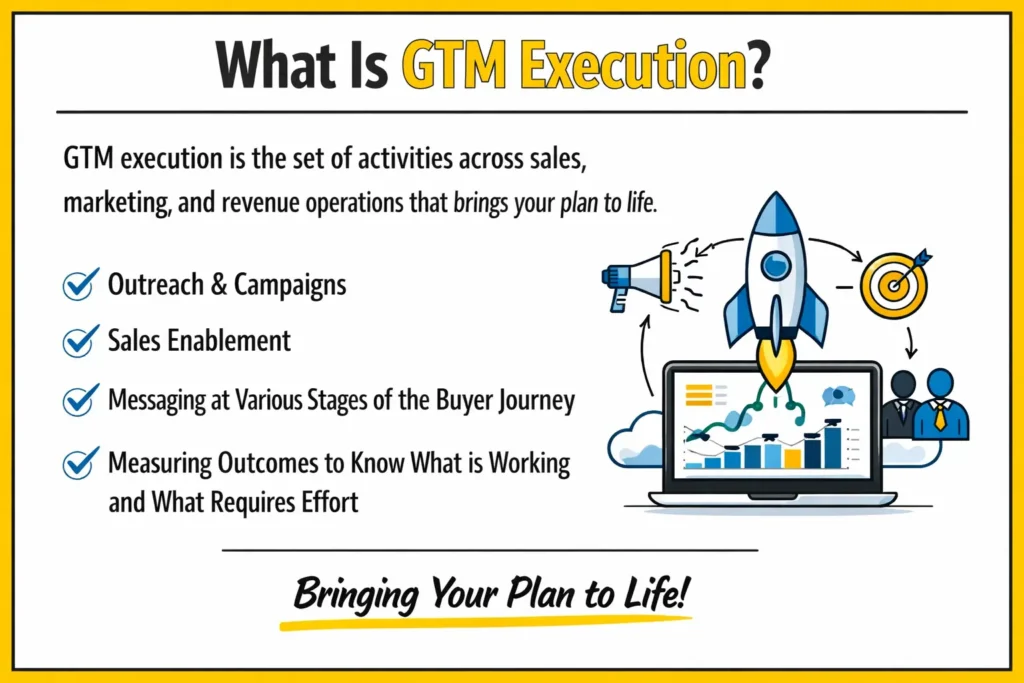
The implementation of GTM is comprised of sales, marketing and revenue operations activities. Simply put, it encompasses outreach, campaigns, sales enablement, messages at different points of the buyer journey, and result measurement so as to know what is working and what needs effort.
In practice, now, GTM execution encompasses your processes, tools, day-to-day activities, and the feedback you get in the process. It all ties your strategy to actual results.
On the marketing front, it includes the execution of campaigns that attract the appropriate leads and assist in sales via valuable content and clear messages. On the sales side, it is about making sure you cover accounts in the most appropriate way, call at the right time, and make those leads into revenue.
In practice, now, GTM execution encompasses your processes, tools, day-to-day activities, and the feedback you get in the process. It all ties your strategy to actual results.
On the marketing front, it includes the execution of campaigns that attract the appropriate leads and assist in sales via valuable content and clear messages. On the sales side, it is about making sure you cover accounts in the most appropriate way, call at the right time, and make those leads into revenue.
Why GTM Execution Fails (And What to Fix First)
Here are the common places where things start breaking:
- Misaligned ICP targeting: You think you are reaching the right accounts. But you are either targeting the wrong companies or the wrong individuals in the companies.
- Bad contact information: Bad emails, outdated job descriptions, and outdated records are sure to guarantee that your messages do not even get itself to the inbox.
- The lack of a definite handoff between the teams: Leads are sent by marketing, and sales ignores them or contacts them at a later stage.
- Efforts to monitor wrong things: You are monitoring emails sent or calls rather than tracking what is important such as the quality of the pipeline.
Pro tip for B2B teams
Prior to executing any outbound campaign or sales sequence, have your contacts verified by an email verification tool such as Clearout. It eliminates invalid, temporary, and duplicate emails even before you begin sending.
Prior to executing any outbound campaign or sales sequence, have your contacts verified by an email verification tool such as Clearout. It eliminates invalid, temporary, and duplicate emails even before you begin sending.
The 6 Step GTM Execution Framework for B2B Teams
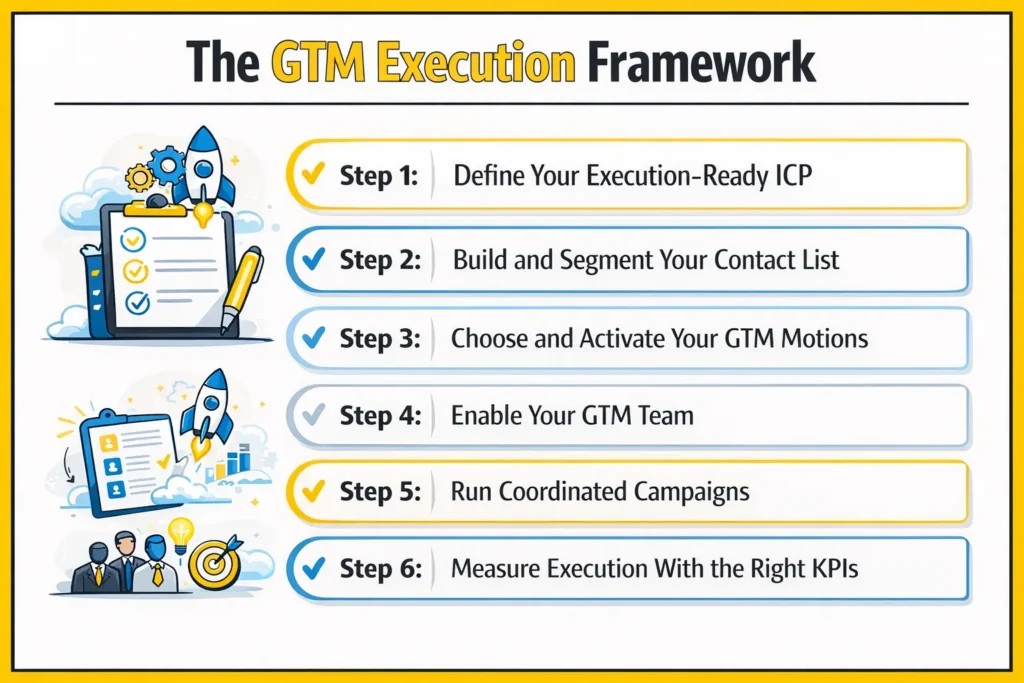
Let’s break this down in a way you can actually apply. You already have a GTM strategy. Now the question is, how do you run it without things falling apart?
Here’s the exact structure most B2B teams follow when they want consistent results.
Here’s the exact structure most B2B teams follow when they want consistent results.
Step 1: Define Your Execution-Ready ICP
First, your ICP needs to be practical. Not broad. Not vague. You should be able to filter it directly inside your CRM or prospecting tool.
So instead of saying “mid-market SaaS,” get specific.
An execution-ready ICP includes
So instead of saying “mid-market SaaS,” get specific.
An execution-ready ICP includes
- Industry and NAICS codes
- Revenue range and employee size
- Tech stack signals
- Buying triggers like funding, hiring spikes, or leadership changes
- Clear job titles and seniority levels
Step 2: Build and Segment Your Contact List
Once your ICP is clear, you move to list building. But here’s where most teams go wrong. They create one big list with bad data and use it for their GTM plan.
Instead, you should segment it.
Segment by:
Instead, you should segment it.
Segment by:
- Buyer stage like cold, warm, or already in funnel
- Persona types like decision-maker, champion, or end user
- Account tier like enterprise, mid-market, or SMB
- Channel fit like email, LinkedIn, phone, or events
Now pause here.
Before you launch anything, clean your data.
Invalid emails do more damage than you think. They hurt deliverability, waste SDR time, and slow everything down.
Use a tool like Clearout to verify contacts before activation.
Before you launch anything, clean your data.
Invalid emails do more damage than you think. They hurt deliverability, waste SDR time, and slow everything down.
Use a tool like Clearout to verify contacts before activation.
Step 3: Choose and Activate Your GTM Motions
Next, decide how you are going to generate revenue. This is your GTM motion.
Most B2B teams run a mix of these:
Most B2B teams run a mix of these:
- Outbound activities: You or your SDRs will first contact via email, LinkedIn, or phone. This is most effective when you have a clean list and when you are personalized in your messaging.
- Inbound: This is where the buyers approach you by the way of content, SEO, advertisements, or events. You have a follow-up job. Speed matters here. The quicker you react, the more you are likely to convert them.
- Product-led motion: Your product creates signups by way of free trial or freemiums.
- Partner or channel motion: You work with partners, agencies, or resellers who bring deals your way. This needs clear processes and aligned incentives.
Step 4: Enable Your GTM Team
Now, even with the right plan, execution breaks if your team is not prepared. So you need to support them with the right material.
Here’s what that usually looks like:
Here’s what that usually looks like:
| Asset | Purpose |
|---|---|
| Battle cards | Handle competitor objections |
| Persona messaging guides | Speak differently to each buyer type |
| Email sequence templates | Keep messaging consistent |
| Discovery frameworks | Guide better sales conversations |
| Case studies by segment | Show proof that matches the buyer |
| Objection playbooks | Respond confidently to pushbacks |
Step 5: Run Coordinated Campaigns
Everything should work together. Here is how you can run coordinated campaigns:
Example: Entering a new segment
Example: Entering a new segment
- Marketing runs content and posts targeting that segment
- Demand gen runs ads for those specific roles and companies
- SDRs reach out to the same accounts and reference that content
- AEs get inbound leads with the full context of what they interacted with
- RevOps tracks where leads drop and shares feedback
Step 6: Measure Execution With the Right KPIs
Finally, you need to track the right numbers. Not just activity. Actual impact. Split this into two parts.
Leading KPIs (early signals)
Leading KPIs (early signals)
- Email deliverability rate above 95%
- MQL to SQL conversion between 13 to 20%
- Response time to new leads
- Reply rate and positive replies
- Pipeline coverage around 3 to 4 times your target
- Pipeline generated from each motion
- Sales cycle length
- Win rates across segments
- Customer acquisition cost
- Revenue per rep
- Net revenue retention
AI-Driven GTM Execution: What's Working in 2026
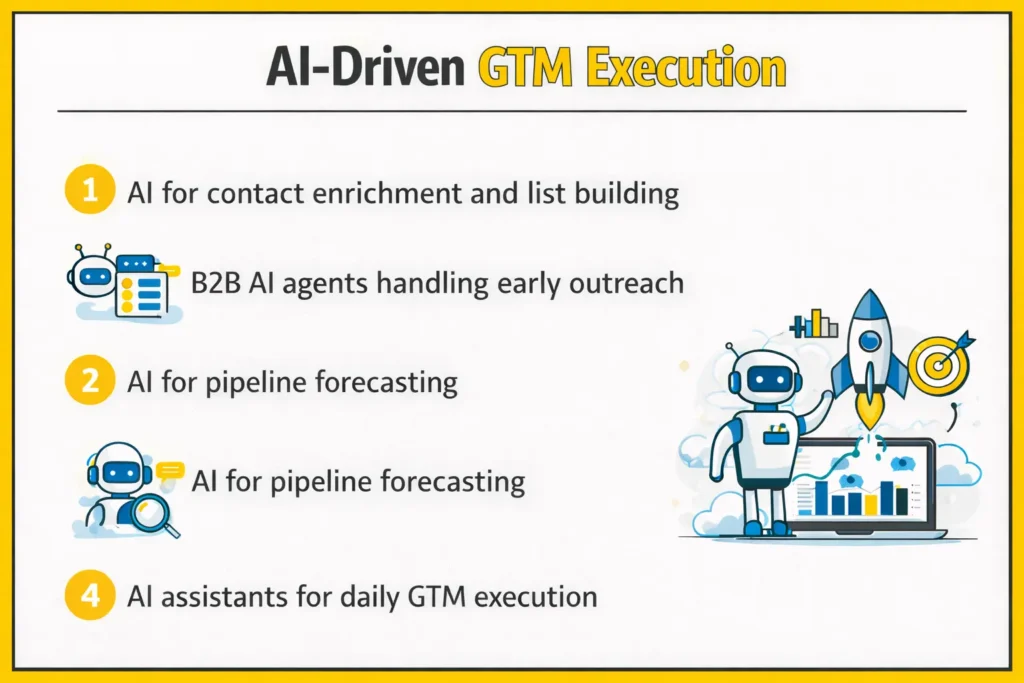
AI tools like Claude and Demandbase are already part of strong GTM teams.
Here’s what is actually working right now:
Here’s what is actually working right now:
- AI for contact enrichment and list building: Data enrichment tools like Clearout add high-quality data to your contact list. As a result, you get prospects that are ready to convert.
- B2B AI agents handling early outreach: Now, this is where things get interesting. Platforms like 11x, Artisan, and Relevance AI run AI SDRs that research accounts, write messages, and follow up.
- AI for pipeline forecasting: Then comes visibility. Tools like Clari, Gong, and People.ai look at deal activity and signal risk early.
- AI assistants for daily GTM execution: Finally, execution becomes faster at the rep level. The HubSpot AI, Salesforce Einstein, and Notion AI assist you in writing outreach, analyzing win-loss data, and strategizing campaigns.
GTM Execution Tools for SaaS Founders
Now, if you are an early-stage founder, you do not need a heavy setup. In fact, too many tools will slow you down. So, have these basic tools:
- Targeting: Use LinkedIn Sales Navigator + Apollo. This gives you enough data to build a solid starting list.
- Verification: Before you send anything, clean your list with Clearout Email Verifier. It will help you get better email deliverability and sender reputation.
- Outreach: Use tools like Instantly or Smartlead. These help you run structured sequences without overcomplicating things.
- CRM: Start with HubSpot. It is simple at the beginning and grows with you.
- Enrichment: Use Clearout again for prospect data. This keeps your records usable and reachable.
Verify Email With Clearout to Scale
Before your first campaign goes live, clean your email list. Even a small list with fake and invalid data can harm your deliverability.
So, verify your bulk emails with Clearout Email Verifier. You even get 100 free credits to validate your initial list.
So, verify your bulk emails with Clearout Email Verifier. You even get 100 free credits to validate your initial list.
Verify Your Bulk Email List
FAQs
What is GTM execution in marketing?
When you move from planning to actually running campaigns, that’s GTM execution in marketing. You are launching campaigns, creating content that drives conversions, capturing leads, and then passing them to sales with proper context.
What is the GTM execution strategy?
A GTM execution strategy is your action plan. You already know who you want to sell to. Now you decide what to do next. Which channels will you use? Which segments will you target first? What will your team do daily? So instead of just a strategy on paper, this is how your team actually executes it.
What is GTM in sales?
From a sales side, GTM is how you approach buyers and close deals. You determine who your reps communicate with, how they contact, and how they drive deals. It involves SDRs initiating discussions, AEs closing business, and operations teams facilitating the process.
What KPIs should you track for GTM execution success?
You need to look at both early signals and final results. As an example, verify your email delivery, MQL to SQL, and the quantity of pipeline you are creating. Next, consider the length of the sales cycle, win rates, CAC, and NRR. Together, these show if your execution is actually driving revenue or just activity.
How does AI-driven GTM execution work?
AI-driven GTM execution is the area where things are rapidly evolving now. AI tools like Goose can assist you in doing research on the accounts, composing personalized messages, qualifying leads, and even estimating successful deals.