

- Products
- ResourcesDEVELOPER

 API
API
Clearout APIs are structured around REST and JSON Webhooks
Capture real-time events in your application workflow Clearout MCP
Verify and find emails from AI assistants like Claude and Cursor Form Guard
Real-time form validation to keep bad contacts out of your CRMKNOWLEDGE BASE Getting started
Sending campaigns without bounces is made simple FAQ
FAQ
Easily find answers to services, security and common questionsUSE CASES Lead Generation
Learn how professionals generate quality leadsGUIDES Clearout Insights Explore original research, industry statistics, and data-backed insights Pricing Transparent & flexible pricing to support pay-per-use or recurringCompare Email Verification Tools AI-powered email verification with 99%+ accuracy, real-time validation, and transparent risk scoringCompare Email Finder Tools Pre-verified B2B email addresses with confidence scoring, find real person email, not role-based addressData Pulse & HubSpot Breeze Intelligence Pre-verified B2B email addresses with confidence scoring, find real person email, not role-based addressBLOGSEmail Verification ToolsFind Anyone’s Email Address
Most Accurate, Fast & Free WaysForm Validation
Importance, Ways & Best PracticesView All Blogs - Pricing
- Integrations
- Enterprise
- Login



Best Google Sheets Add-ons to Automate Workflows in 2026
Google Sheets is where a lot of RevOps and Sales Ops work still happens. Teams use it to track leads, clean contact lists, build reports, and share data across departments. It works well in the beginning. But as your CRM grows, manual work can slow down.
You should get Google Sheets add-ons to automate the workflows. I tried out the top Google Sheets add-ons in three different workflows: CRM sync, data sync, and productivity tools. So, let's check the complete list here:
You should get Google Sheets add-ons to automate the workflows. I tried out the top Google Sheets add-ons in three different workflows: CRM sync, data sync, and productivity tools. So, let's check the complete list here:
Table of content
What are Google Sheets add-ons?
Google Sheets add-ons are extensions that you install from the Google Workspace Marketplace. They extend Sheets beyond native formulas. You can sync CRM records, verify contacts, and automate reports without leaving your spreadsheet.
Need email tools instead? Here's our guide to email marketing add-ons for Google Sheets.
How to install one:
Need email tools instead? Here's our guide to email marketing add-ons for Google Sheets.
How to install one:
- Open a Google Sheet in your web browser.
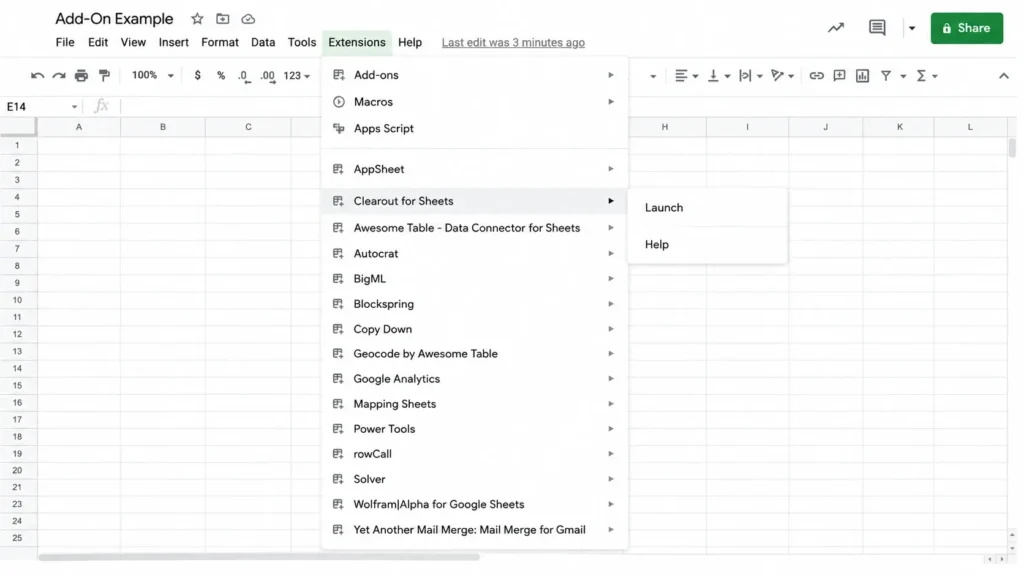
- Click Extensions in the top menu, then select Add-ons.
- Click Get add-ons to open Google Workspace Marketplace.
- In the search bar for the Marketplace, type "Clearout for Sheets" .
- Click Install, then approve the permissions Clearout asks for.
- Open Clearout for Sheets from the Extensions menu once it's installed.
Why automate Google Sheets workflows?
New leads come in, someone exports another CSV, half the emails need checking, and the same spreadsheet gets cleaned again. At some point, you realize the issue is all the manual work happening around it. The right Google Sheets add-on removes those repetitive steps.
- RevOps: RevOps teams struggle to get high-quality data into the CRM. Automation lets you import contacts in bulk to verify emails and even remove duplicates in minutes.
- SalesOps: Find verified business emails without leaving the spreadsheet, then sort your outreach as per the confidence scores.
- Marketing Ops: You don't have to wonder why bounce rates suddenly increased. Automation can help to instantly see which emails are valid, invalid, disposable, or risky right inside the sheet.
- Revenue Teams: Every bad record creates a chain reaction. SDRs waste outreach, marketing reports show lower engagement, and RevOps ends up cleaning the CRM again. Automation of your Google Sheets workflow will catch these problems before they spiral.
Google Sheets Add-on or Extension: What is the difference?
The two terms are often confused but Google nests add-ons in the Extensions menu. These are not the same.
- There are add-ons in Google Sheets. You get them from Extensions > Add-ons > Get add-ons and they only work on the spreadsheet you are working on.
- Extensions live inside your browser. You install them from the Chrome Web Store, and they can affect any tab, not just Sheets.
This guide covers add-ons only, since that's where CRM sync and data automation tools live.
10 best Google Sheets add-ons to automate workflows in 2026
Here’s a compiled list in 3 buckets: CRM sync, data sync, and productivity. I tested each one myself for setup time and sync reliability before ranking them here. Need email tools instead? Here's our guide to email marketing add-ons for Google Sheets.
Comparison table: Top Google Sheets add-ons for Automating Workflows
Here’s a breakdown of the top Google Sheet add-ons for automating workflows, broken down by function and price point.
| Tool | Category | Best For | Price |
|---|---|---|---|
| Clearout for Sheets Email Verifier | Contact Data Quality | Validating emails already in a sheet | Free: 100 credits Paid plan: One-Time from $40 for 5,000 credits |
| Clearout for Sheets Email Finder | Contact Data Quality | Finding likely business emails | Free: 100 credits Paid plan: One-Time from $40 for 5,000 credits |
| Coefficient | CRM Sync | Two-way HubSpot and Salesforce sync | Free plan available |
| G-Connector | CRM Sync | Two-way Salesforce sync with SOQL | 14-day free trial |
| Sheetgo | Data Sync | Syncing data across multiple sheets | Free plan available |
| Coupler.io | Data Sync | Scheduled imports from 70+ apps | $24/month |
| Supermetrics | Data Sync | Marketing and sales data aggregation | $19/month/app |
| Power Tools | Productivity | Data cleanup and formatting | $15/month |
| Form Publisher | Productivity | Generating documents from form or sheet data | Free |
| AppSheet | Productivity | Turning a sheet into a mobile app | Free |
Contact Data Quality
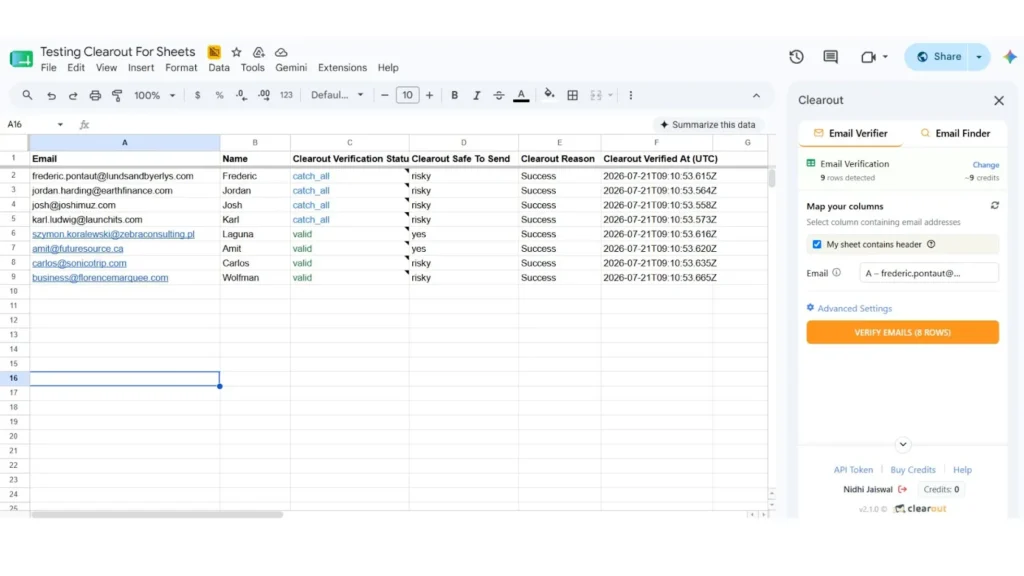
Clearout for Sheets runs inside Google Sheets and covers both email verification and email finding from one sidebar. Points it at a column of emails, and it checks each one automatically.
Results come back as valid, invalid, catch-all, or unknown, with a reason code and bounce type attached. It also flags disposable addresses and role accounts.
In my testing, I used filters like Remove duplicates, Remove empty rows, and selected only the output columns I needed like status, safe-to-send, reason codes, and bounce type. I also increased the timeout for larger batches, which helped avoid interruptions. The whole process was noticeably faster.
Key features:
Results come back as valid, invalid, catch-all, or unknown, with a reason code and bounce type attached. It also flags disposable addresses and role accounts.
In my testing, I used filters like Remove duplicates, Remove empty rows, and selected only the output columns I needed like status, safe-to-send, reason codes, and bounce type. I also increased the timeout for larger batches, which helped avoid interruptions. The whole process was noticeably faster.
Key features:
- Verify emails in bulk and quickly see which ones are safe to send.
- Catch disposable, role-based, free, and fake-looking email addresses before they become a problem.
- See helpful details like why an email failed, suggested typo fixes, and AI-powered insights.
- Show only the columns you need and continue large verification runs without starting over.
Pricing: One-Time (Pay As You Go) pricing starts at $40 for 5,000 credits and goes up to $10,000 for 10 million credits. There are also subscription plans (monthly and annual) for recurring verification needs. Credits have no expiry date.
Read the full walkthrough: How to Validate Emails in Google Sheets
Read the full walkthrough: How to Validate Emails in Google Sheets
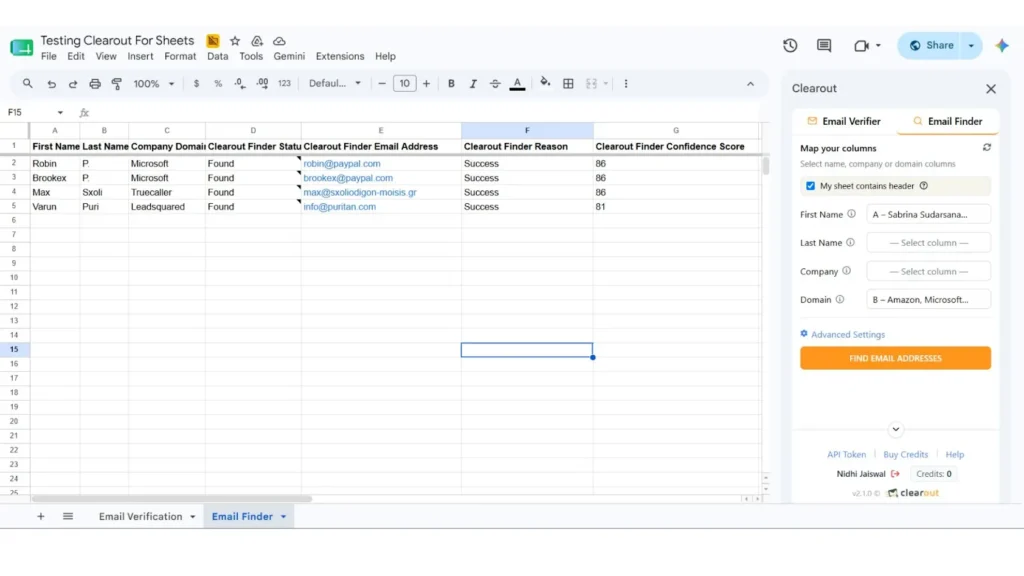
The Clearout Email Finder can be used to find verified emails. Feed it names, companies, and domains to find business email addresses. It auto-maps columns like First Name, Last Name, Company etc. You get to see it first, so you can fix the mapping before anything happens.
Run the Finder first to build your list from names and domains. Then verify every result with the Verifier before it reaches your CRM. That two-step combo is what actually keeps contact data clean, not just one tool working alone.
What stood out in testing was the auto-mapping. It correctly matched First Name, Last Name, and Company columns. No manual setup was needed on my sheet.
Key features:
Run the Finder first to build your list from names and domains. Then verify every result with the Verifier before it reaches your CRM. That two-step combo is what actually keeps contact data clean, not just one tool working alone.
What stood out in testing was the auto-mapping. It correctly matched First Name, Last Name, and Company columns. No manual setup was needed on my sheet.
Key features:
- Auto-mapping for name, company, and domain columns.
- Color-coded confidence scores green 90 and above, blue 80 to 89, and gray below 80.
- Resumable runs and per-user finder preferences.
Pricing: One-Time (Pay As You Go) pricing starts at $40 for 5,000 credits and goes up to $10,000 for 10 million credits. There are also subscription plans (monthly and annual) for recurring verification needs. Credits have no expiry date.
Read the full guide: How to Find Email Addresses in Google Sheets.
For technical setup: Clearout for Sheets documentation
Read the full guide: How to Find Email Addresses in Google Sheets.
For technical setup: Clearout for Sheets documentation
CRM Sync Add-ons
3. Coefficient
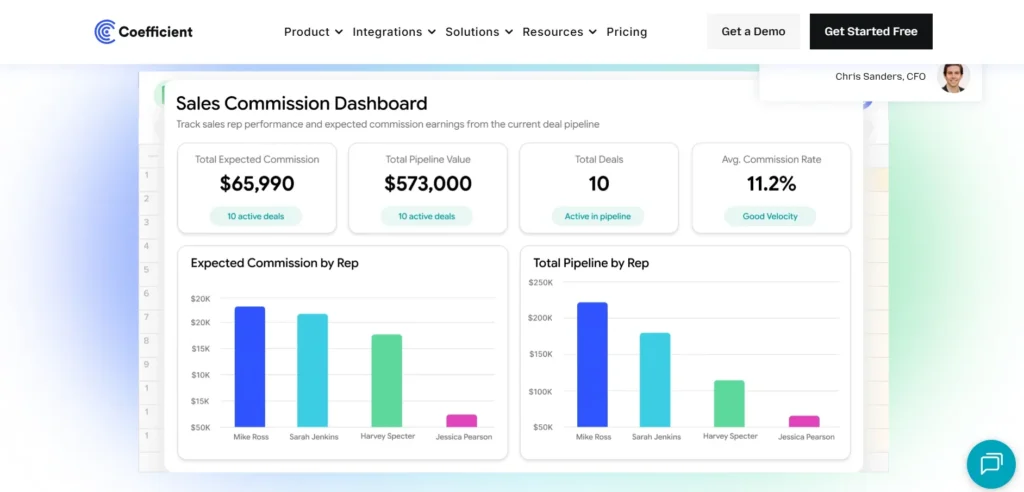
Coefficient pulls live CRM data into a sheet, lets you edit it there, then pushes changes back. Coefficient also blends CRM data with other sources, like Google Analytics or Stripe. That makes blended reporting across systems possible without a separate BI tool.
Key features:
Key features:
- Two-way sync between Sheets and HubSpot or Salesforce.
- Scheduled data refresh and live dashboards.
- Bulk cleaning and de-duplication of contacts, companies, and deals.
Pricing: Free plan available. Paid plans vary based on data volume and frequency of refresh.
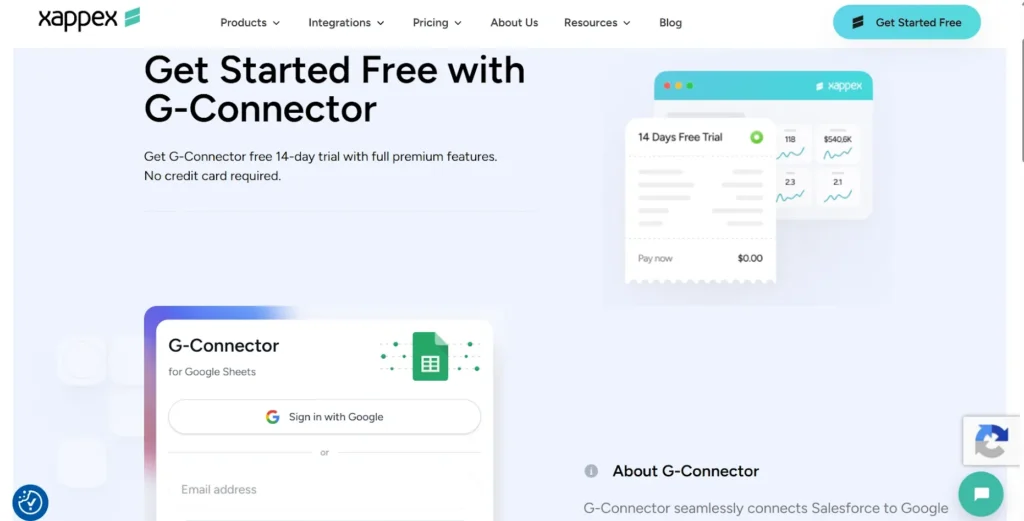
This one is Salesforce-only, and it leans into that. G-Connector enables you to run SOQL queries, schedule refreshes and do bulk operations on records, right inside the spreadsheet.
It’s used by sales ops teams to enable non-licensed users to view/edit Salesforce data. Nobody needs to buy them a full CRM seat just to check a report.
Key features:
It’s used by sales ops teams to enable non-licensed users to view/edit Salesforce data. Nobody needs to buy them a full CRM seat just to check a report.
Key features:
- Two-way Salesforce sync with SOQL query support.
- Scheduled refresh every 1 to 12 hours, or daily and weekly.
- Bulk record operations without ever logging into the Salesforce UI.
Pricing: 14-day free trial, then paid plans, usage based.
Data Sync Add-ons
5. Sheetgo
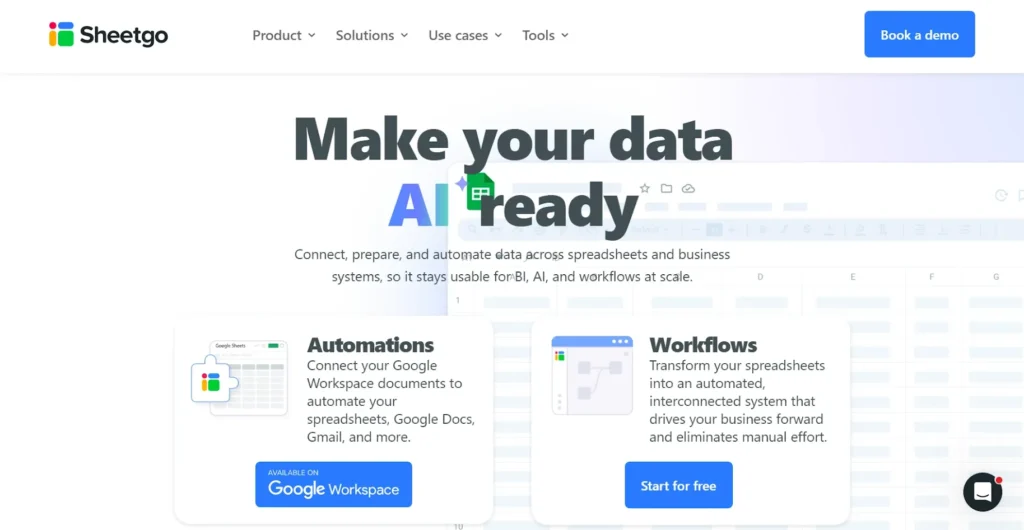
If you’ve ever been driven up the wall by manually re-importing data, Sheetgo is the fix. Sync data automatically from Excel, Google Sheets and CSV files. It syncs both ways and has formatting coming over. Teams use it to update master sheets from several team-member files at the same time.
Key features:
Key features:
- Two-way sync between spreadsheet files.
- Pre-process, split, or filter data before it goes.
- Transfers scheduled hourly, daily, or weekly.
Pricing: Free for basic syncing, paid plans provide more connections and automation.
6. Coupler.io

Coupler.io automatically fetches data from 70+ sources including HubSpot, Shopify, Google Ads, QuickBooks, etc. Set a schedule one time. Your sheet auto refreshes so you don’t have to export a CSV every Monday morning. Analysts use it to update dashboards without opening the source app.
Key features:
Key features:
- Connects Google Sheets to 70+ business apps.
- Scheduled, automatic report refreshes.
- Filtering and transformation tools for imported data.
Pricing: Free plan; paid plans start at $24 per month.
7. Supermetrics

Supermetrics connects to over 100 platforms, including Google Analytics, Facebook Ads, and Stripe. All that data flows straight into Sheets. Setup is simple. Pick a platform, choose your query type, select your fields, and you're done. No steep learning curve involved. Scheduled refreshes are the real win here. Reports update on their own, so you're not manually pulling data every week just to keep things current.
Key features:
Key features:
- Data from 100+ marketing and sales sources.
- Premade report templates to speed up setup.
- Automatic scheduled refreshes.
Pricing: 14-day free trial; plans start at $19 per month per app, billed annually.
Productivity Add-ons
8. Power Tools
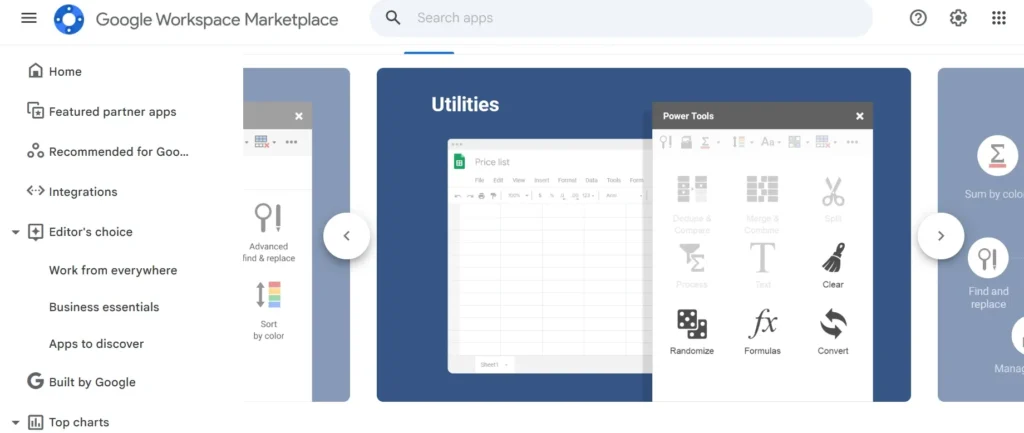
Power Tools puts over 30 tools into a single sidebar in Google Sheets. It also removes duplicate rows, merges cells, splits or pulls out text. It lets the user view two sheets side by side, auto-fill blank cells and generate random datasets for testing. It is used by teams to remove duplicates and merge scattered rows before a list ever gets into the CRM.
I noticed it saves reusable operations. That alone cut down repeat work on the exports I ran every week.
Key features:
I noticed it saves reusable operations. That alone cut down repeat work on the exports I ran every week.
Key features:
- 30+ tools for removing duplicates, merging cells, and reorganizing spreadsheet data.
- Advanced find and replace across values, formulas, and formatting.
- Saved, reusable operations for repeat cleanup tasks.
Pricing: Free 30-day trial; plans start at $15 for one month or $49.99 per year.
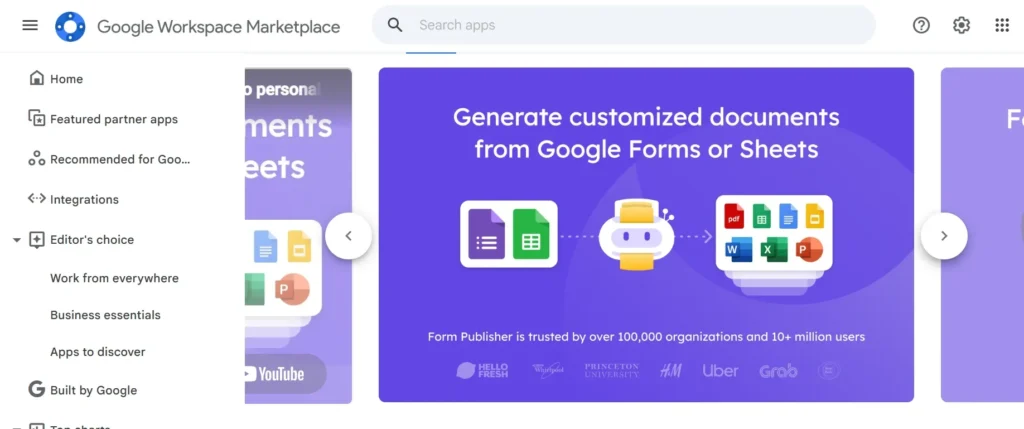
Form Publisher turns spreadsheet rows or form responses into finished documents. It works in Docs, Sheets, Slides, PDF, Word, Excel, PowerPoint And they just generate invoices, waivers, and certificates, and teams and they don't have to put them together themselves anymore. It can even route documents for approval and e-signature on its own, no extra steps needed.
Key features:
Key features:
- Mass document generation from spreadsheet rows.
- Docs, Sheets, or Slides custom templates.
- Integrated approval and eSignature processes.
Pricing: The free plan allows 20 documents per month. The Individual plan is $99 per year and offers unlimited documents and advanced workflows.
10. App Sheet
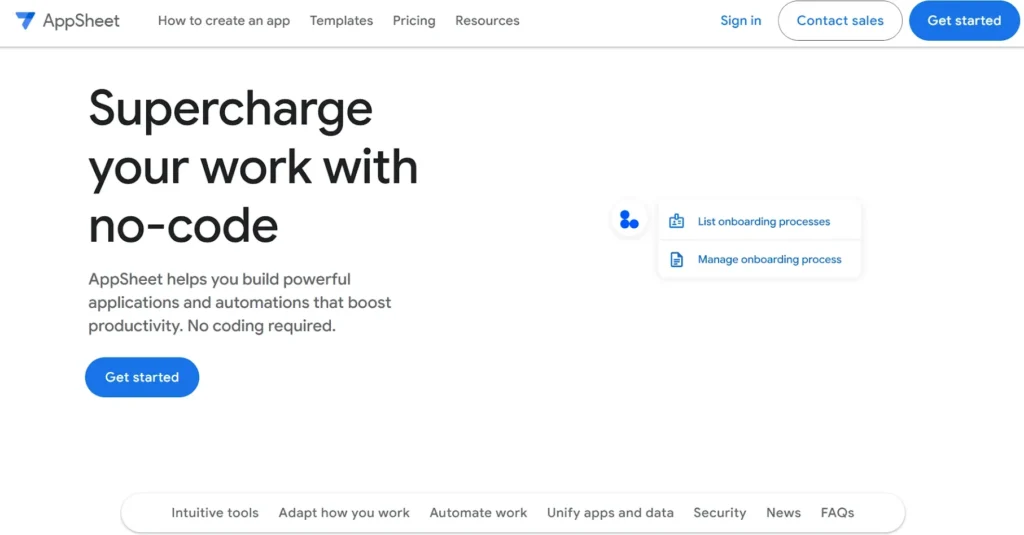
AppSheet turns a Google Sheet into a working app, no code required. List your data, contacts or inventory, whatever it is. Connect it to a template, then customize from there.
Field teams use it to collect data, photos, and signatures on the go. All of it writes straight back to the sheet.
Key features:
Field teams use it to collect data, photos, and signatures on the go. All of it writes straight back to the sheet.
Key features:
- No-code app builder connected to your spreadsheet.
- Templates for common use cases like inventory and contacts.
- Mobile data collection with image and signature capture.
Pricing: Free to build and share with up to 10 users; from $5 per user per month for unlimited apps.
Which Google Sheet Add-on Should You Choose?
If CRM records go stale between updates, start with Coefficient or G-Connector. If reports rely on data scattered across five different apps, try Coupler.io or Supermetrics. If bad emails are hurting deliverability or wasting sales outreach, start with the Clearout Email Verifier first. Once your existing list is clean, add the Email Finder to build new prospect lists.
For everyday cleanup and document work, Power Tools and Form Publisher cover most of it. AppSheet only earns its keep if your team actually needs mobile data entry tied to a sheet.
For everyday cleanup and document work, Power Tools and Form Publisher cover most of it. AppSheet only earns its keep if your team actually needs mobile data entry tied to a sheet.
Final takeaway
If you're spending too much time checking email lists before every campaign, Clearout for Google Sheets can take that work off your plate. It finds and verifies email addresses right inside your sheet, so you can work with cleaner data and send emails with more confidence.
FAQ
1. How can Google Sheets automate data workflow?
Add-ons integrate Google Sheets directly with CRMs, marketing tools and databases. They pull data in on a schedule, push edits back, with no manual exports. This removes the copy-paste step that usually breaks once data grows past a few thousand rows. That's the core idea behind Google Sheets add-ons to automate workflows.
2. How do I use Google Sheets for productivity?
Google Sheets is already a great tool. The right add-ons simply make it better. They can remove junk from your data, create documents, search for business emails and validate them: without having to switch tools. So, you work with accurate data and become productive using the same spreadsheet.
3. What is the best add-on for Google Sheets?
The right add-ons depend on what’s costing you the most time right now. For contact data quality, Clearout's Email Verifier and Email Finder are strong, purpose-built picks. For CRM sync, Coefficient or G-Connector fit best.