

- Products
- ResourcesDEVELOPER

 API
API
Clearout APIs are structured around REST and JSON Webhooks
Capture real-time events in your application workflow Clearout MCP
Verify and find emails from AI assistants like Claude and Cursor Form Guard
Real-time form validation to keep bad contacts out of your CRMKNOWLEDGE BASE Getting started
Sending campaigns without bounces is made simple FAQ
FAQ
Easily find answers to services, security and common questionsUSE CASES Lead Generation
Learn how professionals generate quality leadsGUIDES Clearout Insights Explore original research, industry statistics, and data-backed insights Pricing Transparent & flexible pricing to support pay-per-use or recurringCompare Email Verification Tools AI-powered email verification with 99%+ accuracy, real-time validation, and transparent risk scoringCompare Email Finder Tools Pre-verified B2B email addresses with confidence scoring, find real person email, not role-based addressData Pulse & HubSpot Breeze Intelligence Pre-verified B2B email addresses with confidence scoring, find real person email, not role-based addressBLOGSEmail Verification ToolsFind Anyone’s Email Address
Most Accurate, Fast & Free WaysForm Validation
Importance, Ways & Best PracticesView All Blogs - Pricing
- Integrations
- Enterprise
- Login



Does Jotform Validate Emails? (And What To Do If It Doesn't)
If you run lead-gen or signup forms on Jotform, you've likely trusted it to filter junk emails. Most marketers assume "validation" gives a real and working email address on the other end. It doesn't. Jotform's standard email field checks only formatting like an @symbol, a domain-looking string, and nothing more.
That gap is where disposable/catch-all/risky addresses and dead domains get inside your CRM. They damage your sender reputation, make you lose revenue over spam leads, and inflate the cost per lead. This blog breaks down what Jotform actually checks, what it misses, and what closes that gap.
That gap is where disposable/catch-all/risky addresses and dead domains get inside your CRM. They damage your sender reputation, make you lose revenue over spam leads, and inflate the cost per lead. This blog breaks down what Jotform actually checks, what it misses, and what closes that gap.
Table of Content
What does Jotform email validation check by default?
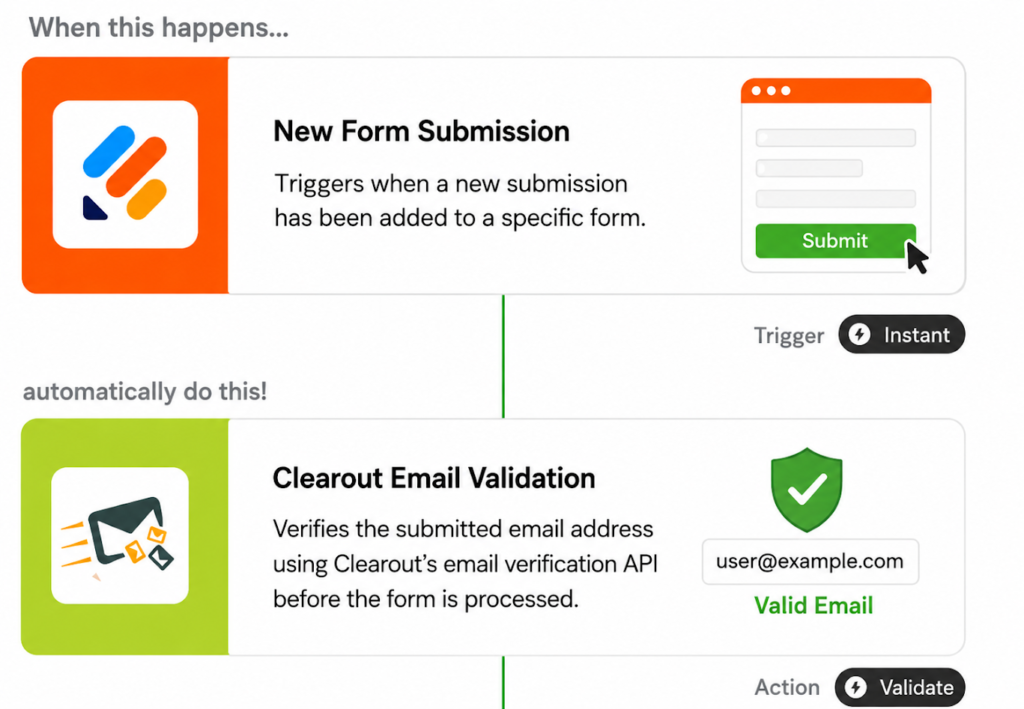
No, Jotform's email field doesn't verify whether a mailbox actually exists. It only checks formatting. Here's what it actually does:
- Runs a pattern-match check only and confirms the entry looks like text, an @symbol, then a domain-like string
- Never verifies whether the mailbox actually exists or can receive email.
Jotform's native add-ons for email field validation:
- Confirmation Field: Makes users retype their email to catch typos
- Card forms verification code: Sends a one-time code the user must enter before submitting
- Email Validator widget: Adds a similar one time code-based check to Classic forms
A verification code confirms the mailbox is live at that moment; the confirmation field only checks that the user retyped the same email. Neither one detects whether that mailbox is disposable. A temporary address like a Mailinator inbox can still receive the OTP and pass all three checks.
Why does Jotform accept invalid emails?
Jotform checks whether someone can receive a verification email, but it doesn't fully validate the email address itself. An email can pass Jotform's verification and still be disposable, temporary, or unsuitable for future marketing emails. That's why invalid or low-quality email addresses can still end up in your forms.
1. Dead or nonexistent domains
- A mistyped email can still pass format validation if it follows the correct structure.
- Jotform's Email field won't catch it because the field validates the format, not mailbox deliverability.
- The lead looks valid until the email bounces.
2. Disposable and temporary addresses
- Can Jotform detect disposable emails? No, not natively.
- Services like Mailinator and Guerrilla Mail temporary working addresses.
- They pass format checks and even confirmation codes.
- Jotform can't block temporary email addresses: there's no disposable-domain list built in.
3. Role-based and catch-all addresses
- Addresses like info@ or sales@ belong to shared inboxes, not a person.
- Catch-all domains accept mail to any address, including ones that don't exist, such as [email protected].
- Jotform's Email field treats both the same as any other valid-looking address.
4. Gibberish and bot-typed addresses
- Bots and rushed form fillers submit strings like [email protected].
- The format looks technically correct, so Jotform accepts it.
- Nothing in the native field flags the entry as suspicious.
5. Spam trap addresses
- Some domains exist only to catch spammers and flag senders.
- Jotform's Email field has no way to identify these.
- One spam trap hit can hurt deliverability across your entire sending domain.
How to verify emails on Jotform?
Two real options exist for jotform integrations for email validation, depending on what you need.
Option 1: The native Clearout Email Validation widget
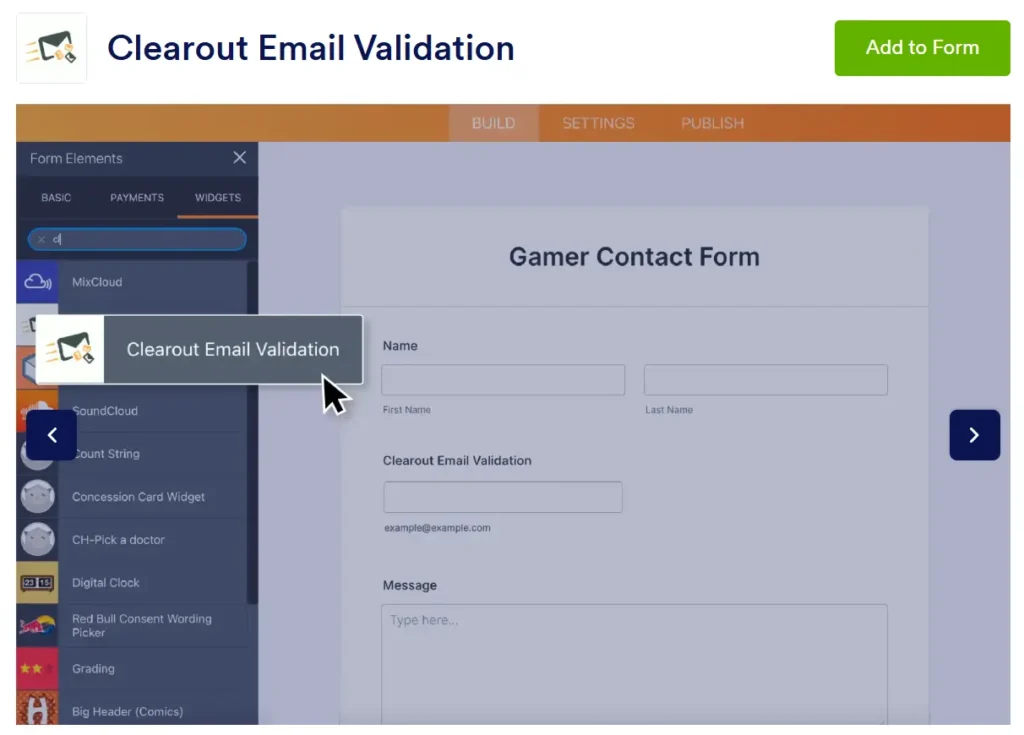
A drag-and-drop widget from Jotform's Widget marketplace that checks each email against Clearout's verification API before the form submits.
Setup and coverage break down like this:
Setup and coverage break down like this:
- Jotform's widget marketplace has a built-in Clearout widget for email validation
- Search "Clearout" in the widgets tab and drag it onto your email field
- Generate an API token in your Clearout account and paste it into the widget's setting
- It can verify disposable, role-based, spam trap, and gibberish addresses at the point of entry
- No Source Code embed or custom coding required
- Covers email only, not phone or name fields
Full setup steps here: https://docs.clearout.io/integrations/forms/jotform
For Pricing: Free Clearout account signup includes 100 credits, no card required. This is enough to test the setup.
Option 2: Form Guard, for full-form protection
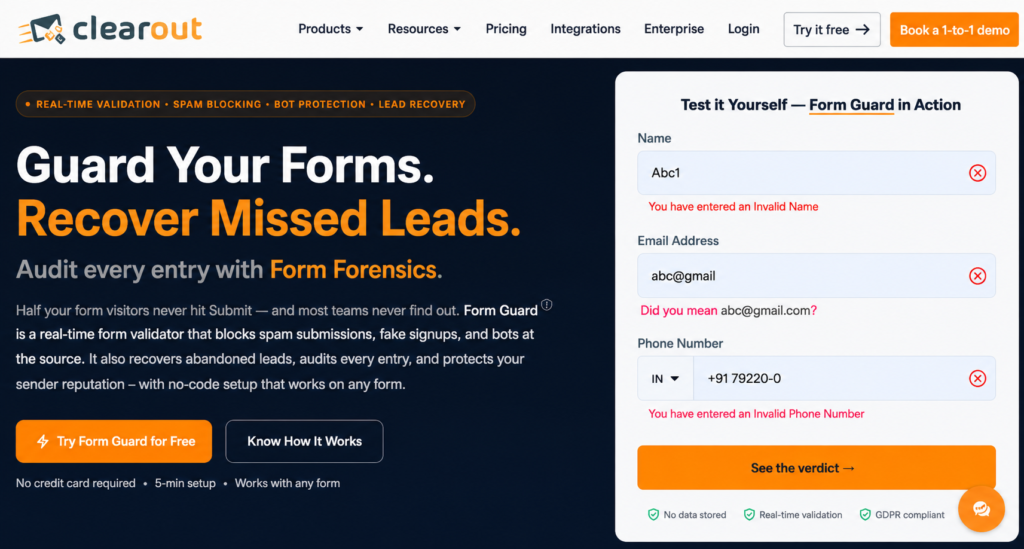
A JavaScript snippet that runs Clearout's real-time validation across a form's email, phone, and name fields. It blocks bad submissions before they're submitted.
How to add Form Guard to a Jotform:
How to add Form Guard to a Jotform:
- Log into your Clearout dashboard and click Create Guard to start a new protection rule.
- Set your policy: choose which fields to validate email, phone, name, or all three and what counts as bad data.
- Copy the unique JavaScript snippet Form Guard generates for that policy.
- Publish your Jotform using the Source Code option to get raw HTML. Jotform renders forms inside an iframe by default, which blocks outside scripts from reading form fields.
- Paste that source code into your webpage.
- Paste the Form Guard snippet into the same page. Email, phone, and name fields all get detected and validated automatically.
What Form Guard captures:
- Blocked submissions get logged in Form Forensics, with the field that failed, the reason, country, and page URL.
- If someone enters a valid email or phone number but leaves before submitting the form, Form Guard saves that information in the Lost Leads dashboard. You can see their contact details and the page they visited.
- Export either list and follow up instead of losing the lead entirely.
If the Name field isn't picking up correctly on a non-standard form, reach out to Clearout support for a custom setup.
For Pricing: Paid plans start at 3,000 credits/month (~1,200 valid form submissions) for $16/month billed annually, unused credits roll over.
For Pricing: Paid plans start at 3,000 credits/month (~1,200 valid form submissions) for $16/month billed annually, unused credits roll over.
Form Guard also lets you fine-tune parameters the Clearout widget doesn't support, for example, blocking free email domains like Gmail or Yahoo.
- Use the widget if you only need to filter email.
- Use Form Guard for phone and name checks too, or to see who almost converted.
Jotform vs Jotform + Form Guard
Both options validate email input, but they serve different purposes. Jotform focuses on format checks, while Form Guard adds real-time verification to stop invalid and risky email addresses before submission.
Here's how Jotform's native validation compares against the Clearout widget and Form Guard, field by field.
Here's how Jotform's native validation compares against the Clearout widget and Form Guard, field by field.
| Check | Jotform | Jotform + Clearout Widget | Jotform + Form Guard |
|---|---|---|---|
| Email format (syntax) | Yes | Yes | Yes |
| Confirmation / retype field | Optional | Optional | Optional |
| One-time verification code | Card forms only / verification widgets | Optional | Not required |
| Email deliverability check | No | Yes | Yes |
| Disposable email detection | No | Yes | Yes |
| Catch-all address detection | No | Yes | Yes |
| Role-based address flagging | No | Yes | Yes |
| Mailbox verification in real time | No | Yes | Yes |
| Works without rebuilding the form | Yes | Yes, no Source Code needed | No, requires switching to Source Code embed |
| Form analytics & lost lead recovery | No | No | Yes |
The bottom line
Invalid email addresses collected through Jotform forms leads to bounced emails, hurts your sender reputation, and over time, even genuine emails can end up in spam. Every unverified lead your sales team chases wastes real selling time.
Stopping fake emails in Jotform starts with a real-time verification layer. Clearout's Jotform widget blocks disposable and risky email addresses in real time. If you also want to verify phone numbers and names, Form Guard can do that before bad data reaches your CRM.
Stopping fake emails in Jotform starts with a real-time verification layer. Clearout's Jotform widget blocks disposable and risky email addresses in real time. If you also want to verify phone numbers and names, Form Guard can do that before bad data reaches your CRM.
Stop fake leads in Jotform before they cost you
FAQs
1. Does Jotform send confirmation emails?
Yes, through the Autoresponder feature, which sends an automatic email to the form filler right after submission. It's a receipt, and the inbox is never actually checked.
2. Is there a way to validate emails?
Yes, but Jotform's native Email field only checks formatting, not whether the mailbox actually exists. The Clearout widget checks email addresses before submission and blocks disposable, role-based, spam trap, and invalid emails. Form Guard goes a step further by validating phone numbers and names as well.
3. How does the email verification process work?
Jotform's confirmation box only rechecks formatting, while Card forms can send a one-time code to confirm the inbox is live. Clearout checks disposable and role-based status at entry, but Form Guard validates email, phone, and name in real time as your customers type their details.
4. Does Jotform collect emails?
Yes, if your form has an email field, submissions are stored in your Jotform account and Tables. Notifications and autoresponders both pull from that same email field data.