
clearout
  • Products
    • Email Verifier Verify emails addresses individually, in bulk or through API, with 99% accuracy
    • Catch-all Email Verification IconCatch-all Email Verification Resolve more catch-all and SEG-protected emails into Valid or Invalid results with Deep Verify.
    • Email Finder Find individual or bulk emails by entering the person & company name or domain
    • Form Guard IconForm Guard Protect your forms from spam, bots, and invalid submissions with real-time email, phone, and name verification.
    • Form Guard IconData Pulse Verify, enrich, and monitor your CRM contacts in real time - heartbeat monitor for your data.
    • ProspectSQL/MQL list building with high levels of personalization, real-time data enrichment and prospect search
    • Clearout For SheetsVerify email addresses directly on Google Sheets with Clearout for sheets add-on
    • Prospect – LinkedIn Chrome ExtensionBuild verified, targeted prospect lists directly from LinkedIn profiles
    • ClearoutPhoneValidate phone numbers across 240+ countries in bulk, quick or real time validation
    • Free Tools
    • Disposable Email Checker
    • Reverse LinkedIn Profile Lookup Tool
    • Reverse Email Lookup Tool
    • Email List Cleaner
    • Company Domain Finder API
  • Resources
      DEVELOPERAPI iconAPI
      Clearout APIs are structured around REST and JSON
      Webhooks iconWebhooks
      Capture real-time events in your application workflow
      Clearout MCP icon Clearout MCP
      Verify and find emails from AI assistants like Claude and Cursor
      Form Guard iconForm Guard
      Real-time form validation to keep bad contacts out of your CRM
      KNOWLEDGE BASEGetting started iconGetting started
      Sending campaigns without bounces is made simple
      FAQ iconFAQ
      Easily find answers to services, security and common questions
      USE CASESLead Generation iconLead Generation
      Learn how professionals generate quality leads
      GUIDES Clearout Insights arrow icon Explore original research, industry statistics, and data-backed insights Pricing arrow iconTransparent & flexible pricing to support pay-per-use or recurringCompare Email Verification Tools arrow iconAI-powered email verification with 99%+ accuracy, real-time validation, and transparent risk scoringCompare Email Finder Tools arrow iconPre-verified B2B email addresses with confidence scoring, find real person email, not role-based addressData Pulse & HubSpot Breeze Intelligence arrow iconPre-verified B2B email addresses with confidence scoring, find real person email, not role-based addressBLOGSEmail Verification ToolsFind Anyone’s Email Address
      Most Accurate, Fast & Free Ways
      Form Validation
      Importance, Ways & Best Practices
      View All Blogs
  • Pricing
  • Integrations
  • Enterprise
  • Login
Try it free Book a 1-to-1 demo
Priyanshi Sharma / November 17, 2026 November 17, 2026

Best Inbound Email APIs: Features, Pricing, and Comparison (2026)


Best Inbound Email APIs: Features, Pricing, and Comparison (2026)

TL;DR


  • Inbound email API tools receive mail for your domain, parse the structured data from the mail and deliver it to your application using a webhook.
  • Postmark is the recommended choice for JSON parsing. Mailgun can be used in raw routing and legacy stacks.
  • Cloudflare Email Routing is the free version for Cloudflare Users. AgentMail is designed to be used with API-provisioned inboxes.
  • Prior to using the API with your inbound flow, you should verify that it has a reasonable response time, a well-defined response structure, documentation, rate limits, error handling, a credit policy, and data security.
  • No inbound provider checks whether the sender’s address is a real, deliverable mailbox. Clearout eliminates that problem by verifying email addresses before or after they are processed.

An inbound email API gets email, processes it into structured data and sends it to your application. You can redirect the MX records of a domain to a provider and not run your own mail server.

Postmark, Resend, AgentMail, Mailgun, Cloudflare Email Routing, Mailtrap, MailSlurp and SendGrid are the best email inbound APIs in 2026. This guide will give you an understanding of their inbound email parsing and which one to choose to meet your needs. Let's begin!

Table Of Content


‣ TL;DR
‣ Inbound Email API: How It Works
‣ A Quick Email Inbound APIs Comparison
‣ Best Inbound Email Providers Reviewed: Features, Pricing, and Cons
‣ Best Email API by Use Case
‣ Add Email Verification to Your Inbound Email Workflow
‣ Inbound Email Webhook Security Checklist
‣ My Best Inbound Email API Picks
‣ FAQs

Inbound Email API: How It Works


Before you compare providers, let’s see how an inbound email API works.

  • An MX record is created for the domain/subdomain and it's added to the provider.
  • An email is sent to an address on that domain.
  • It is received by the provider who decodes the headers, adds and performs rudimentary checks such as SPF and DKIM.
  • An inbound email webhook emails the result to your URL, or your provider makes the message available through an API or a Worker that you develop.

This is used to construct:

  • Support ticketing with a shared inbox
  • You can reply with an email in apps, for instance, when you comment on a thread by replying to the notification.
  • It is possible to get the lead data from forwarded emails.
  • Getting attachments attached to invoices and receipts processed.
  • Email-to-task/email-to-CRM workflows.
  • Inboxes that AI agents or users can access and peruse via API.

A Quick Email Inbound APIs Comparison


Let's take a look at the 8 best inbound email APIs:

ToolBest forHow it performs inboundPrice of entry (shown)
PostmarkHaving a safe way to parse JSON data in production.Converts incoming emails to clean JSON payloads, and puts them in the queue.Free and Platform plan at $18/month
ResendIt's time to make a name for TypeScript teams and modern webhooks.Develop-first API that includes events sent via webhook.Scale plan available at $90/month
AgentMailAPI-provisioned inboxesApps can create and manage their own inboxes with the API.Identify the vendor's site.
MailgunThe legacy and raw routing.Routes with custom filter rules and regex match.$0 for the first month, then $90/month.
Cloudflare Email RoutingCloudflare UsersSupport domain routing for free into Cloudflare Workers.Free
MailtrapTesting and QAGoing paperless and automating QA for workflows.The software has a free plan, while the Enterprise edition costs $750/month.
MailSlurpTesting and QAAPI-provisioned test addressesFree trial and $49/month plan.
SendGridTwilio is the top overall email API, and it's built with the enterprise in mind.Inbound Parse webhookThe price of Pro is $89.95 per month, and includes a 60-day free trial.

Prices are listed at the time of writing and can change.

Best Inbound Email Providers Reviewed: Features, Pricing, and Cons


1. Postmark Inbound


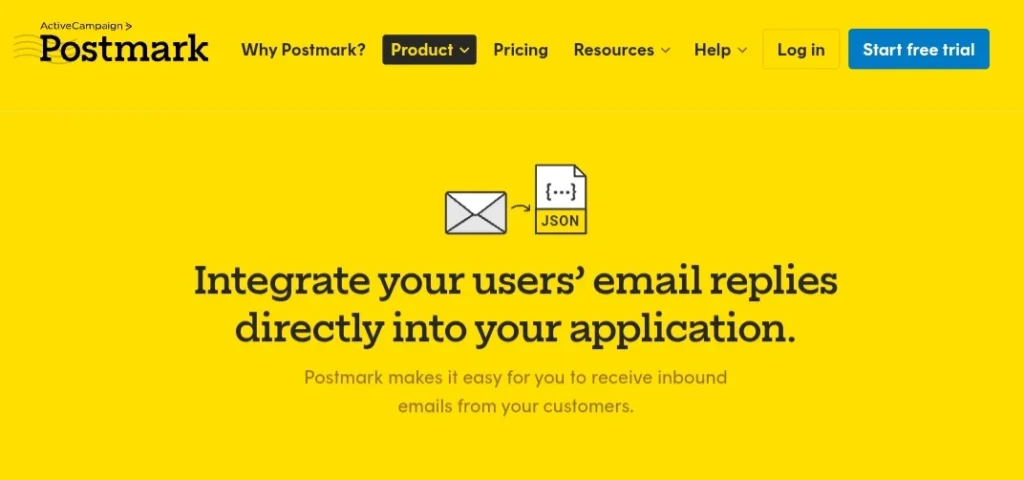
Home page of Postmark.

The best choice is to use Postmark for reliable JSON parsing in production. Transforms incoming emails to clean JSON payloads containing sender, subject, text body, html body, headers, attachments, and a stripped reply field. It can be used with plus-addresses, like [email protected], to bind an email to a record in your app.

Pricing


  • Free plan
  • Platform plan at $18 a month

G2 review: "Setting up an SMTP server for my domain was very simple; I was able to check the email activity log, what is happening with an email and this helped me to diagnose issues with email delivery."

Cons:


  • The price goes up the more you buy, and may be higher than bulk pricing.
  • It is designed for transactional mail. So, bulk and marketing uses are limited.

2. Resend Email API


Resend Home Page.

For TypeScript teams, Resend is the ideal choice. It provides a developer-first experience, an API and webhook events for your tool stacks. For the most up-to-date capabilities, see Resend email API.

Pricing


  • Free at $0 a month
  • The Scale monthly plan fee is $90.

G2 review: "Easy to set up and developer friendly, mail delivery has been reliable and I like the fact that I can see every mail I have sent on the dashboard."

What I like: The setup takes place quickly, and the dashboard shows all messages. I can keep track of any webhook problems. Resend continually delivers enhancements and addresses comments, a positive indicator for a fledgling product.

Cons:


  • It is a new platform and there is not as much legacy integration or community answers present for it.
  • Cannot refer to much of the documents to know how the tool works as they have added very limited guides.

3. AgentMail Inboxes API


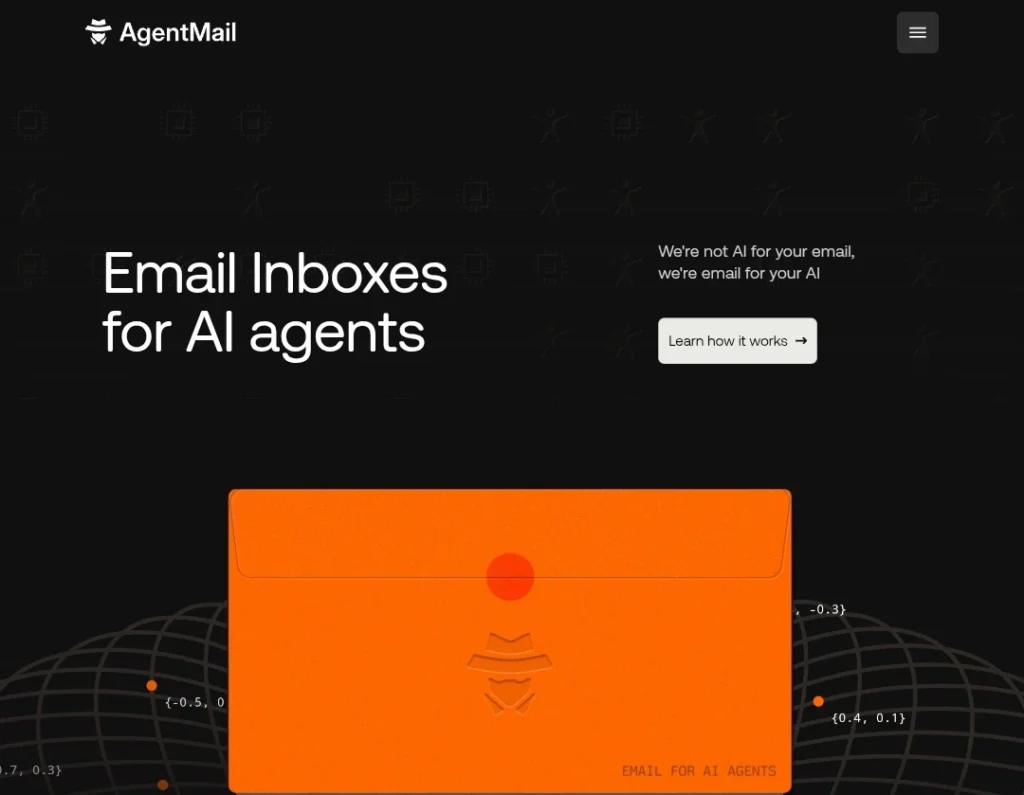
Home page of AgentMail.

We recommend AgentMail for API-based inboxes. You don’t need to send every user's emails to one shared inbox. AgentMail can create and manage a separate email inbox for each user or AI agent. This is useful for products where every user or agent needs their own email address.

Pricing


  • Free plan
  • Scale plan at $200 per month

Product Hunt review: “It allows AI agents to have their own programmable inboxes, without all the hassle of complicated OAuth and shared mailboxes."

What I like: It automatically creates their inboxes for each user or AI agent. You don't have to create and manage each inbox manually. It's a huge time saver for developers when creating apps that require different email IDs for each user.

Cons:


  • It is structured around dedicated inboxes; that means that it is not the best answer when you only have one email to support.
  • A newer tool and has less reviews.
  • There are only a few tutorials and integrations.

4. Mailgun Routes


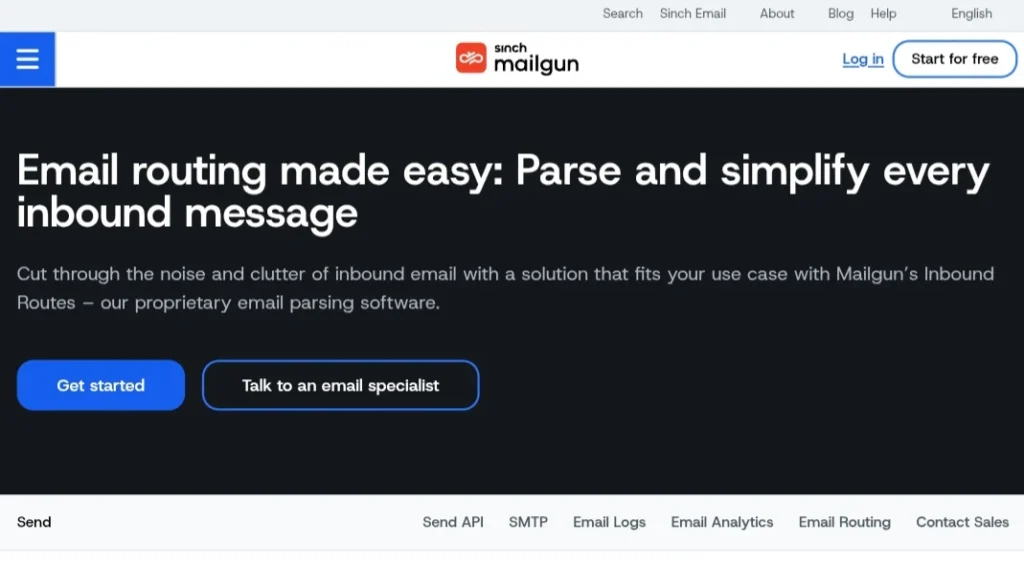
Home page of Mailgun.

Mailgun is recommended for raw routing and legacy stacks. Routes lets you set rules to filter incoming emails, then forward, store, or block them. It also separates the new reply from the quoted email and signature using the stripped-text and stripped-signature fields in the webhook payload.

Pricing


  • Free at $0 a month for testing
  • Scale plan is at $90 per month

G2 review: "I love how Mailgun is developer-friendly, how easy it is to integrate with my site, and how it provides me with a great deal of useful analytics for tracking the performance of my email campaigns."

What I like: You can use a catch-all pattern, or send support@ emails to one inbox and billing@ emails to another. You can also use patterns to route emails automatically, which works well with older systems.

Cons:


  • Regex route rules are not easy to test and keep up to date.
  • Messages stored will only be kept for a limited period, so it is necessary to get them as soon as possible.

5. Cloudflare Email Routing


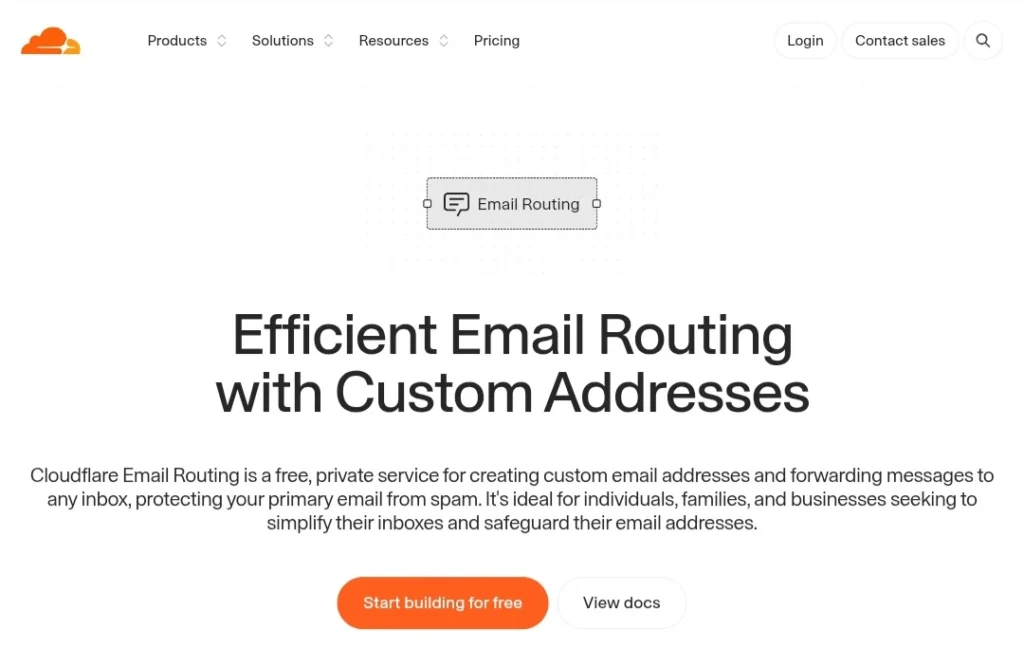
Cloudflare email routing page.

For those who use Cloudflare, Cloudflare Email Routing is the ideal solution. It's a free domain routing integration with Cloudflare Workers, allowing you to execute your own code on every message received. This makes it very cheap for custom message parsing.

Pricing


  • Free at $0 a month
  • Business at $200 per month

G2 review: There are no reviews on G2 for email routing services.

What I like: It is free and resides with my DNS. If combined with a Worker, you'll have complete control over each message without running a server.

Cons:


  • Your domain's DNS has to be managed by Cloudflare
  • No inbound email parsing is built in, the parsing logic is written in a Worker.
  • Processing is done within Workers.

6. Mailtrap


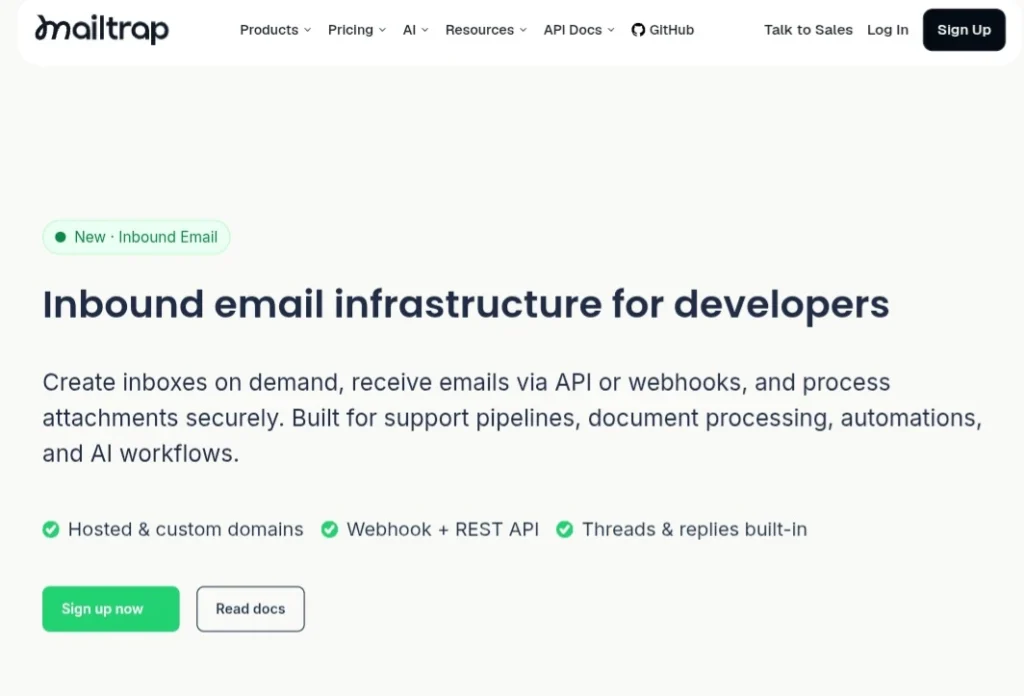
Mailtrap inbound email infrastructure page.

All inbound email workflows are supported in Mailtrap. With this platform, you can create inboxes, receive email and control the messages via an API. It has webhooks and sandboxes for testing replies.

Pricing


  • Free at $0 a month
  • Consider an enterprise plan for $750 per month.

G2 review: "The Mailtrap support team is incredibly responsive, friendly and helpful."

What I like: It doesn't let test emails get into real inboxes, so there aren't any accidents in staging. When you need support quickly, the praise in the review is an element that you will want to consider.

Cons:


  • Created for testing purposes and not for receiving actual customer mail.
  • The enterprise pricing begins at $750 per month which is too expensive.

7. MailSlurp


MailSlurp homepage.

MailSlurp is good for Testing and QA. It offers API provisioned testing addresses to help automated tests set up an inbox, send an email and verify what's received. It's similar to Mailtrap but focuses on testing instead of production inbound traffic.

Pricing


  • Free trial to test
  • A $200 monthly growth plan is available.

G2 review: We can see how our email campaigns look on different devices and email clients before it launches to help catch formatting and design problems.

What I like: It's easy to create an address via the API and creating a new inbox for each test works well in automated test suites.

Cons:


  • It is targeted at inbound email, not production.
  • There are paid plans which begin at $49 per month after the trial.
  • Test addresses are not used for storage purposes.

8. Twilio SendGrid Inbound Parse


Twilio SendGrid home page.

SendGrid is a best inbound email API from Twilio, and is frequently used because of its extensive features. Mail sent to a domain or subdomain you point at SendGrid is caught by its Inbound Parse webhook and it is posted to your URL after being parsed. The payload includes: sender, subject, text, HTML, attachments and SPF and DKIM results.

Pricing


  • Free trial
  • Pro at $89.95 a month

G2 review: "It was extremely easy to set up and straightforward instructions were provided, which is why I can rely on SendGrid to send out important emails to our customers and company representatives."

What I like about it: Setup is one MX record and one URL, which makes it a fast route to a working inbound email webhook. If outbound already runs on SendGrid, you keep one vendor and one bill.

Cons:


  • Routing is per hostname; address-level rules exist in your own code
  • Deliverability may be impacted due to shared IP reputation

Best Email API by Use Case


Here are the inbound email APIs to choose for different use cases.

Use caseBest fitWhy
Accurate parsing for production use.PostmarkPrepare JSON payloads for production.
Modern Webhooks and TypeScript stack.ResendDeveloper-first experience
Legacy (legacy pattern-based routing)MailgunAdd custom filter rules and regex matching.
Cloudflare-hosted domainCloudflare Email RoutingSends to Worker to be routed back out for free.
Individual mailbox for each user or agentAgentMailProvisioned Inboxes via the API.
Validating email flows in the staging area.MailtrapDisposable inboxes and QA workflows
Automated tests that need fresh addressesMailSlurpAPI-provisioned test addresses
Already on Twilio SendGridSendGridOne vendor and a simple webhook

Add Email Verification to Your Inbound Email Workflow


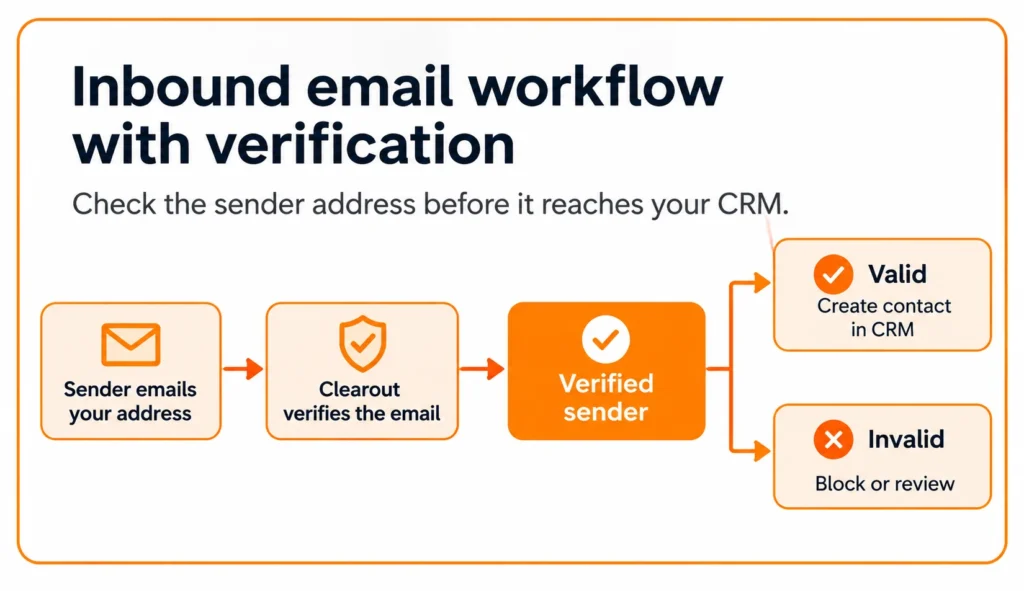
Inbound email process with verification.

Your inbound email API can receive emails, extract the sender's address, and forward it to your application. It can't tell you one thing: Is that email address valid?

Think about it. A person contacts you on your support email address with a misspelled email address. A second individual registers using a temporary email address. Your application gets both messages and both contacts are saved in your CRM. Your team now has some data that may be of no use.

You can verify the email address within your inbound workflow with Clearout. When your webhook receives an email, send the sender's address to Clearout for verification.

Here’s how to use it:

  • Before adding a contact: Review sender's address prior to creating a new lead or contact in CRM.
  • Before sending a reply: Don't send an auto-reply unless you've checked the address. This will minimize hard bounces for bad addresses.
  • When extracting data: When extracting email addresses from signatures or CC fields, or when you are extracting addresses from forwarded emails, check them first before adding them to your database.

You don't have to change your existing inbound email setup. Simply add an email verification API call at the point in your workflow where you want to check an address.

Inbound email workflows benefit from this, so if you're creating one, consider verifying those email addresses before they fill up your CRM with unverified email addresses.

Try Clearout free

No credit card required

Inbound Email Webhook Security Checklist


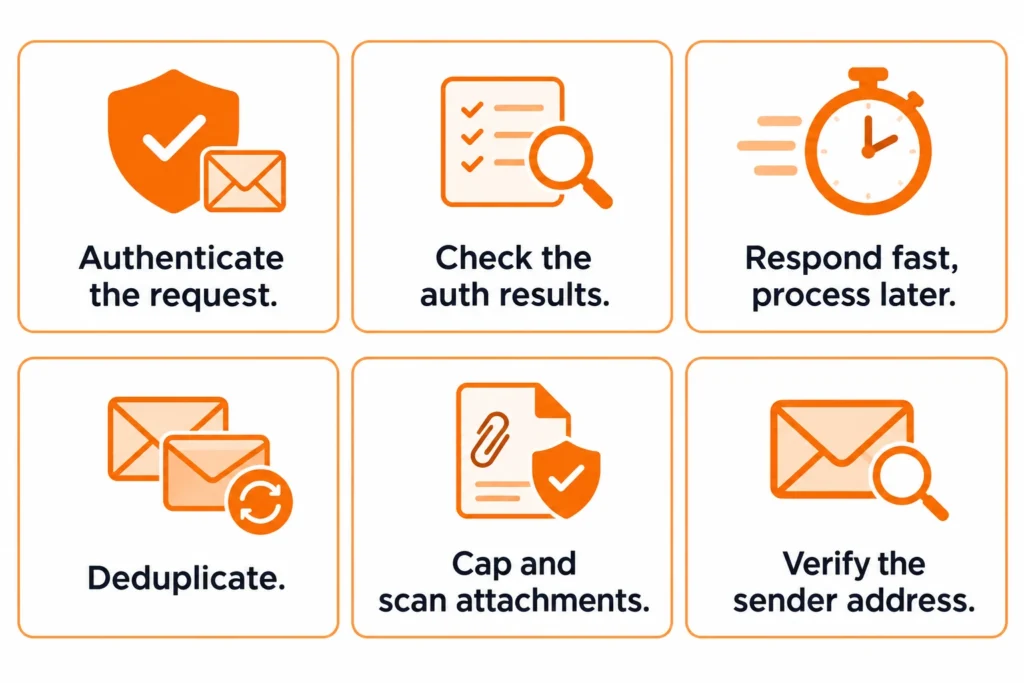
Assume that each inbound webhook is suspicious data. Anyone can send you an email to your address, which means that the payload might have spoofed senders, malicious attachments, and large messages. Check each request before your application processes it.

Inbound email webhook security checklist.

My Best Inbound Email API Picks


Pick Postmark to get the reliability of JSON parsing in production, Resend to support the new generation webhooks with TypeScript, and Mailgun for regex-based email routing in older systems. If your domain is hosted on Cloudflare and you're okay with writing this parsing in a Worker, use Cloudflare Email Routing.

Use AgentMail when each user or AI agent needs a separate inbox. Use Mailtrap or MailSlurp to test email workflows prior to launch. The email parsing API you select will not check if the sender's email address is valid.

So, verification is the only additional step you will need here. Check email addresses with Clearout email verifier when your webhook is triggered so you don't accept invalid, disposable or misspelled addresses before they arrive in your CRM.

FAQs


What's the difference between inbound and outbound email API?
An outbound email API lets your app send emails to people. An inbound service is used to receive messages sent to your domain and send them to your app as structured data. There are several providers that offer both, such as Postmark, Mailgun, and SendGrid.
Which is the lowest-cost inbound email provider?
Cloudflare Email Routing is available for free, and the processing logic is coded in a Worker. The others include: Postmark Platform is $18 a month, MailSlurp is $49 a month for testing, and the Mailgun Scale and Resend Scale are $90 a month each. SendGrid Pro starts at $89.95 a month after a 60-day trial.
Are attachments allowed with inbound providers?
Yes, but it is a different kind of method. Attachments are base64-encoded in the JSON payload by Postmark, and encoded in the webhook request by SendGrid and Mailgun. By using Cloudflare Email Routing, you can read them from the email itself within your Worker.
Should I have my own domain for receiving emails through API?
Usually yes. MX records are added to the domain or subdomain that you want to point to the provider. Do not affect the MX records by using a subdomain (inbound.yourdomain.com).

Share this article

Recent Posts

17 Nov 2026
Best Inbound Email APIs: Features, Pricing, and Comparison (2026)

Compare the best inbound email APIs in 2026 by features, pricing, and use case. Learn how Clearout ...

09 Nov 2026
Sales Multithreading: Reach Multiple Decision-Makers

Learn how to find and reach multiple decision-makers in one account with a B2B sales multithreading ...

05 Nov 2026
How to Win Back Closed Lost Deals: 6-Step Strategy

Learn how to win back closed-lost deals, reconnect with decision-makers, verify email addresses, and ...

04 Nov 2026
How Sales and SDR Teams Use Email Verification to Protect Quota-Driving Outreach

Learn how sales and SDR teams use email verification to reduce bounces, protect sender reputation, ...

30 Oct 2026
How Invalid Catch-All Leads Drain Your Sales Budget

Learn how catch-all leads waste sales budget on ad spend, SDR time, and outreach. Calculate cost per ...

Clearout's

Form Guard

Validate email, phone & name on any forms!

  • Real signups only
  • Verified emails
  • Valid phone numbers
  • No fake names
  • Cleaner CRM
  • No devs needed
Try for Free Now

Email Verification, Email Finding Form Guard & Prospecting Service

Expand Your Reach By Finding & Verifying Ideal Prospects.

Sign up & get 100 free credits

No Credit Card required

Create Free Account
Company

Why Clearout?

Pricing

Contact Us

Careers

Press

Enterprise

Sitemap

FAQ

Status

Products

Email Verifier

Catch-all Verification

Email Finder

Form Guard

Data Pulse

Prospect

LinkedIn Email Finder

Reverse Lookup

Google Sheets Add-on

WordPress Plugin

ClearoutPhone

What's New?

Resources

Clearout Insights

Integrations

HubSpot

Team Account

API

Clearout MCP

Compare Email Verifier

Compare Email Finder

Compare Prospecting

Use Cases

Blog

Help

Legal

Privacy Policy

Terms

DPA

Security

Trust Center

Certification

ISO 27001/2022

SOC 2 Type 2

GDPR

Partnership

HubSpot Certified

Affiliates

Partners

Clearout for browser

⚡ Supercharge Your Prospect Research with Clearout's LinkedIn Chrome Extension - Find and Verify Emails with Confidence!

Clearout Chrome extension

Clearout
© 2026 Clearout Inc. All Rights Reserved. Powered by Clearout.
Validate Enrich New Salesforce contacts automatically with Data Pulse. Learn More ➞
X