clearout
  • Products
    • Email Verifier Verify emails addresses individually, in bulk or through API, with 99% accuracy
    • Catch-all Email Verification IconCatch-all Email Verification Resolve more catch-all and SEG-protected emails into Valid or Invalid results with Deep Verify.
    • Email Finder Find individual or bulk emails by entering the person & company name or domain
    • Form Guard IconForm Guard Protect your forms from spam, bots, and invalid submissions with real-time email, phone, and name verification.
    • Form Guard IconData Pulse Verify, enrich, and monitor your CRM contacts in real time - heartbeat monitor for your data.
    • ProspectSQL/MQL list building with high levels of personalization, real-time data enrichment and prospect search
    • Clearout For SheetsVerify email addresses directly on Google Sheets with Clearout for sheets add-on
    • Prospect – LinkedIn Chrome ExtensionBuild verified, targeted prospect lists directly from LinkedIn profiles
    • ClearoutPhoneValidate phone numbers across 240+ countries in bulk, quick or real time validation
    • Free Tools
    • Disposable Email Checker
    • Reverse LinkedIn Profile Lookup Tool
    • Reverse Email Lookup Tool
    • Email List Cleaner
    • Company Domain Finder API
  • Resources
      DEVELOPERAPI iconAPI
      Clearout APIs are structured around REST and JSON
      Webhooks iconWebhooks
      Capture real-time events in your application workflow
      Form Guard iconForm Guard
      Real-time form validation to keep bad contacts out of your CRM
      KNOWLEDGE BASEGetting started iconGetting started
      Sending campaigns without bounces is made simple
      FAQ iconFAQ
      Easily find answers to services, security and common questions
      USE CASESLead Generation iconLead Generation
      Learn how professionals generate quality leads
      GUIDESPricing arrow iconTransparent & flexible pricing to support pay-per-use or recurringCompare Email Verification Tools arrow iconAI-powered email verification with 99%+ accuracy, real-time validation, and transparent risk scoringCompare Email Finder Tools arrow iconPre-verified B2B email addresses with confidence scoring, find real person email, not role-based addressData Pulse & HubSpot Breeze Intelligence arrow iconPre-verified B2B email addresses with confidence scoring, find real person email, not role-based addressBLOGSEmail Verification ToolsFind Anyone’s Email Address
      Most Accurate, Fast & Free Ways
      Form Validation
      Importance, Ways & Best Practices
      View All Blogs
  • Pricing
  • Integrations
  • Enterprise
  • Login
Try it free Book a 1-to-1 demo
Akanksha Mishra / September 30, 2026 September 30, 2026

How to Safely Contact Catch-All Emails In Cold Outreach


How to Safely Contact Catch-All Emails In Cold Outreach

Catch-all email cold outreach can be tricky to manage. The domain may accept an email even when the receiving server cannot confirm that the specific mailbox exists.

That matters when you start sending. If you send the whole catch-all segment at once, a rise in bounces can affect a large part of your campaign before you know how the addresses will perform.

A safer catch-all email cold outreach strategy is to separate catch-all from confirmed-valid contacts and start with a smaller batch. You can then use the delivery results to decide whether to increase the next batch, keep the volume steady, or recheck the addresses first.

Table Of Content


‣ What are catch-all emails?
‣ Are catch-all emails safe to send an email to?
‣ Why do catch-all emails create risk in cold outreach?
‣ How to verify catch-All emails before outreach
‣ Standard Verification vs Deep Verify
‣ Other strategies for managing catch-all contacts
‣ Still have unresolved catch-all emails?
‣ FAQ
What are catch-all emails?


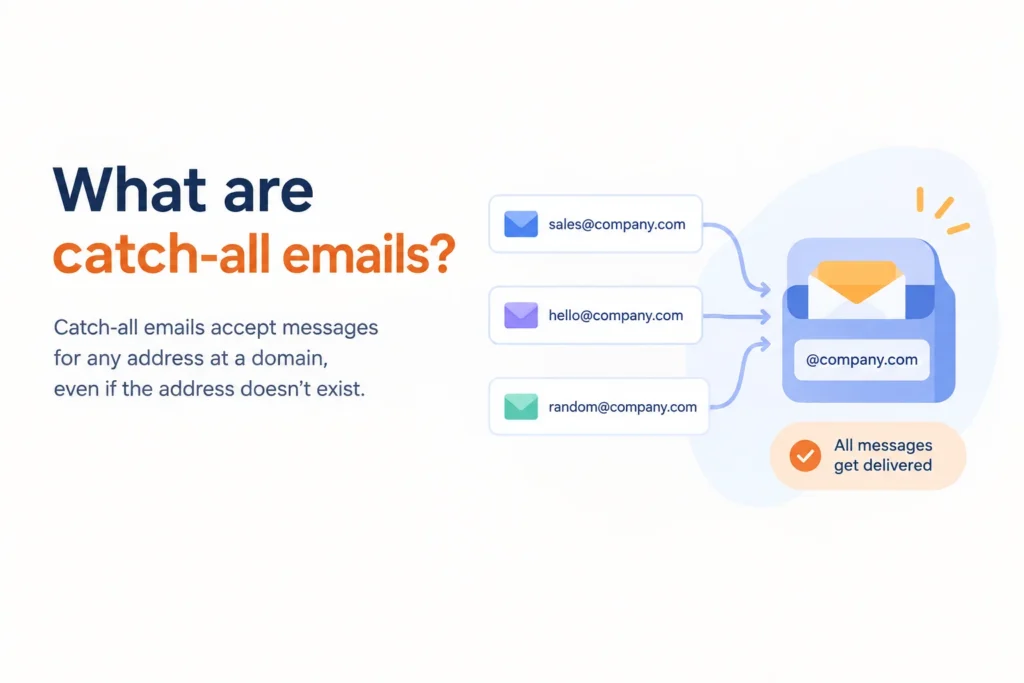
Several email addresses being directed to a catch-all inbox.

Catch-all is a domain-level setting that allows a mail server to accept messages addressed to addresses that may not have individual mailboxes.

For example, if company.com was configured as a catch-all domain. You send an email to [email protected] but Jane doesn’t have a mailbox at company.com. The receiving server may accept the message during the SMTP check instead of rejecting the address because the domain accepts mail for unknown addresses.

And that is why a catch-all result is not the same thing as a confirmed-valid result. You know about the domain's handling of mail but you don't have the same confirmation for the individual mailbox.

For example, suppose a company called Nova has configured its domain as a catch-all. Its domain might be nova.com. If you send emails to [email protected], [email protected], or even [email protected], the server may accept all three messages.

The server is accepting the email because of how nova.com is configured. That response does not confirm that each individual address belongs to an active mailbox.

Why catch-all email cold outreach carries additional risk?


Catch-all addresses need caution because you cannot confirm the individual mailbox in the same way as a confirmed-valid address.

For that reason, keep catch-all addresses separate from confirmed-valid contacts when building your campaign. You can then start with a smaller batch and use the delivery results to decide how to handle the next batch.

Are catch-all emails safe to send an email to?


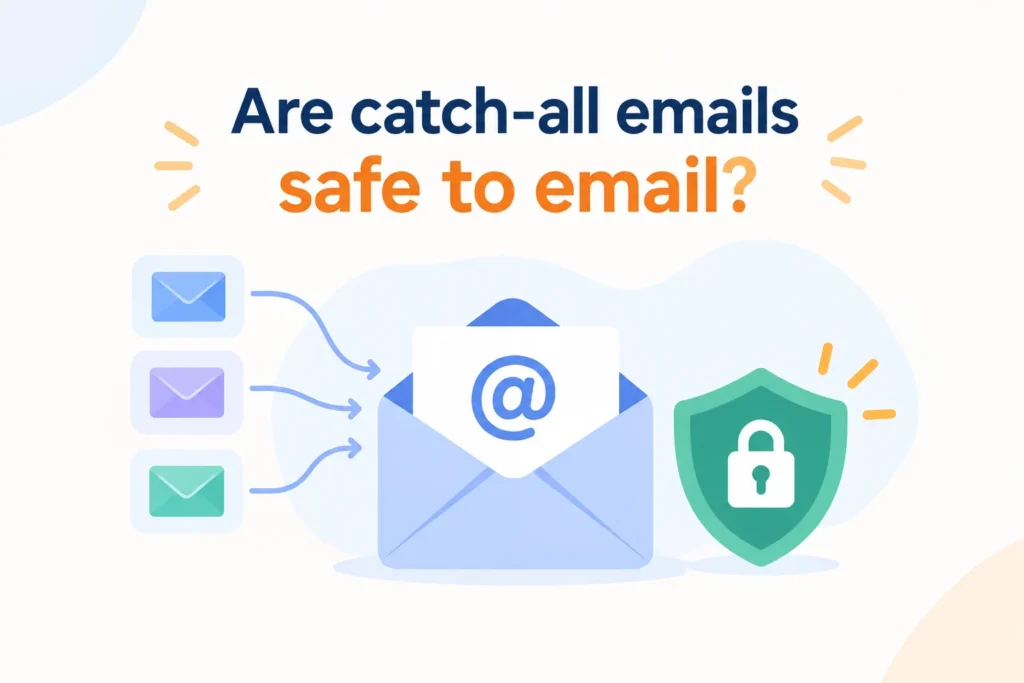
Catch-all emails and email safety illustrated with envelopes and a security shield.

Several campaign choices can make an uncertain segment harder to evaluate.

  • Sending to a large catch-all segment at once: A high-volume send can expose more of your campaign if the segment produces bounces.
  • Using old catch-all results: An older result may no longer reflect the current state of the address or domain.
  • Ignoring bounce signals: Rising hard bounces can indicate that the segment needs to be reviewed before sending more emails.

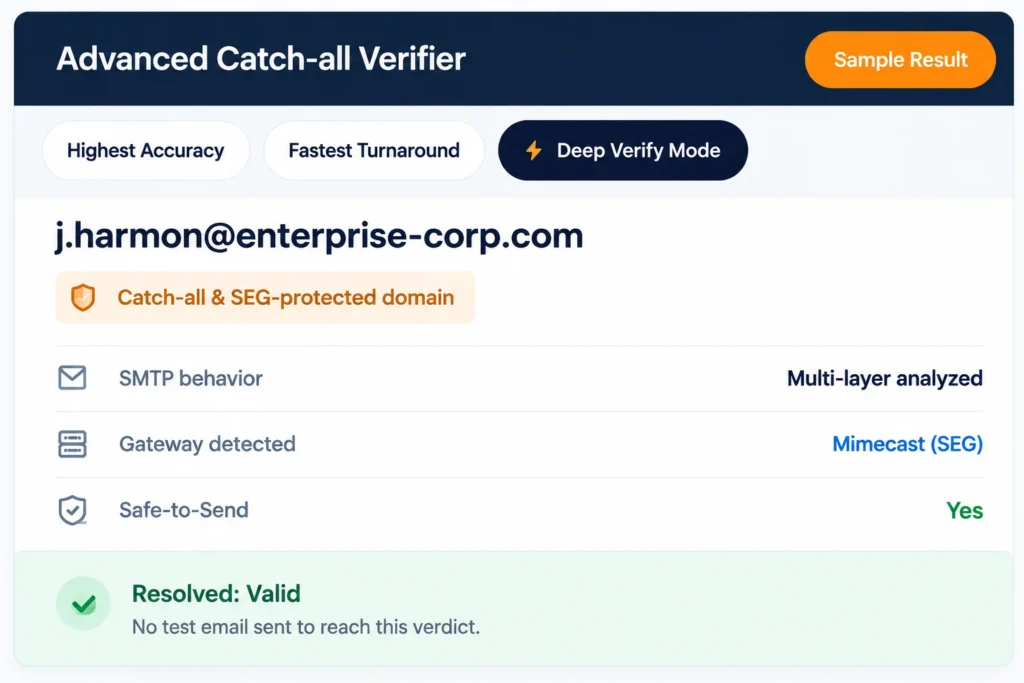
Because a catch-all result does not confirm the individual mailbox, you can use Clearout Email Verifier to verify the addresses before deciding how to handle them. Its Deep Verify feature adds another layer of verification for some catch-all and SEG-protected addresses. It can resolve some catch-all results to Valid or Invalid without sending a test email, while others may remain unresolved.

This gives you a clearer split between addresses that receive a Valid or Invalid result and those that still cannot be confirmed. You can then keep the unresolved addresses separate instead of treating the entire catch-all segment as confirmed-valid.

Why do catch-all emails create risk in cold outreach?


Bounce uncertainty


When an email verifier returns a Valid result, you have a stronger indication that the mailbox exists and can receive messages.

A catch-all result is different.

If you send to a large catch-all segment without additional verification, you're introducing more uncertainty into your outreach than you might realize.

List quality uncertainty


Catch-all addresses can also make list quality harder to measure. If 30% of contacts are unresolved catch-all addresses, your true reachable audience may be smaller than expected.

This becomes especially important if you're forecasting campaign performance, estimating reply rates, or projecting pipeline from outbound activity.

Enterprise domains use catch-all and SEG protection


Enterprise companies use catch-all configurations or Secure Email Gateways (SEGs) such as Proofpoint, Mimecast, Barracuda, and Microsoft EOP. These systems are designed to protect corporate inboxes and make domain verification more difficult.

As a result, some of your most valuable prospects may sit behind domains that standard verification tools struggle to classify.

Suppressing every catch-all address could mean removing legitimate contacts from strategic accounts. At the same time, treating every catch-all as valid can increase delivery risk.

How to verify catch-All emails before outreach


Standard email verification checks several deliverability signals, including syntax, domain configuration, MX records, and SMTP responses.

When the receiving domain is configured as catch-all, the verifier can usually identify that behavior. The problem is that detection isn't the same as resolution.

Clearout Deep Verify goes beyond catch-all detection


Clearout's Deep Verify is designed for situations where standard verification reaches a dead end.

Rather than relying only on basic SMTP responses, it performs multi-layer SMTP analysis to gather additional mailbox-level signals.

Deep verify catch-all email result.

It also recognizes Secure Email Gateway patterns from providers such as:

  • Proofpoint
  • Mimecast
  • Barracuda
  • Microsoft EOP

These gateways often mask mailbox responses and make traditional verification less effective.

Resolve more catch-all addresses before sending


One of the biggest advantages of Deep Verify is that it can resolve a portion of catch-all and SEG-protected addresses into clearer outcomes.

Instead of remaining in a catch-all bucket indefinitely, some addresses can be classified as:

  • Valid
  • Invalid
  • Risky

That gives you a more practical basis for outreach decisions.

You spend less time guessing and more time working with contacts that have been evaluated more thoroughly.

Get a Safe-to-Send verdict


Cold outreach teams don't just want to know whether an address is technically deliverable.

They want to know whether it's worth sending to.

Deep Verify provides a Safe-to-Send assessment alongside the verification outcome, helping teams decide which contacts belong in active campaigns and which ones require additional caution.

No test emails are sent


Some catch-all resolution methods rely on sending actual emails and waiting for bounce behavior.

That process can take days and may introduce unnecessary risk.

Deep Verify works at the protocol and infrastructure level. No email is sent to the contact during verification.

That means you can gather additional insight without affecting your sender reputation or waiting for delayed bounce signals.

Standard Verification vs Deep Verify


CapabilityStandard VerificationClearout Deep Verify
Detect catch-all domainsYesYes
Resolve catch-all addressesNoYes, for many addresses
Detect SEG protectionLimitedYes
Safe-to-Send verdictNoYes
Final resultCatch-AllValid or Invalid

The key difference is simple. Standard verification tells you a domain is catch-all while Deep Verify helps determine what to do with the address next.

Other strategies for managing catch-all contacts


Staggered sending to reduce exposure


In catch-all email cold outreach, sending the entire segment at once can expose more of your campaign to unnecessary risk. Start with a small volume and increase it gradually based on the delivery results you get.

That gives you room to react in case the first batch produces more bounces than anticipated. You can pause the next batch, review contacts, and reverify questionable addresses before sending to more of the segment.

If the bounce rate is still low, keep increasing the volume slowly. The test provides useful evidence that a catch-all address has a low bounce rate, but it doesn’t mean catch-all addresses are the same as confirmed-valid contacts.

Monitoring bounce signals


Watch bounce results after each batch, rather than looking at the whole campaign only after it has finished. Pay particular attention when a catch-all segment is new, old, or sourced from different lists.

If bounces start increasing, pause before sending the next batch. Review the source and age of the affected contacts, then reverify addresses that may need another check.

Segment and test catch-all contacts


Keep catch-all contacts separate from confirmed-valid addresses so you can see how each group performs. You can also split catch-all contacts by factors such as data source, age, or how they were collected.

Test these smaller groups separately instead of combining the entire segment into one send. This makes it easier to see which group is producing poor delivery signals and where another verification check may be useful.

If you’re building a wider campaign around these contacts, our cold email outreach guide covers list preparation, segmentation, personalization, and testing.

Still have unresolved catch-all emails?


Deep Verify can resolve many catch-all and SEG-protected addresses into Valid or Invalid results before outreach. Instead of treating every catch-all as unknown, identify which contacts are actually safe to send.

Verify catch-all emails with Clearout


Start free now

FAQ


1. Is it safe to send a catch-all email?
A catch-all email is not automatically unsafe, but the individual address has not been confirmed. Keep these contacts separate and test them in smaller batches before increasing your sending volume.
2. How do I detect a catch-all email?
Use an email verification tool that checks how the receiving domain handles unknown addresses. Clearout Email Verifier can identify catch-all results, and Deep Verify can check some of those addresses further.
3. Are catch-all emails bad data?
No, catch-all emails are not necessarily bad data. The domain accepts the email, but you still cannot tell for sure whether that specific mailbox is active.

Share this article

Recent Posts

30 Sep 2026
How to Safely Contact Catch-All Emails In Cold Outreach

Discover how to manage catch-all emails in cold outreach, monitor bounce signals, verify contacts, a ...

29 Sep 2026
What Unresolved Catch-Alls Could Cost Your Pipeline

Learn how unresolved catch-all emails can affect pipeline estimates, calculate potential exposure, a ...

28 Sep 2026
How to Set Up Lead Routing Rules in Lofty CRM

Learn how to set up lead routing rules in Lofty CRM, from conditions and rule order to Round Robin, ...

25 Sep 2026
Post-Event Outreach: Find Emails From Conference Contacts

Learn how to build a post-event outreach list from badge scans, business cards, and LinkedIn, and fi ...

24 Sep 2026
Clearout vs. Koalify Email Verifier

Comparing Clearout vs. Koalify email verifier on accuracy, catch-all detection, CRM integrations, an ...

READY TO VERIFY?

Catch-all emails
in your list?

Find out which ones are actually safe to send. Clearout Deep Verify runs real-time checks, so you know exactly which addresses to contact and which ones to skip.

Start for free Book a demo

Company

Why Clearout?

Pricing

Contact Us

Careers

Press

Enterprise

Sitemap

FAQ

Status

Products

Email Verifier

Catch-all Verification

Email Finder

Form Guard

Data Pulse

Prospect

LinkedIn Email Finder

Reverse Lookup

Google Sheets Add-on

WordPress Plugin

ClearoutPhone

What's New?

Resources

Integrations

HubSpot

Team Account

API

Compare Email Verifier

Compare Email Finder

Compare Prospecting

Use Cases

Blog

Help

Legal

Privacy Policy

Terms

DPA

Security

Trust Center

Certification

ISO 27001/2022

SOC 2 Type 2

GDPR

Partnership

HubSpot Certified

Affiliates

Partners

Clearout for browser

⚡ Supercharge Your Prospect Research with Clearout's LinkedIn Chrome Extension - Find and Verify Emails with Confidence!

Clearout Chrome extension

clearout
© 2026 Clearout Inc. All Rights Reserved. Powered by Clearout.
Validate Enrich New Salesforce contacts automatically with Data Pulse. Learn More ➞
X