

- Products
- ResourcesDEVELOPER

 API
API
Clearout APIs are structured around REST and JSON Webhooks
Capture real-time events in your application workflow Clearout MCP
Verify and find emails from AI assistants like Claude and Cursor Form Guard
Real-time form validation to keep bad contacts out of your CRMKNOWLEDGE BASE Getting started
Sending campaigns without bounces is made simple FAQ
FAQ
Easily find answers to services, security and common questionsUSE CASES Lead Generation
Learn how professionals generate quality leadsGUIDES Clearout Insights Explore original research, industry statistics, and data-backed insights Pricing Transparent & flexible pricing to support pay-per-use or recurringCompare Email Verification Tools AI-powered email verification with 99%+ accuracy, real-time validation, and transparent risk scoringCompare Email Finder Tools Pre-verified B2B email addresses with confidence scoring, find real person email, not role-based addressData Pulse & HubSpot Breeze Intelligence Pre-verified B2B email addresses with confidence scoring, find real person email, not role-based addressBLOGSEmail Verification ToolsFind Anyone’s Email Address
Most Accurate, Fast & Free WaysForm Validation
Importance, Ways & Best PracticesView All Blogs - Pricing
- Integrations
- Enterprise
- Login



10 Proven CRM Migration Best Practices for 2026
The existing CRM system is dragging you behind. It is slow and is not suitable for your business anymore. You feel that it needs to be changed--but here is the fact of the matter: 55% of CRM initiatives fail to meet their intended purpose.
That's right.
Over one out of every five CRM migration projects finishes in disappointment, wastage of resources, and frustrations. The good news? This will help companies choose the CRM migration best practices that are needed in overcoming those odds.
And in both situations, either you need to move your CRM systems or use new platforms such as Salesforce or HubSpot. These CRM migration strategies will help you see your results quickly in 2026.
That's right.
Over one out of every five CRM migration projects finishes in disappointment, wastage of resources, and frustrations. The good news? This will help companies choose the CRM migration best practices that are needed in overcoming those odds.
And in both situations, either you need to move your CRM systems or use new platforms such as Salesforce or HubSpot. These CRM migration strategies will help you see your results quickly in 2026.
Table Of Content
What Is CRM Migration
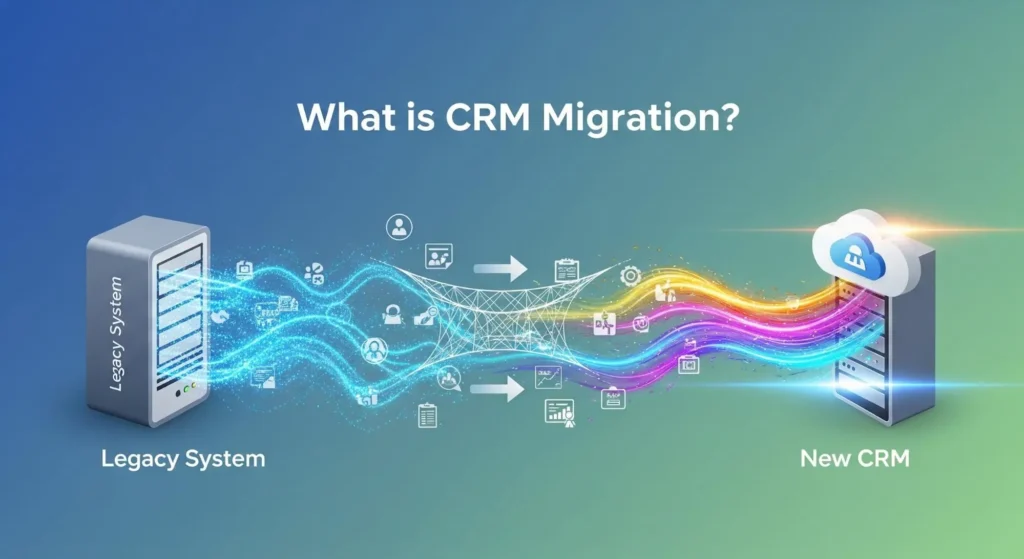
So, before we get into CRM data migration best practice, we should define what it is.
CRM migration is the methodical procedure of relocating your customer information and business procedures, customizations and integrations in your current CRM platform to a new one.
This is not simply transferring contact records between Point A and Point B. It is a complete revolution and involves all departments that deal with customer information.
The process of migration of CRM data encompasses the migration of:
CRM migration is the methodical procedure of relocating your customer information and business procedures, customizations and integrations in your current CRM platform to a new one.
This is not simply transferring contact records between Point A and Point B. It is a complete revolution and involves all departments that deal with customer information.
The process of migration of CRM data encompasses the migration of:
- Contact details and account details.
- Opportunity records and Sales pipeline records.
- Historical Interaction Logs and communication record.
- Custom data structures and fields.
- Workflows and business rules that are automated.
- Security settings and user permissions.
- Analytics and historical reports.
The 10 CRM Migration Best Practices
Let us deconstruct the best practices of CRM data migration.
1. Start With a CRM Migration Plan
The success of your CRM migration project plan depends on the success of the plan. This part is essential because trying to construct a house without the blueprints is like building a house with no blueprints and you are likely to have a house, however it will not be the house you need.
Strong CRM migration plan must have:
Strong CRM migration plan must have:
- Clear Business Objectives: What is the reason behind the migration? Isolate certain, quantifiable objectives. Reducing sales cycle by 20% or increasing data accuracy to 95% is an objective. Record the way you are going to check the success six months after the migration.
- Detailed Timeline: Create your CRM migration project plan into phases that have particular milestones.
1. Data cleansing (4-6 weeks)
2. System configuration (3-4 weeks)
3. Migration execution (1-2 weeks), testing (2-3 weeks)
4. User training (2-4 weeks)
2. System configuration (3-4 weeks)
3. Migration execution (1-2 weeks), testing (2-3 weeks)
4. User training (2-4 weeks)
- Resource Allocation: Who's responsible for each phase? Identify your project manager, technical lead, data quality specialist, and department champions. Budget for external CRM migration services if internal expertise is limited.
2. Conduct a Data Audit Before Migration
Your CRM revolves around your data. The CRM best practice of data migration begins with knowing what it is you are dealing with.
Conduct a thorough audit that will respond to:
Conduct a thorough audit that will respond to:
- Data Volume: What is the volume of records you are moving? Decomposition by contacts, companies, deals, activities, and custom objects. It influences both your CRM data migration tool choice and CRM data migration schedule.
- Data Quality Metrics: What is the rate of complete records? How many duplicates exist? When did you last update data? 88% of sales professionals need the right customer data hence this cannot be compromised.
- Custom Fields and Objects: Document all the custom fields, its intended use, frequency, and move it into the new system or not.
- Resource Allocation: Who's responsible for each phase? Identify your project manager, technical lead, data quality specialist, and department champions. Budget for external CRM migration services if internal expertise is limited.
3. Choose the Right CRM Migration Tool
Not any CRM data migration tools are made equal. The decisions that you make have a great influence on the rate of migration, integrity of data, and the success.
Consider the CRM migration tools depending on:
Consider the CRM migration tools depending on:
- Native Migration Tools: A lot of CRM systems have migration utilities integrated into them. Salesforce has a Data Import Wizard and Data Loader. HubSpot has in-built import functionality.
- Data Migration Platforms: Solutions such as Trujay, Zylotech or Informatica offer CRM data migration services with superior mapping functions, validation and rollback to their enterprises.
- API-Based Custom Solutions: In highly customized environments, platform API-based custom CRM migration tools provide the best flexibility.
Main criteria for your CRM data migration tool:
| Criteria | Why It's Important | Questions to Ask |
|---|---|---|
| Data Volume Capacity | Large datasets require robust tools | Can it handle your record count? What are speed limitations? |
| Field Mapping Capabilities | Complex mappings need flexible tools | Does it support conditional logic? Can you map one-to-many relationships? |
| Validation and Testing | Prevent data corruption | Can you test migrations without affecting production? Does it validate data before committing? |
| Error Handling | Identify and fix issues quickly | How does it report errors? Can you retry failed records? |
| Historical Data Preservation | Maintain audit trails | Does it preserve timestamps? Can you maintain record history? |
| Integration Support | Connect to both old and new systems | Which CRM platforms are supported? What about legacy systems? |
| Cost Structure | Budget considerations | One-time license or subscription? Pricing based on records or features? |
4. Develop a Detailed CRM Migration Checklist
These are the phases that must be addressed by your CRM migration checklist:
- Get executive sponsorship and approval of the budget.
- Cross-functional migration team assembled.
- Record the existing CRM usage trends and pain points.
- Full audit and quality evaluation of data.
- Choose CRM migration service provider and new CRM platform.
- Develop CRM migration project timeline and plan.
Migration Execution Phase:
- Set up new CRM environment
- Hygiene and de-normalize information.
- Compare test outcomes with acceptance criteria.
- Resolve difficulties in testing.
- Carry out data migration of production.
- Check the integrity of data after migration.
- Establish workflows and processes that are automated.
Post-Migration Phase:
- Perform user acceptance test.
- Provide job-based training courses.
- Issue documentation and fast reference manuals.
- Create user support networks.
- Response to reported problems timely.
- Decommission old CRM system
- Carry out post-implementation review.
5. Data Cleansing
This fact is always highlighted in the CRM data migration best practices: garbage in, garbage out.
A data cleaning process should be systematic:
A data cleaning process should be systematic:
- De-duplication process: Find and combine duplicate records prior to migration. locate variations by using fuzzy matching algorithms.
- Data Enrichment: Seal lapses in your data. Data hygiene and enrichment services of third parties will be used to insert the missing phone numbers, email addresses, company information, and social media profiles.
- Standardization: Implement standard formats. The phone numbers, addresses, dates and industry classifications must be kept in a similar format.
- Check: Test email is valid, phone numbers are correctly formatted and URLs are valid. Eliminate or mark clear wrong data (birth dates of 1/1/1900, test records, dummy values).
- Assignment of ownership: Make sure that all the records have their owners in the new system.
Validation (The “quick clean-up” stage before migration)
Before you move your data to a new CRM, it’s super important to make sure everything is correct like your email addresses, phone numbers, and URLs.
Clean data gives better sales outreach and fewer headaches later. One of the easiest ways to do this is by using an email verification tool like Clearout. It helps you:
Clean data gives better sales outreach and fewer headaches later. One of the easiest ways to do this is by using an email verification tool like Clearout. It helps you:
- Spot and remove invalid, disposable, or temporary email IDs
- Detect disposable, invalid, catch-all, and role-based emails that might hurt deliverability
- Check email syntax and domain validity
- Reduce bounce rates by 3% and protect your sender reputation
6. Map Data Fields
The point that most CRM migration projects fail is field mapping. This is a crucial measure in the CRM data migration process because it will make the difference between information being deposited in the appropriate destination within your new system.
Develop a field mapping document:
Develop a field mapping document:
- Transformation Mappings: Rules that convert the format of the data (Old System: Industry [Free Text] - New System: Industry [Picklist]).
- Splitting Logic:Determine the way of splitting single old fields into several new fields (Old System: Full Name - New System: First Name + Last Name).
7. Plan for Zero-Downtime Migration When Possible
Long system downtimes hurt productivity and user trust. The current CRM system migration plans have used a strategy of minimizing or avoiding downtimes.
- Parallel Running: Have the two systems running at the same time. Synchronize key information in both directions as people transition to the new system
- Migration by Phases:Migrate departments or regions one after another instead of all simultaneously.
- Off-Hours Implementation: Plan high CRM data transfer operations when the system is not heavily used such as weekends or holidays.
8. Test, Test, and Test Again
Testing is a factor that distinguishes between a successful CRM migration project and a disaster.
Use a phased testing approach:
Use a phased testing approach:
- Unit Testing: Test the individual components are functioning properly. Can users log in? Do picklists show correctly? Enforce required fields?
- Data Integrity Testing: Check the migrated data against source data. Random records of the sample and field-by-field comparison.
- User Acceptance Testing (UAT): Involve real end users to confirm that the system satisfies the end users. Give situations and monitor their way of undertaking activities.
- Rollback Testing: Check whether the process of returning to the old system is possible in case of critical problems.
9. Invest Heavily in Change Management and Training
The least taken into account CRM migration best practices is change management.
Establish change management program:
Establish change management program:
- Initial Stakeholder Involvement: Engage the key users in CRM migration planning at the earliest possible stage. Requirements and solution validation should be assisted by sales team leaders, customer success managers and marketing directors.
- Communication of Value Assistance: Assist users to know what's in it for them. What is made simpler by the new CRM by encouraging them in their work? Faster? More successful? Relate migration advantages to personal sore points.
- Multi-Format Learning: Deliver live training, videos, written material, quick reference cards and live demonstrations.
- Continued Support: Launch does not mean the end of training.
Establish:
- Question and answer drop-in office hours.
- Peer support Slack or Teams channel.
- Constant tips and tricks messages.
- Strict support contact in the first 30 days after launch.
10. Use Professional CRM Migration Services
You don't have to go it alone. CRM migration services by professionals add professionalism which an internal team may not have.
Consider using CRM data migration services on:
Consider using CRM data migration services on:
- Mass Data Cases: The really intensive cases of migrating millions of records would need specialized CRM migration tool capabilities, optimization methods that are not developed by most organizations.
- Tight Schedules: Outsourced CRM migration service providers will be able to allocate special resources that can not be equalized by ordinary IT departments engaged in various projects simultaneously.
- Knowledge Transfer: Not only does a good migration partner do the work, he or she trains your team on best practices on the new platform, which is a long-term success.
What Are The Common CRM Migration Strategies
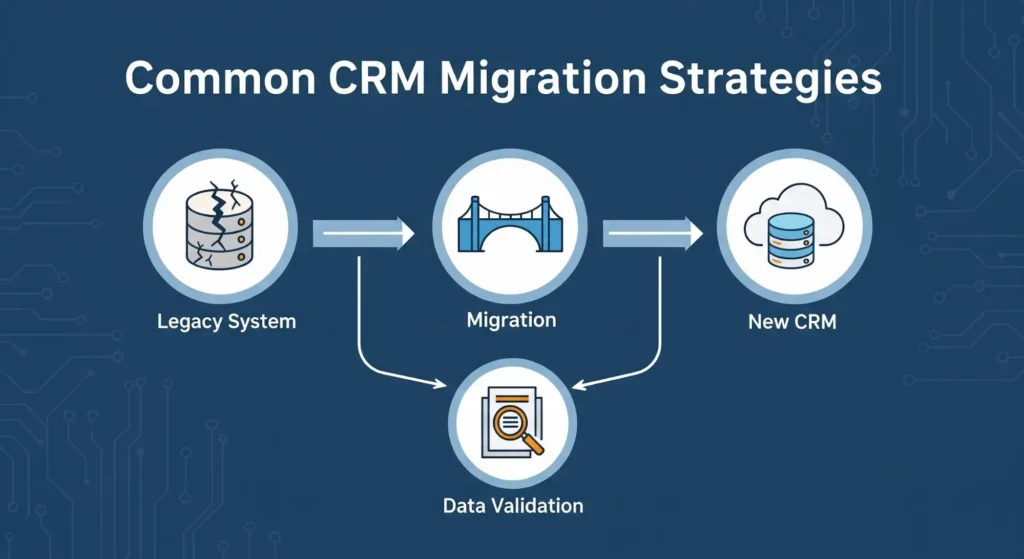
The scenarios of migration of CRM systems need different approaches.
Key considerations:
Key considerations:
- Feature Gaps: CRMs in the present day might not copy all the legacy features. Decide on the capabilities that should be recreated and those that can be enhanced.
- Network Dependencies: Cloud computing demands access to a good internet. Make sure there is infrastructure to enable perpetual connectivity.
- Security Evolution: The difference between cloud and on-premise security models lies in the Cloud security models. Train stakeholders to operate in a different and yet effective manner of data protection.
Building Your CRM Migration Timeline
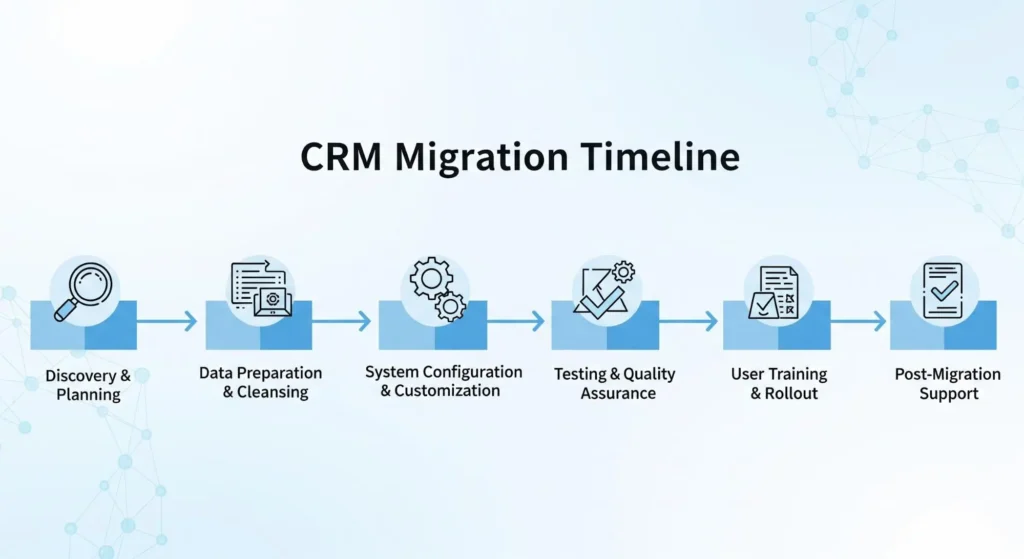
| Phase | Duration | Key Activities |
|---|---|---|
| Planning & Strategy | 4-6 weeks | Requirements gathering, vendor selection, CRM migration project plan development, team assembly, budget approval |
| Data Assessment | 3-4 weeks | Data audit, quality analysis, mapping design, cleansing strategy development |
| System Configuration | 4-6 weeks | New CRM setup, customization, workflow creation, security configuration, integration planning |
| Data Cleansing | 4-8 weeks | De-duplication, standardization, enrichment, validation (can partially overlap with configuration) |
| Migration Development | 2-3 weeks | CRM data migration tool configuration, script development, mapping implementation |
| Testing | 3-4 weeks | Unit testing, data validation, integration testing, UAT, performance testing |
| Training Development | 2-3 weeks | Materials creation, training environment setup, trainer preparation |
| User Training | 2-3 weeks | Role-specific sessions, practice time, documentation distribution |
| Migration Execution | 1 week | Final data migration, validation, cutover |
| Hypercare Support | 4 weeks | Intensive support, issue resolution, quick optimization cycles |
Final Thoughts
Migration of CRM does not necessarily have to be the dreaded experience that most companies find hard to deal with. With a few steps that have already been tested, such as proper planning, data cleaning, validation, and the selection of appropriate tools, you can make your CRM migration a massive success by 2026.
Want to start with clean data?
Use Clearout!
FAQs
1. What is CRM migration?
CRM migration can be defined as the procedure of consolidating customer information, procedures, settings, and associations in one CRM service to another. This contains contacts, emails, deals, custom fields, automation rules and historical activity logs.
2. What tools are used for CRM migration?
Most common CRM migration tools are automated platforms, native CRM importers, API connectors and ETL tools. These tools help in field mapping, cleaning data and moving records without triggering a lot of down time.
3. Is there a CRM migration checklist I should follow?
Yes. A CRM migration checklist consists of: auditing existing data, eliminating duplicates, field mapping, exporting data in the right format, testing a sample import, and training your team on CRM.
4. How do you migrate data between CRMs?
An average CRM-to-CRM migration requires the export of the data in the old CRM, its cleaning, field mapping to the new CRM, a test migration, a full import, and ensuring the workflows function properly.