

- Products
- ResourcesDEVELOPER

 API
API
Clearout APIs are structured around REST and JSON Webhooks
Capture real-time events in your application workflow Clearout MCP
Verify and find emails from AI assistants like Claude and Cursor Form Guard
Real-time form validation to keep bad contacts out of your CRMKNOWLEDGE BASE Getting started
Sending campaigns without bounces is made simple FAQ
FAQ
Easily find answers to services, security and common questionsUSE CASES Lead Generation
Learn how professionals generate quality leadsGUIDES Clearout Insights Explore original research, industry statistics, and data-backed insights Pricing Transparent & flexible pricing to support pay-per-use or recurringCompare Email Verification Tools AI-powered email verification with 99%+ accuracy, real-time validation, and transparent risk scoringCompare Email Finder Tools Pre-verified B2B email addresses with confidence scoring, find real person email, not role-based addressData Pulse & HubSpot Breeze Intelligence Pre-verified B2B email addresses with confidence scoring, find real person email, not role-based addressBLOGSEmail Verification ToolsFind Anyone’s Email Address
Most Accurate, Fast & Free WaysForm Validation
Importance, Ways & Best PracticesView All Blogs - Pricing
- Integrations
- Enterprise
- Login



How To Find Hiring Manager's Email Address - 9 Proven Ways
A job application is only useful if the hiring manager actually sees it. While the average cold email open rate is between 27.7% and 44%, a personalized email sent directly to the right recruiter or hiring manager can give your application a better chance of getting noticed.
But how do you find the hiring manager’s email address quickly?
Here's the first method you should go for.
Find a hiring manager's email by first identifying the name of the recruiter responsible for the role. Add their company name and domain to an email finder such as Clearout Email Finder and get their pre-verified email address. Send a personalized email with your resume and a short introduction.
In this guide, you'll learn nine proven ways to find a hiring manager's email address, identify the right contact for a role, and reach out professionally without relying solely on job portals.
But how do you find the hiring manager’s email address quickly?
Here's the first method you should go for.
Find a hiring manager's email by first identifying the name of the recruiter responsible for the role. Add their company name and domain to an email finder such as Clearout Email Finder and get their pre-verified email address. Send a personalized email with your resume and a short introduction.
In this guide, you'll learn nine proven ways to find a hiring manager's email address, identify the right contact for a role, and reach out professionally without relying solely on job portals.
Table Of Content
Why Finding the Right HR Contact Is Important
Finding the right HR contact can help your application reach the person responsible for hiring instead of getting lost in a general application queue. It will also help you introduce yourself directly and get a faster response.
But who is the right person to reach out to?
- Recruiter: Screens candidates and explains the hiring process.
- Hiring Manager: Directly manages the role and understands team needs.
- Decision-Maker: In smaller organizations, they often make final hiring calls.
How do you find out who the hiring manager is?
- Check the Job Posting: Look for the hiring manager's name or title in the job description.
- Use LinkedIn: Search for relevant roles like "Manager [Department]" or "Hiring Manager" for the respective company.
- Network: Reach out to current or former employees to ask who oversees hiring for the position.
- Contact the Company: Call or email HR to politely ask for the hiring manager's name.
Once you know who is responsible for hiring, finding their email address becomes much easier.
9 Proven Ways To Find a Hiring Manager’s Email
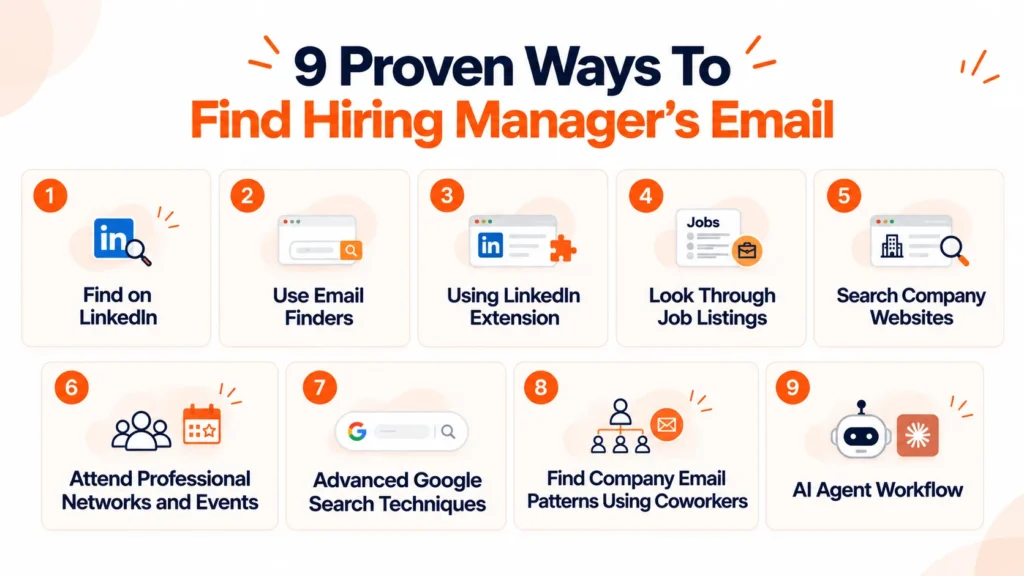
1. Finding Hiring Manager’s Email on LinkedIn
LinkedIn is perfect once you know the recruiter’s name or have a specific job title in mind.
It is a goldmine for networking and makes it easy to connect with recruiters or hiring managers at companies you're interested in.
You can access detailed profiles to find contact information or message professionals directly.
How it works:
It is a goldmine for networking and makes it easy to connect with recruiters or hiring managers at companies you're interested in.
You can access detailed profiles to find contact information or message professionals directly.
How it works:
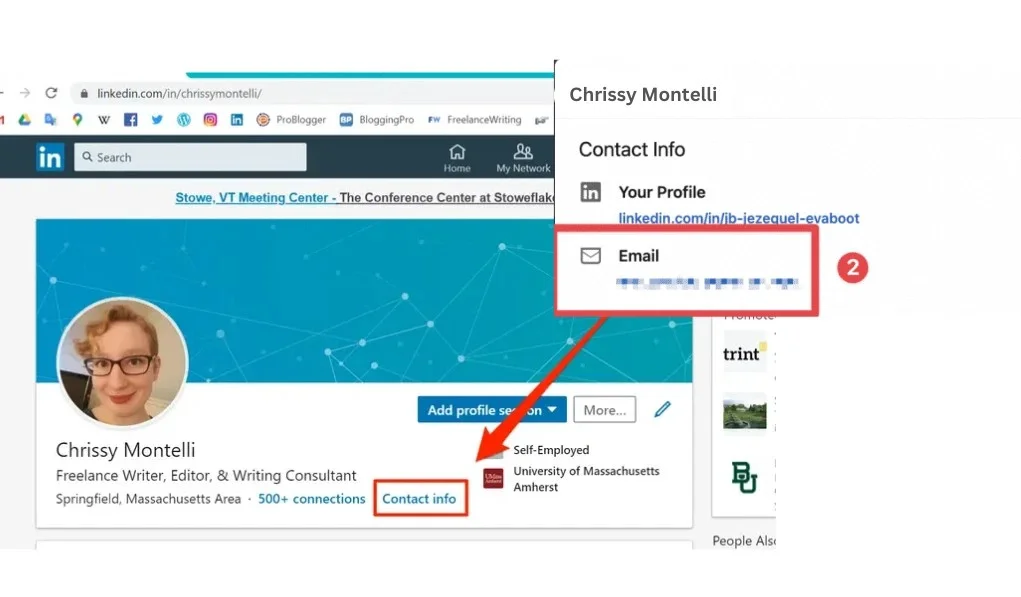
- Step 1: Visit the profile of the recruiter or hiring manager.
- Step 2: Look for email addresses listed in the contact info section.
- Step 3: If no email is listed, try reaching out via LinkedIn messages asking for it politely, like: “Hi [Name], I’m interested in the [Job Title] position at [Company]. Would you mind sharing your email so I can send over my resume?”
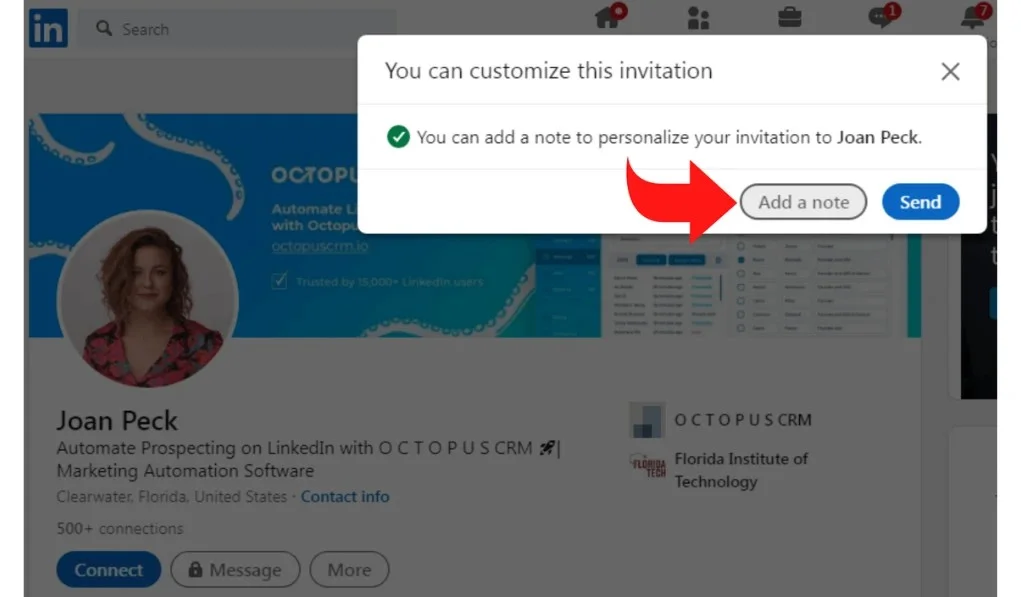
However, this method might not always work as not everybody has their email publicly available and with the number of messages recruiters might receive everyday there are high chances of your connection requests getting lost in it.
Instead, you can use prospecting tools & extensions for LinkedIn which brings us to our next and most effective way of finding hiring opportunities and HR contact details.
Instead, you can use prospecting tools & extensions for LinkedIn which brings us to our next and most effective way of finding hiring opportunities and HR contact details.
2. Use Email Finders For Verified HR Email
If you have the name of the recruiter, you can easily find their email using an email finder.
With Clearout’s Email Finder, you can easily search for verified email addresses in seconds with just the name of the person and their company name.
With Clearout’s Email Finder, you can easily search for verified email addresses in seconds with just the name of the person and their company name.
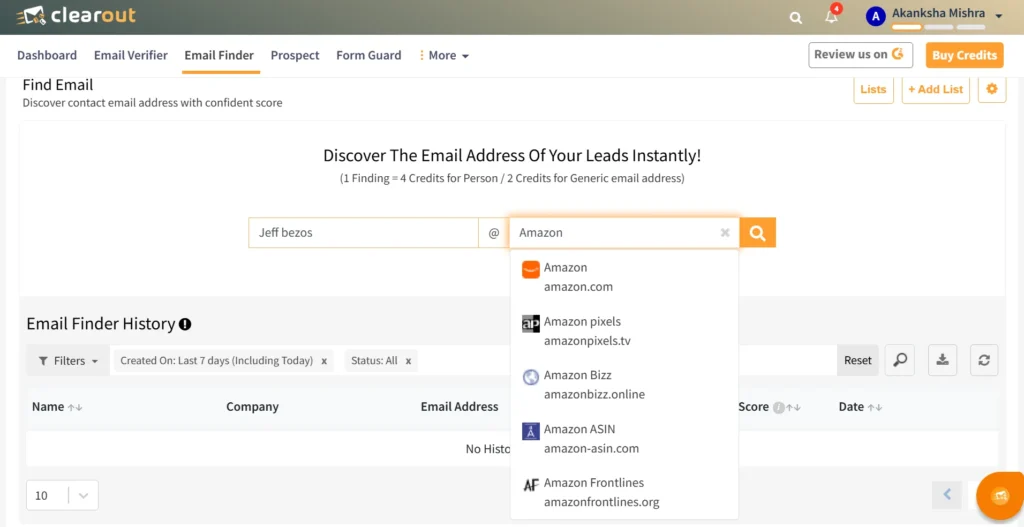
How it works:
- Sign in and claim your free credits.
- Enter the hiring manager's name and company domain.
- Run the search.
- Copy the verified email address for outreach.
3. Using LinkedIn Extension To Find HR Email
Data finding extensions like Clearout’s Chrome Extension can help extract email addresses associated with LinkedIn profiles.
It’s a powerful way to quickly extract email addresses from LinkedIn profiles, lets you skip generic job portals, and connect directly with the right people.
How to set up:
It’s a powerful way to quickly extract email addresses from LinkedIn profiles, lets you skip generic job portals, and connect directly with the right people.
How to set up:
- Install the Clearout chrome extension.
- Open the recruiter's LinkedIn profile.
- Click the Clearout icon.
- View available verified email addresses.
- Reach out with a personalized message.

4. Look Through Job Listings
Job boards such as Indeed, Glassdoor, Monster, and company career pages sometimes include recruiter contact information.
Where to look:
Where to look:
- Job descriptions
- Application instructions
- PDF attachments
- Footer sections of job posts
Examples:
"For more information, contact [email protected]"
"Submit your application directly to [name]"
Pro tip: Check older job postings from the same company. Recruiter details are often left unchanged across listings.
"For more information, contact [email protected]"
"Submit your application directly to [name]"
Pro tip: Check older job postings from the same company. Recruiter details are often left unchanged across listings.
5. Search Company Websites For Recruiter’s Email
When the job posting doesn't have the contact info, you can visit the company’s official website. If the company is mid-sized or small, its website often has what you need.
This method is best when targeting a specific company and you’re unsure of the recruiter’s details.
Where to look:
This method is best when targeting a specific company and you’re unsure of the recruiter’s details.
Where to look:
- Careers page
- About Us page
- Team page
- Employee directory
- Contact page
If specific information is unavailable, check the general contact page for the company’s official email address related to recruitment inquiries.
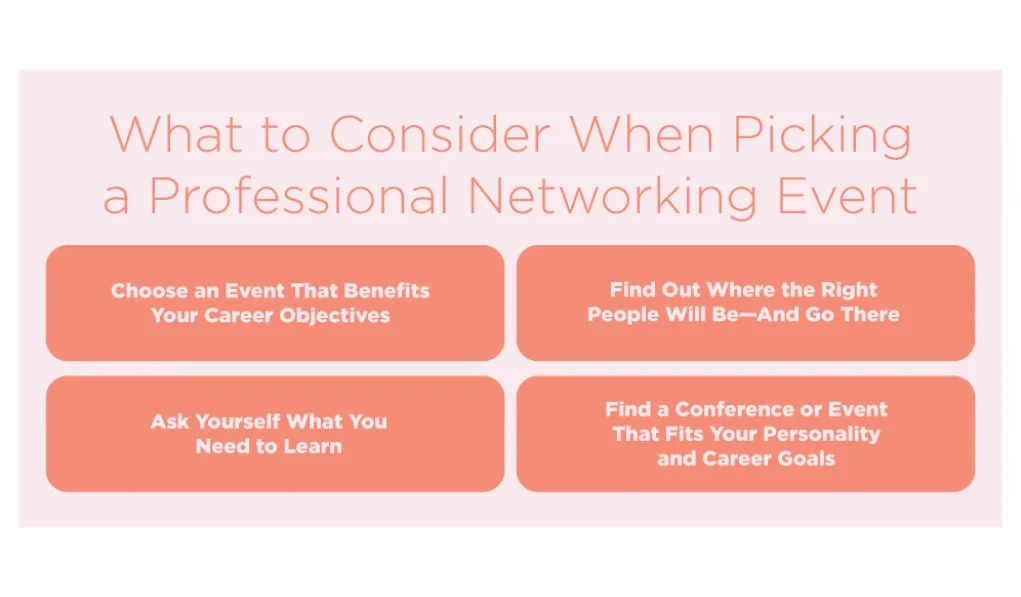
6. Attend Professional Networks and Events
Professional associations and networking events are excellent opportunities to build connections. If you attend industry events or participate in online professional communities, you’re already on the right track.
How it works:
How it works:
- Missing their email address? Use Clearout's guide to building a post-event outreach list to learn how to find business emails, organize contacts, and plan personalized follow-ups.
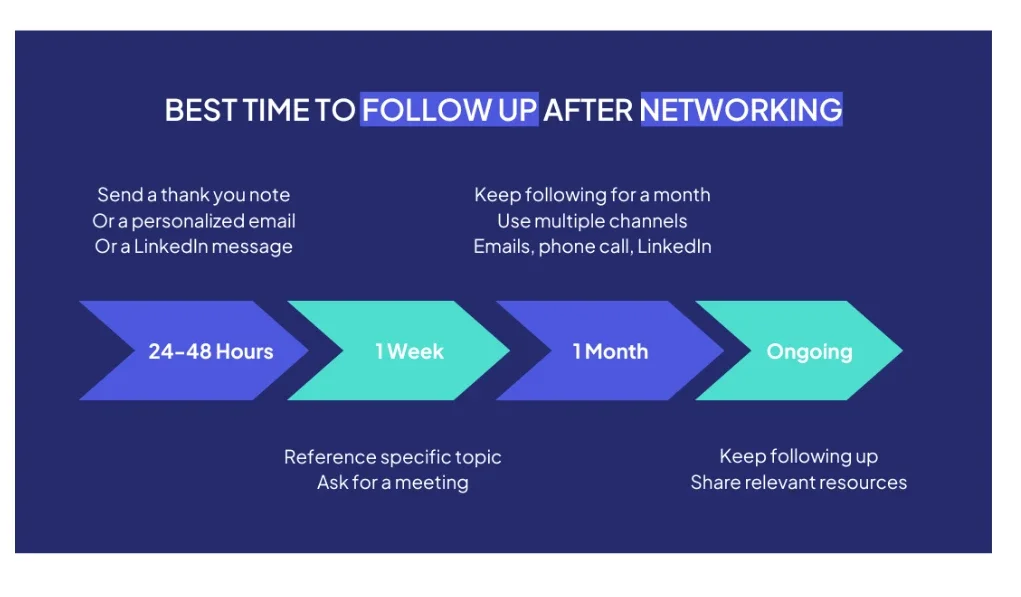
- Follow up with connections you’ve made at events. Ask for introductions to recruiters or hiring managers.
- Join industry-specific groups or forums like LinkedIn Groups or Slack Communities where recruiters are often active participants.
- Participate in discussions to showcase your expertise and build visibility.
Networking builds genuine relationships and often leads to higher response rates. However, it can be time-consuming and relies on an established network.
To make the most of it, always follow up with a thank-you message after any introduction or event.
To make the most of it, always follow up with a thank-you message after any introduction or event.
7. Advanced Google Search Techniques
Locating recruiter email addresses can be tricky, but with the right strategies, you can effectively track down the contact information you need to connect with hiring managers or recruiters.
While email guessing based on standard company formats can be effective, here are several other methods to help you find the right contact:
While email guessing based on standard company formats can be effective, here are several other methods to help you find the right contact:
- Use Google with specific and advanced queries, like:
- ""Hiring Manager" + [Company Name] + email
- "Recruiter" + [Company Name]
- "[Name]" + [Company Name] + email
- "[Name]@[companydomain.com]"
- site:[companydomain.com] recruiter
- Review press releases, blog posts, or other public documents authored by the recruiter or hiring manager, as these often include contact information.
- Explore Public Documents. Review press releases, blog posts, or articles authored by the recruiter or hiring manager, as these often include their contact information.
8. Find Company Email Patterns Using Coworkers
Many companies use consistent email formats across employees.
Common patterns include:
Common patterns include:
Look for employee emails in press releases, blog author pages, company documents, or public profiles. Once you identify one employee's email format, you can often determine the format used across the organization.
Always verify the email before sending outreach.
Use an Email Verifier to validate emails and avoid errors. This prevents bounce-backs and ensures your outreach is effective.
Always verify the email before sending outreach.
Use an Email Verifier to validate emails and avoid errors. This prevents bounce-backs and ensures your outreach is effective.
9. AI Agent Workflow
AI agents can automate parts of the research process.
For example, you can use an AI assistant to:
For example, you can use an AI assistant to:
- Identify likely hiring managers from LinkedIn.
- Search company websites.
- Find public mentions of contact information.
- Generate likely email formats.
- Prepare personalized outreach drafts.
- Verify contact information with an email verifier before sending emails.
Checklist Before Sending Email To The Recruiter
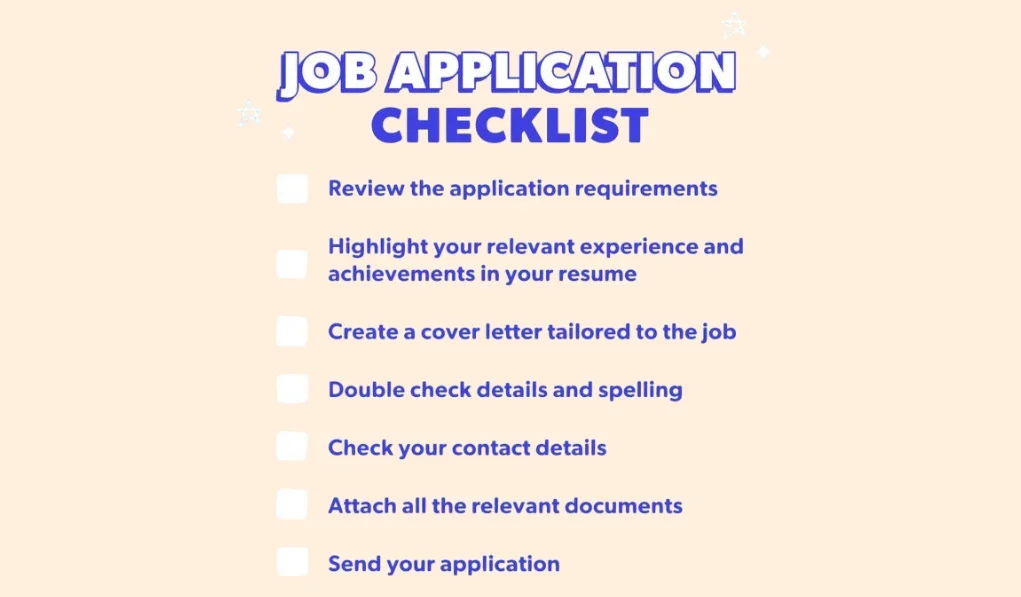
Now that you’ve found the recruiter’s email, ensure your outreach is impactful:
- Keep It Professional: Start with a polite greeting and a clear subject line
- Personalize Your Email: Mention the job role and why you’re excited about the company.
- Attach Documents: Include your resume and cover letter in PDF format for easy access.
- GDPR Compliances: The General Data Protection Regulation (GDPR) is a legal framework in the European Union designed to protect individuals' data and privacy. When searching for business email addresses, make sure your approach respects privacy and follows applicable regulations.
Learn more in our guide to legal and ethical business email finding.
Email Templates You Can Use
1. Job Application Cold Email Template
Subject: Application for [Job Title]
Hi [Name],
I was reviewing the [Job Title] opening and noticed that the team is working on [specific challenge/project].
I've spent the last few years solving similar problems around [specific expertise], so the role immediately stood out to me. Beyond the responsibilities listed, I'm particularly interested in how your team approaches [relevant topic].
I've attached my resume. Even if the timing isn't perfect, I'd appreciate the chance to introduce myself.
Thanks for your time.
Best,
[Your Name]
2. Email Template to Follow Up on Job Application
Subject: Following up on the [Job Title] role
Hi [Name],
Just wanted to follow up on my earlier email regarding the [Job Title] position.
I remain interested in the opportunity and have spent some time learning more about the team since applying. The role still feels like a strong fit for my experience and interests.
Thanks again for your time.
Best,
[Your Name]
Best Ways to Find a Hiring Manager's Email: Speed vs Accuracy
| Method | Difficulty | Accuracy | Speed |
|---|---|---|---|
| Clearout Email Finder | Easy | High | Very Fast |
| Clearout LinkedIn Extension | Easy | High | Very Fast |
| Easy | Medium | Medium | |
| Job Listings | Easy | Medium | Fast |
| Company Website | Easy | Medium | Fast |
| Google Search | Medium | Medium | Medium |
| AI Agent Workflow | Medium | Medium | Fast |
| Email Pattern Guessing | Medium | Low | Fast |
Find Verified HR Contact With Clearout
Get 100 FREE Credits
FAQs
1. Is it okay to email a hiring manager directly?
Yes. A professional email can help your application get noticed. Keep the message short, to the point, and related to the role.
2. What is the most common hiring manager email format?
Many companies use formats such as:
However, formats vary by company.
3. Can I find a hiring manager's email for free?
Yes. LinkedIn, email finder tools like Clearout, company websites, Google searches, and job listings can often help identify hiring contacts without paid tools. These give verified emails of hiring managers quickly.
4. When should I follow up with HR after sending an application?
You should drop a follow-up email after 5–7 business days with HR. This is the most appropriate timeframe if you haven't received even a single response.