


• Products
    • FindEmail FinderFind verified business emails from a name and companyLinkedIn Email ExtractorExtract person and company details enriched with emails and phone numbers from LinkedIn profilesProspectBuild SQL and MQL lists with real-time enrichment
      VerifyEmail VerifierAI-powered email verification in real time, in bulk or through APICatch-all Email VerificationResolve catch-all and SEG-protected addresses with Deep VerifyClearout for SheetsVerify emails inside Google Sheets
      Protect & maintainForm GuardCapture intent leads, block fake or bot entries, and differentiate human vs. AI agent submissionsData PulseVerify, enrich and monitor CRM contacts continuously
  • Solutions
    • Sales teamsFind and verify buyer emails for outboundEmail marketersProtect sender reputation before every send
  • Resources
    • DeveloperAPIReference and quick-start guidesWebhooksReal-time event notificationsForm Guard SDKReal-time form validationMCP ServerConnect AI assistants to Clearout
      Knowledge baseGetting startedSet up your account in minutesFAQAnswers to common questionsLead generationBuild clean, verified lead lists
      GuidesPricing guideHow credits and plans workCompare email verifiersHow email verification tools compareCompare email findersHow email finder tools compareData Pulse & HubSpot BreezeKeep Breeze Intelligence data reliable
      BlogEmail verification toolsA guide to choosing a verifierFind anyone's email addressPractical ways to find a business emailForm validationBest practices for cleaner formsView all postsLatest articles and updates
      IntegrationsHubSpotTwo-way sync with Data PulseSalesforceValidate and enrich CRM recordsZohoKeep Zoho CRM contacts cleanApolloVerify contacts before outreachView all integrationsBrowse every connected tool
  • Free Tools
    • Disposable Email CheckerSpot throwaway addresses instantlyReverse LinkedIn Profile LookupLook up details from a LinkedIn profileReverse Email LookupFind who is behind an email addressEmail List CleanerRemove invalid emails from your listCompany Domain Finder APIFind a company domain from its name
  • Pricing
  • Login
Try it free Book a 1-to-1 demo
Akanksha Mishra / November 19, 2026 November 19, 2026

6 Email Finder Tools for AI Agents


6 Email Finder Tools for AI Agents

TL;DR


  • AI agents require a lot more than a simple email address. They require contact information that has been verified prior to being added to an outreach pipeline.
  • Email finders locate professional addresses, verifiers validate the existing addresses and enrichment tools add missing contact and company data.
  • Apollo, Clay, Lusha, and Hunter serve different prospecting and data needs. They don't all serve the same purpose.
  • These tools can be integrated into AI agent workflows via APIs, MCP servers, and automation platforms.
  • Clearout provides email discovery that comes pre-verified, along with a separate email verifier to help verify emails that were acquired from other means.

An AI agent can find prospects and be ready to reach out quickly. But if it uses invalid e-mail addresses, messages may not be sent to their intended recipients. For B2B sales teams, this can mean bounced emails, wasted credits and inaccurate CRM records.

AI agents use a professional email finder tool to find emails based on the prospect and company information. An Email Finder for AI Agents can simplify the prospecting process by finding business contacts and their professional email addresses. Finding an address is only the first step. Email verification is also needed for AI agents to confirm contact information before adding prospects to their outreach workflows. Discover tools, integrations and workflows AI agents can utilize to find verified business emails.

Table Of Content


‣ TL;DR
‣ How do email finder tools for AI agents find and verify emails?
‣ What types of tools do AI agents need?
‣ 6 Email Finder tools for AI agents
‣ What are the differences between these tools?
‣ How can AI agents connect to email tools?
‣ A simple workflow: Find, verify, and then send
‣ Testing Clearout's Email Finder and Email Verifier
‣ When does Clearout make sense for AI prospecting?
‣ Bottom line
‣ FAQs
How do email finder tools for AI agents find and verify emails?


With the right tools, AI agents find email addresses using prospect details such as a person's name and company domain, then check those addresses before outreach.

The AI agent can find a prospect, do company research, and send an outreach message. However, the workflow still requires a reliable business email address to reach its intended recipient.

Without a reliable data source, an agent may guess email addresses based on common naming patterns or retrieve outdated contact information from public sources. These addresses may be active, but not in active inboxes. A mailing address that is consistent with your company's normal layout doesn't automatically mean that the address is in an active inbox.

Sales teams face three common challenges:

  • Bounced emails: Any emails sent to a bad address will not be delivered to the recipient.
  • Unchecked addresses: These can remain in CRM records and be reused by other teams, leading to poor data quality.
  • Wasted credits: Teams can purchase contacts that they are unable to reach with enrichment or outreach credits.

Multiple bounces may cause harm to the reputation of the sending domain.

An email tool provides the agent with reliable data to work with instead of relying on guesses. The next step is selecting the appropriate type of tool.

What types of tools do AI agents need?


When creating an email prospecting workflow, there are three capabilities that are important.

1. Email finder


An email finder uses details such as a person's name and company domain to locate a professional email address. In addition, certain tools will return the confidence score or verification status along with the result.

It is used when an agent has a prospect but they don't know their business email address.

2. Email verifier


An email verifier verifies an address that you already have. It may inspect various aspects like mail server responses, catch-all settings, disposable domains, domain records, and syntax.

Use it when email addresses are supplied to an agent through a CRM, spreadsheet, form, or another source.

A verification result does not guarantee that an email will reach the recipient's inbox. The use of a catch-all domain and/or restrictive mail servers can make it hard to achieve a definite result.

3. Data enrichment tool


An enrichment tool adds missing information to an existing contact or company record. This information can include job titles, company details, phone numbers, industry data, and email addresses, depending on the provider.

It's used when an agent requires additional background information to qualify a lead and/or to create a sales message that's appropriate.

These features are sometimes integrated into a single platform. Others specialize in one aspect of the process, and you should make sure to find out what a tool returns before attaching it to an agent.

6 Email Finder tools for AI agents


Here are 6 email finder tools for AI agents, each offering different features for smarter B2B prospecting.

1. Clearout


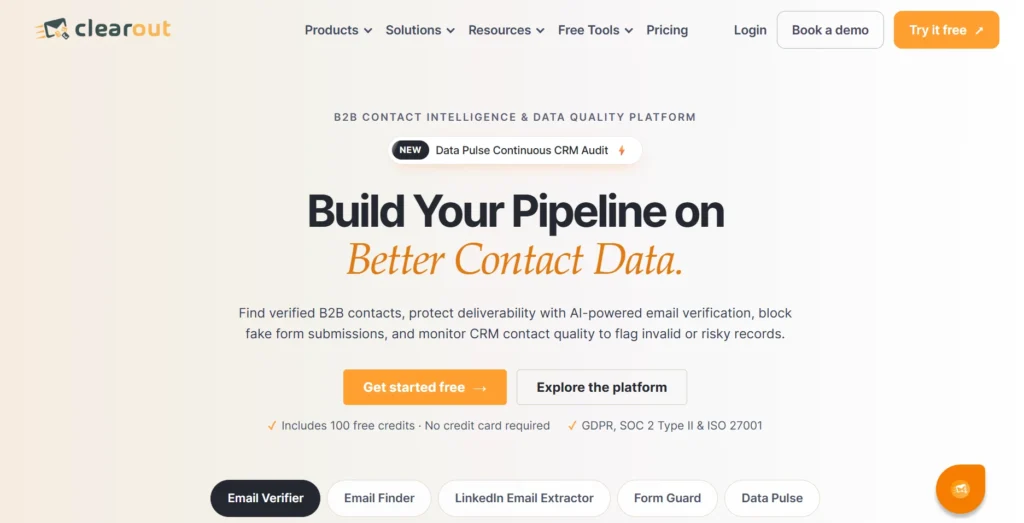
Clearout home page

Clearout is a contact intelligence and data quality platform for sales, marketing, and RevOps teams. It assists businesses to connect with professionals, find email addresses, and keep contact data clean.

It aids in AI-powered prospecting by finding a business's email addresses based on a person's name and company domain with its Email Finder feature. The Email Verifier verifies individual email addresses, bulk or via API. This provides teams with different tools to identify contacts and to verify the quality of the email data prior to the outreach.

Useful capabilities include:

  • Email discovery using confidence scores.
  • Email Finder's pre-verified business email addresses.
  • Verification of real-time and bulk email.
  • 20+ email validation checks.
  • Connecting Clearout with AI assistants and workflows is supported by API and MCP.
  • CRM integrations for maintaining contact data.

Ideal for: Sales and marketing departments that must locate business emails and review existing contact lists prior to employing them in outreach campaigns.

Pricing:

  • The Freemium plan is available for $0 a month (100 credits, one-time, no expiry)
  • At $23/month, this is the cheapest plan with 3000 credits monthly.
  • Pro 10K plan at $58 a month (10,000 credits per month)
  • Business plan with the use of a custom price tag.

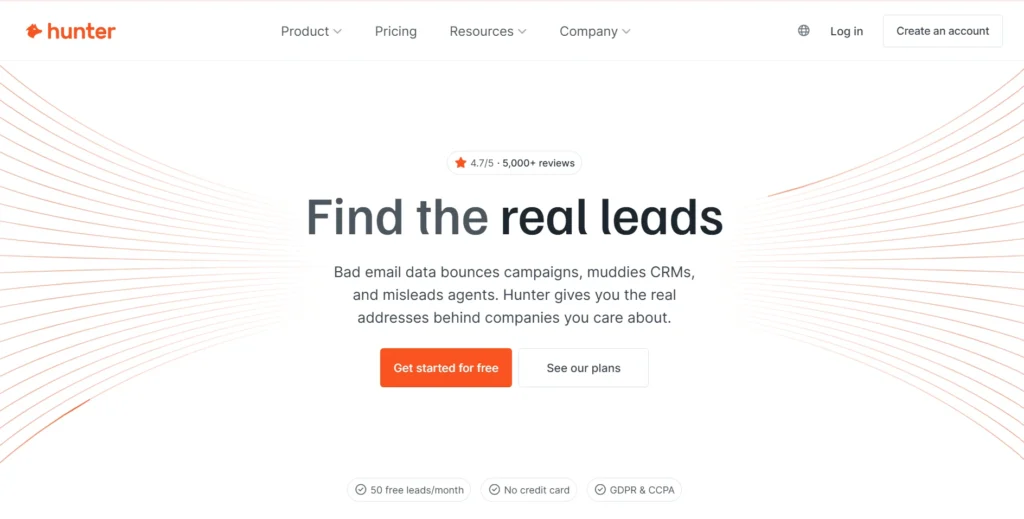
2. Hunter


Hunter home page

Hunter's specialties include professional email verification and discovery. It has an email finder that searches an address based on a person's name and a company domain. Use domain search to get email addresses of a company and available sources.

Hunter also has an email verifier and API. It helps AI assistants and agents of supported platforms to access Hunter's functionality with natural language queries via its MCP server.

Ideal for: Companies who wish to have their own email discovery and verification service with API and agent access.

Pricing:

  • A free plan with $0 per month that has 50 credits per month is offered.
  • $49 per month (2,000 credits/month)
  • $149 a month (10,000 credits a month)
  • The scale plan provides a plan at $299 per month (25,000 credits for every month).
  • Custom pricing enterprise solution.

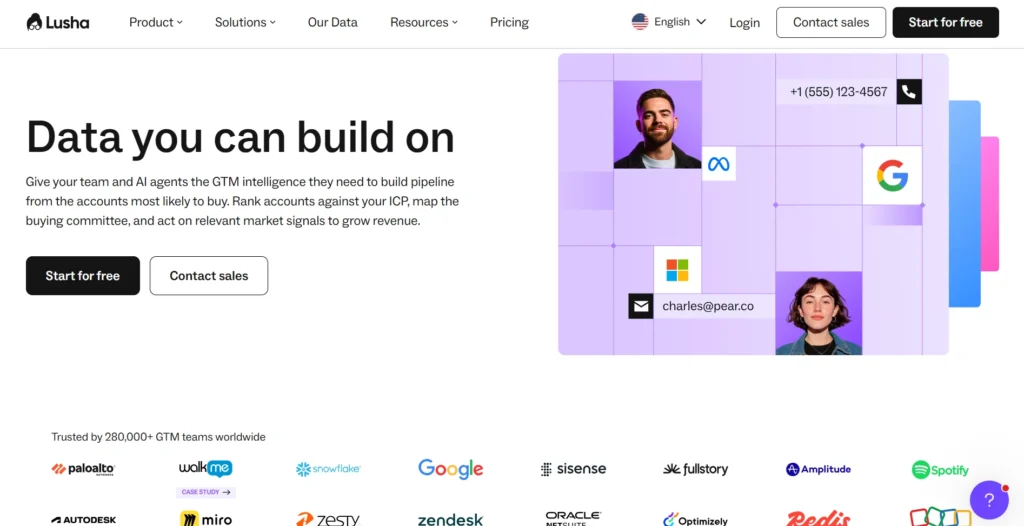
3. Lusha


Lusha home page

Lusha is a contact data and sales intelligence platform for B2B. It makes for easier team professional contacts and business emails, phone numbers, and company info.

This can be valuable for an AI prospecting approach, especially when searching for an email is just a portion of the process. The agent may also need to discover who the decision-makers are or need to obtain a bit more background on the company before making recommendations on who to speak with.

Ideal for: Sales teams looking for contact information as well as wider prospecting and company information.

Pricing:

  • $49.90/month (about 400 credits)
  • Pro plan at $69.90 a month (about 600 credits)
  • Premium plan at $399.90 a month (about 3,400 credits)
  • Use a custom pricing plan to scale your plan.

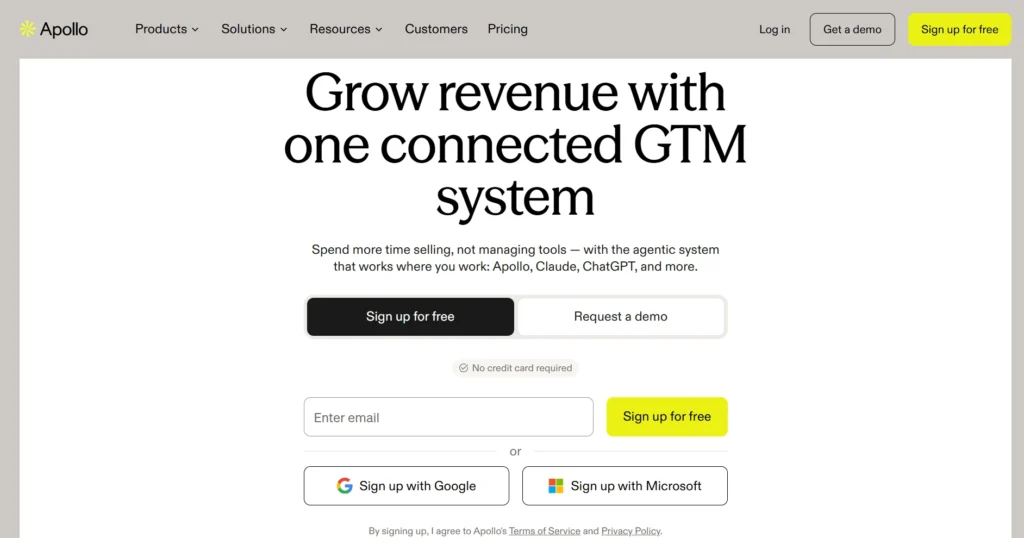
4. Apollo


Apollo home page

Apollo is a B2B contact database and prospecting, enrichment, and sales engagement tool. Teams can access contact information, check email verification statuses, and add contacts to existing data.

Agent-driven workflows are also available through APIs and MCP from Apollo. Enrichment responses are email verification statuses, which are used to assist an agent to know if a record is verified or not.

Best suited for: Sales teams who need to discover prospects, enrich contacts, and have a workflow in a sales platform.

Pricing:

  • $0 a month with an unlimited plan (75 credits a month)
  • Basic plan: $65 per seat/month (2500 credits per seat/month).
  • The professional plan costs $99/month and has 4,000 credits/month/personal plan.
  • Organizations can have plans beginning at $149 per month (6,000 credits per month per seat). There's also an organization plan, which costs $149 per month (6,000 per month per seat).
  • Arrangements can be made for a custom plan if requested.

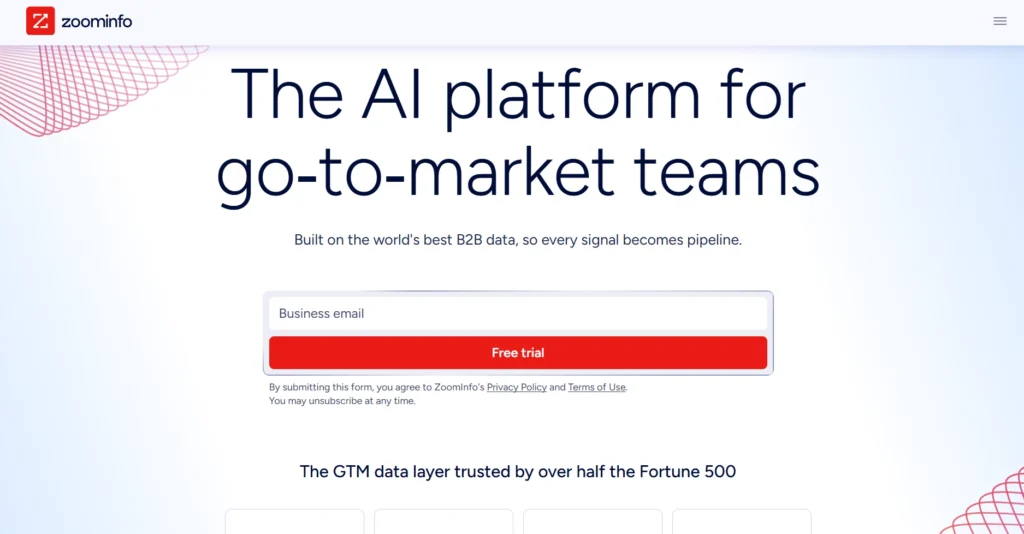
5. ZoomInfo


ZoomInfo home page

ZoomInfo is a sales intelligence platform that offers B2B company & contact data. The information it possesses can help sales teams find potential accounts, learn more about organizations, and find relevant contacts.

It is a good option to either consider when an AI agent requires more company and contact intelligence than searching for information in an email. Before you build an automated workflow on top of an integration, make sure that the integration can access your API and what integrations it supports.

Best for: Larger sales teams that rely on company intelligence and contact data to do account-based prospecting.

Pricing:

  • Quote only-Custom pricing
  • The price depends on the features, functionality, number of licenses, and credit usage.

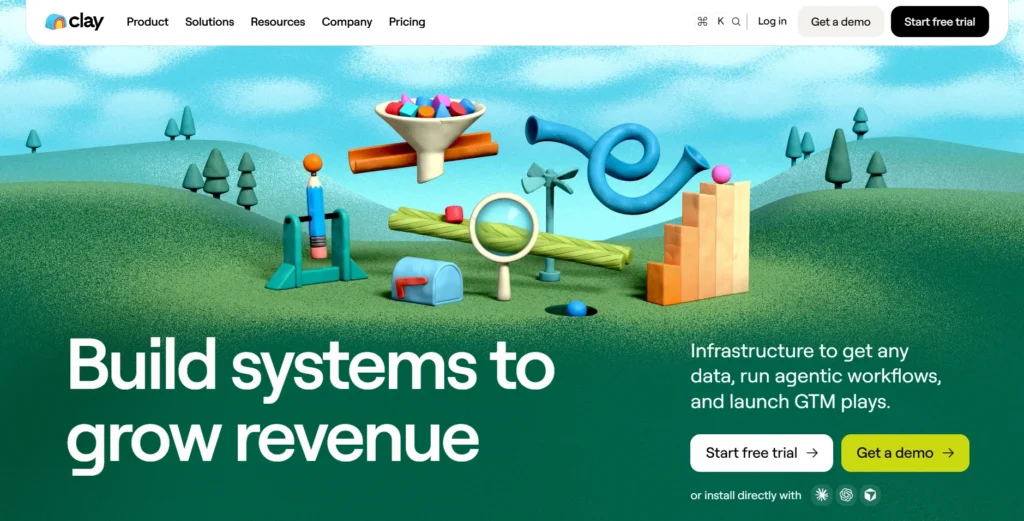
6. Clay


Clay home page

Clay is a data enrichment & workflow solution. If a data provider does not find a match, it can be used to run multiple data providers in a sequential way (waterfall enrichment), so the team can find the missing contact data.

In email prospecting, an agent or workflow could use Clay to schedule data sources, enrich the data, and send the results to another system. Email verification depends on the data providers and verification services used in the workflow.

Best for: RevOps or growth teams who need to automate multiple data sources and a complex enrichment workflow.

Pricing:

  • The simplest plans are free and provide 100 data credits/month and 500 actions/month.
  • The launch plan users pay $185 per month (15,000 actions and 2,500 data credits per month).
  • The growth plan is $495/month (40,000 actions/month and 6,000 data credits/month).
  • Custom Enterprise-custom pricing, 1-year commitment.

What are the differences between these tools?


The difference is in the information that an agent requires at each step. A finder finds an address; a verifier verifies the status, and enrichment does the rest of the job to provide professional context.

Tool typeInputOutputWhen to use
Email FinderPerson's name and company domainProfessional email address and confidence scoreWhen an email address is missing
Email VerifierExisting email addressVerification status and potential delivery risksBefore outreach
Email EnrichmentContact or company detailsJob, company, and industry informationDuring lead qualification

How can AI agents connect to email tools?


Having a tool is only half the job done. The agent should also have a method to send a request for data and get the data back.

There are three ways this is typically accomplished:

  • API: It enables an agent to send structured requests to a tool and get back results. It is suitable for custom applications and workflows where the developer has control over the input, output, authentication, and error-handling process.
  • MCP: The Model Context Protocol is a standard protocol that allows AI applications to communicate with external tools. If a provider provides an MCP server, an agent can call the supported capabilities without having to make a custom integration for each call.
  • Automation platforms: Apps, APIs, and webhooks that are supported can be connected using tools like Zapier, Make, and n8n. They can be beneficial if a team is looking to create a workflow without a lot of custom coding. The actions available are determined by the connectors and API access that are supported by each provider.

When selecting an integration method, be sure to see if the provider supports the specific action that your agent requires. A connection with the ability to search contacts does not necessarily mean that it is also able to verify or enrich contacts.

AI agents verify email addresses before outreach to reduce the risk of sending messages to invalid or unreliable contacts.

A simple workflow: Find, verify, and then send


The goal is to help AI agents access verified email addresses before they begin outreach, rather than relying on unverified contact data.

  1. Find the prospect: The agent identifies a person and company that matches your target audience criteria.
  2. Find the email: The agent uses Clearout Email Finder to discover the prospect's professional email address. It has a built-in verification feature in its results.
  3. Verify emails from other sources: If an agent receives an email address from a CRM, spreadsheet, or another source, it can use the Clearout Email Verifier API to check its validity.
  4. Keep catch-all and unknown addresses separate for further review instead of sending them directly to outreach
  5. Verify outreach: Only contacts that are verified to your team's requirements will be part of the outreach stage.

The source and verification should also be documented in the CRM by the agent. This means that another workflow can determine if an address was found, checked, or left unchecked.

Testing Clearout's Email Finder and Email Verifier


I tested Clearout's Email Finder and Email Verifier to understand how they serve different purposes. The Email Finder helps discover professional email addresses, while the Email Verifier checks the validity of existing addresses.

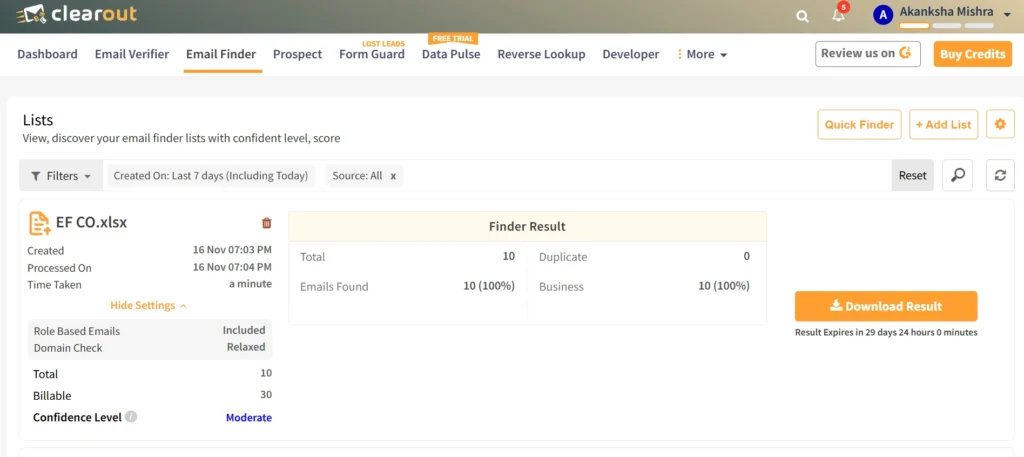
Email Finder: Results I received


Clearout Email Finder bulk test results

I uploaded 10 prospect records to test the Email Finder.

MetricResult
Total records10
Emails found10
Business emails10
Duplicates0
Confidence levelModerate

The results also included role-based email addresses. I had the domain check setting on relaxed.

All 10 records returned an email address in this test. However, the confidence level was moderate, so I would not treat the result as a reason to skip the verification information or other checks before outreach.

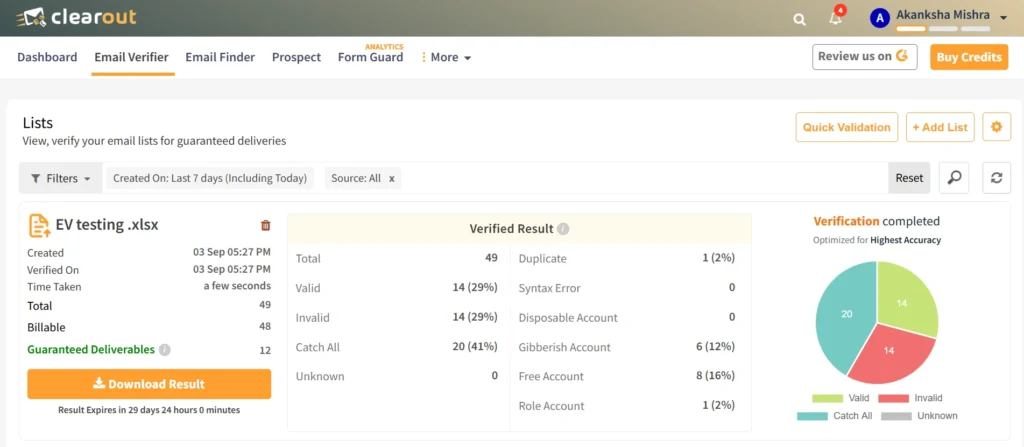
Email Verifier: Results I got


Clearout Email Verifier test results

For the verifier, I checked a separate list of 49 email records.

Verification resultRecords%
Valid1429%
Invalid1429%
Catch-All2041%
Unknown00%
Duplicate12%

There were also 6 gibberish addresses, 9 free email addresses, 1 role-based address, and none of the disposable addresses. These are also categories and may occur in conjunction with the primary verification findings and are not meant to be counted with the status counts.

My opinion: The catch-all results were very helpful. Had I used all of the addresses in the list for outreach, I would have overlooked the fact that there were different types of valid addresses in the list that needed to be judged.

I also liked the extra classifications for list cleaning. Valid and invalid email addresses might be treated differently for a sales team's rule. Those labels help to determine which records to keep, which ones to delete, or which ones to look at again.

When does Clearout make sense for AI prospecting?


Clearout is worth considering when email quality needs to be checked at more than one point in the prospecting process.

For example, a team may use its Email Finder to discover business addresses and its Email Verifier to clean older CRM records or lists collected from other sources.

Other useful capabilities include:

  • Bulk list cleaning: Upload CSV or XLSX files to check existing contact lists.
  • Deeper verification: Run 20+ checks, including disposable, spam-trap, gibberish, and role-based detection.
  • Catch-all handling: Use its advanced catch-all verification to resolve some catch-all results where possible. Not every catch-all address can be confirmed.
  • API-based workflows: Connect email finding and verification to custom applications and automated prospecting processes.
  • CRM workflows: Use supported integrations with platforms such as Salesforce, Zoho CRM, HubSpot, and GoHighLevel.
  • Flexible usage: Choose from subscription and pay-as-you-go options, depending on your verification needs.

Clearout also offers 100 free credits to try the platform. You can test the workflow before deciding whether it fits your team's requirements.

Bottom line


An AI agent can research prospects and prepare outreach, but unreliable email data can still stop the process before a message reaches the right person. The tool you choose should match the job: finding an address, checking one you already have, or enriching a contact record.

For teams that need email discovery and verification together, Clearout is one option to evaluate. Test it with your prospect data and decide whether its results fit your outreach requirements.

Get your Clearout API key and start with 100 free credits

FAQs


1. Can AI agents find email addresses automatically?
Yes. AI agents can use email finder tools through APIs or supported integrations. They can submit details such as a person's name and company domain, then use the returned address and status in the next workflow step.
2. What is the difference between an email finder and an email verifier?
An email finder discovers a professional email address using contact and company details. An email verifier checks an address you already have to assess its validity and potential delivery risks.
3. Can I connect email verification tools to an AI agent?
Yes. Depending on the provider, you can use an API, MCP server, or automation platform such as Zapier, Make, or n8n. Check the provider's documentation for supported actions and access requirements.

Share this article

Recent Posts

19 Nov 2026
6 Email Finder Tools for AI Agents

Explore 6 email finder tools for AI agents. Compare features, verification, APIs and MCP integratio ...

17 Nov 2026
Best Inbound Email APIs: Features, Pricing, and Comparison (2026)

Compare the best inbound email APIs in 2026 by features, pricing, and use case. Learn how Clearout ...

09 Nov 2026
Sales Multithreading: Reach Multiple Decision-Makers

Learn how to find and reach multiple decision-makers in one account with a B2B sales multithreading ...

05 Nov 2026
How to Win Back Closed Lost Deals: 6-Step Strategy

Learn how to win back closed-lost deals, reconnect with decision-makers, verify email addresses, and ...

04 Nov 2026
How Sales and SDR Teams Use Email Verification to Protect Quota-Driving Outreach

Learn how sales and SDR teams use email verification to reduce bounces, protect sender reputation, ...

Clearout's

Form Guard

Validate email, phone & name on any forms!

  • Real signups only
  • Verified emails
  • Valid phone numbers
  • No fake names
  • Cleaner CRM
  • No devs needed
Try for Free Now

Email Verification, Email Finding Form Guard & Prospecting Service

Expand Your Reach By Finding & Verifying Ideal Prospects.

Sign up & get 100 free credits

No Credit Card required

Create Free Account
Company

Why Clearout?

Pricing

Contact Us

Careers

Press

Enterprise

Sitemap

FAQ

Status

Products

Email Verifier

Catch-all Verification

Email Finder

Form Guard

Data Pulse

Prospect

LinkedIn Email Finder

Reverse Lookup

Google Sheets Add-on

WordPress Plugin

ClearoutPhone

What's New?

Resources

Clearout Insights

Integrations

HubSpot

Team Account

API

Clearout MCP

Compare Email Verifier

Compare Email Finder

Compare Prospecting

Use Cases

Blog

Help

Legal

Privacy Policy

Terms

DPA

Security

Trust Center

Certification

ISO 27001/2022

SOC 2 Type 2

GDPR

Partnership

HubSpot Certified

Affiliates

Partners

Clearout for browser

⚡ Supercharge Your Prospect Research with Clearout's LinkedIn Chrome Extension - Find and Verify Emails with Confidence!

Clearout Chrome extension

Clearout
© 2026 Clearout Inc. All Rights Reserved. Powered by Clearout.
Validate Enrich New Salesforce contacts automatically with Data Pulse. Learn More ➞
X