

- Products
- ResourcesDEVELOPER

 API
API
Clearout APIs are structured around REST and JSON Webhooks
Capture real-time events in your application workflow Form Guard
Real-time form validation to keep bad contacts out of your CRMKNOWLEDGE BASE Getting started
Sending campaigns without bounces is made simple FAQ
FAQ
Easily find answers to services, security and common questionsUSE CASES Lead Generation
Learn how professionals generate quality leadsGUIDESPricing Transparent & flexible pricing to support pay-per-use or recurringCompare Email Verification Tools AI-powered email verification with 99%+ accuracy, real-time validation, and transparent risk scoringCompare Email Finder Tools Pre-verified B2B email addresses with confidence scoring, find real person email, not role-based addressData Pulse & HubSpot Breeze Intelligence Pre-verified B2B email addresses with confidence scoring, find real person email, not role-based addressBLOGSEmail Verification ToolsFind Anyone’s Email Address
Most Accurate, Fast & Free WaysForm Validation
Importance, Ways & Best PracticesView All Blogs - Pricing
- Integrations
- Enterprise
- Login



7 Signs You Need to Switch Your Low Accuracy Email Finder

Most teams don't realize they need to switch email finder tools until the damage is already done. High bounce rates surface in reports, low email deliverability follows, and by that point, sender reputation is already compromised.
A low-accuracy email finder doesn't just inflate bounce numbers. It triggers ISP restrictions, drives complaint rates up, and blocks your messages at the server level before they reach a single inbox.
Hence, you must switch to a high-accuracy email finder. Here are 7 signs you should look at to check if your current tool needs a replacement.
A low-accuracy email finder doesn't just inflate bounce numbers. It triggers ISP restrictions, drives complaint rates up, and blocks your messages at the server level before they reach a single inbox.
Hence, you must switch to a high-accuracy email finder. Here are 7 signs you should look at to check if your current tool needs a replacement.
Table of Content
7 Signs Your Email Finder Is Inaccurate
Spot these signs before a low-accuracy email finder damages your sender reputation. Each sign mentioned below is measurable.
Sign 1: Your Hard Bounce Rate Is Consistently Above 5%
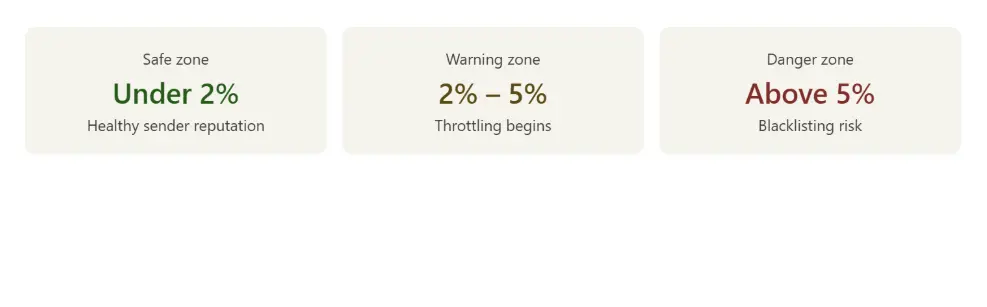
If your bounce rate is consistently above 5%, there’s a high chance your emails are missing inboxes and affecting your outreach results. So, check the impact it will create.
Gmail, Outlook, and Yahoo begin throttling outbound mail once bounce rates cross this threshold. However, above 5%, active blacklisting becomes a real risk. Hard bounces accumulate against your sending domain permanently.
A sustained rate above 5% signals unverified contact data in your pipeline. Every campaign sent in this state adds to the deficit.
Fix with this method: Pull 90 days of bounce reports from your ESP and filter by data source. If hard bounces consistently come even after finding an email address through an email finder, the contact data is the problem.
This is where pre-verified emails make a measurable difference. Pre-verified contacts help you lower bounce rates to below 2%, and sender reputation stays intact across every campaign on that domain.
Gmail, Outlook, and Yahoo begin throttling outbound mail once bounce rates cross this threshold. However, above 5%, active blacklisting becomes a real risk. Hard bounces accumulate against your sending domain permanently.
A sustained rate above 5% signals unverified contact data in your pipeline. Every campaign sent in this state adds to the deficit.
Fix with this method: Pull 90 days of bounce reports from your ESP and filter by data source. If hard bounces consistently come even after finding an email address through an email finder, the contact data is the problem.
This is where pre-verified emails make a measurable difference. Pre-verified contacts help you lower bounce rates to below 2%, and sender reputation stays intact across every campaign on that domain.
Sign 2: Your Email Finder Returns Inaccurate Results
Inaccurate email finder results degrade faster than most teams notice. A contact can look perfectly valid - right name, right domain, right format but format validation isn't the same as mailbox verification. And by the time your bounce rate shows the problem, your sender reputation is already taking the hit.
Delivery failures, high bounce rates, and unresponsive addresses keep appearing at a rate that wasn't there six months ago, despite contacts that passed basic format checks. That's a low-accuracy email finder problem, not a campaign problem.
Business Impact: Sales reps build sequences around contacts that were never reachable. Pipeline numbers reflect activity, not real opportunities. Low email deliverability and a damaged sender reputation compound quietly. Outreach volume stays the same - but responses drop. And there's no clear explanation why.
Fix with this method: Run your email finder's output against an email verification tool. If most email addresses come under invalid, you're dealing with inaccurate email finder results that have crossed below a justifiable threshold.
Delivery failures, high bounce rates, and unresponsive addresses keep appearing at a rate that wasn't there six months ago, despite contacts that passed basic format checks. That's a low-accuracy email finder problem, not a campaign problem.
Business Impact: Sales reps build sequences around contacts that were never reachable. Pipeline numbers reflect activity, not real opportunities. Low email deliverability and a damaged sender reputation compound quietly. Outreach volume stays the same - but responses drop. And there's no clear explanation why.
Fix with this method: Run your email finder's output against an email verification tool. If most email addresses come under invalid, you're dealing with inaccurate email finder results that have crossed below a justifiable threshold.
Sign 3: Your ESP Is Sending Warnings or Reviewing Your Account
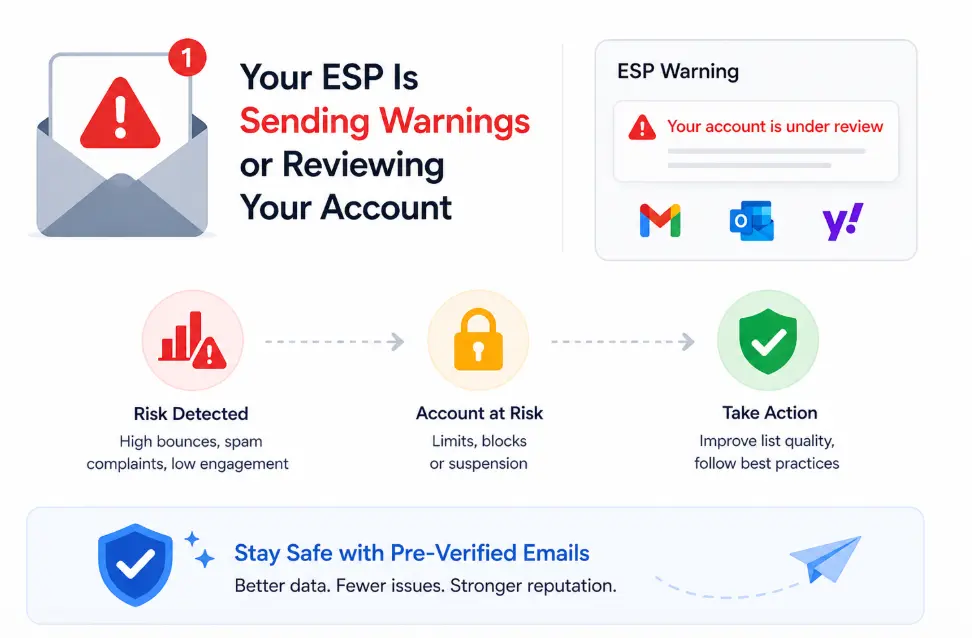
Your ESP has flagged your account, restricted sending volume, or initiated a policy review even though your sending infrastructure hasn’t changed.
Business Impact: High bounce rates and elevated spam complaint rates are the two primary triggers for ESP warnings and suspensions. ESPs report this behavior upstream and inbox providers act on it. Gmail moved to active enforcement in November 2025, issuing permanent rejections for non-compliant senders. Microsoft also followed with identical enforcement from May 2025. Both require complaint rates below 0.3% a threshold unverified contact data crosses regularly.
An ESP suspension doesn't pause one campaign. It affects every sequence running on that domain, and sender reputation recovery takes weeks.
Fix with this method: Check your ESP's notification history. If warnings reference bounce rates or complaint thresholds and those contacts trace back to your email finder, the tool might be the issue.
Business Impact: High bounce rates and elevated spam complaint rates are the two primary triggers for ESP warnings and suspensions. ESPs report this behavior upstream and inbox providers act on it. Gmail moved to active enforcement in November 2025, issuing permanent rejections for non-compliant senders. Microsoft also followed with identical enforcement from May 2025. Both require complaint rates below 0.3% a threshold unverified contact data crosses regularly.
An ESP suspension doesn't pause one campaign. It affects every sequence running on that domain, and sender reputation recovery takes weeks.
Fix with this method: Check your ESP's notification history. If warnings reference bounce rates or complaint thresholds and those contacts trace back to your email finder, the tool might be the issue.
Struggling with high bounce rates and low replies?
Try Clearout's Email Finder Free
Try Clearout's Email Finder Free
Sign 4: Your Reply Rate Is Below 1% Despite Tested Copy
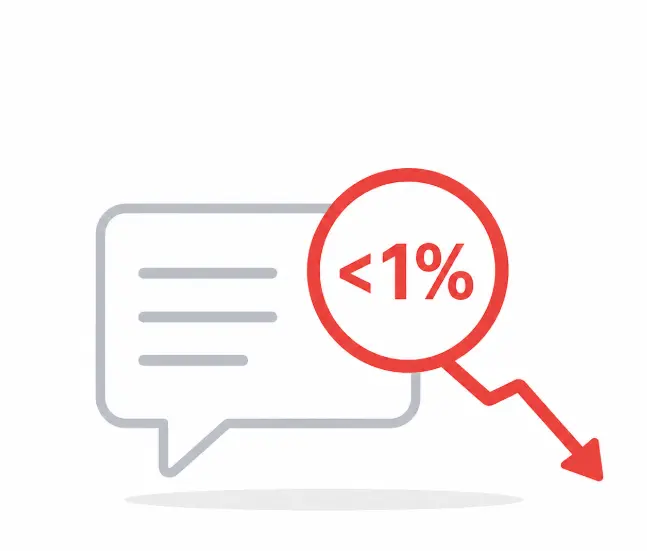
A sustained reply rate below 1% on validated outreach sequences is a deliverability or data problem.
B2B cold email reply rates in 2025 average around 4%. The best campaigns consistently achieve 10% bounce rates and only 0.3% - 0.5% reply rates. There are usually two possible reasons behind it.
B2B cold email reply rates in 2025 average around 4%. The best campaigns consistently achieve 10% bounce rates and only 0.3% - 0.5% reply rates. There are usually two possible reasons behind it.
- Deliverability failure: The first is a deliverability failure. Your emails are not landing in the recipient’s main inbox. Poor data quality leads to higher bounce rates, which slowly damages your sender reputation.
- Targeting failure: Your email finder may be returning technically valid emails, but not the right ones. Generic role-based addresses like info@, support@, or contact@ rarely drive meaningful engagement. The same goes for outdated contacts or people who no longer fit your ICP.
What to check: In a recent export from your email finder, what percentage of addresses are role-based? What job-change lag exists in the data? If the tool doesn’t provide that information, you can’t accurately answer those questions.
Sign 5: No Confidence Score Means Low Email Deliverability
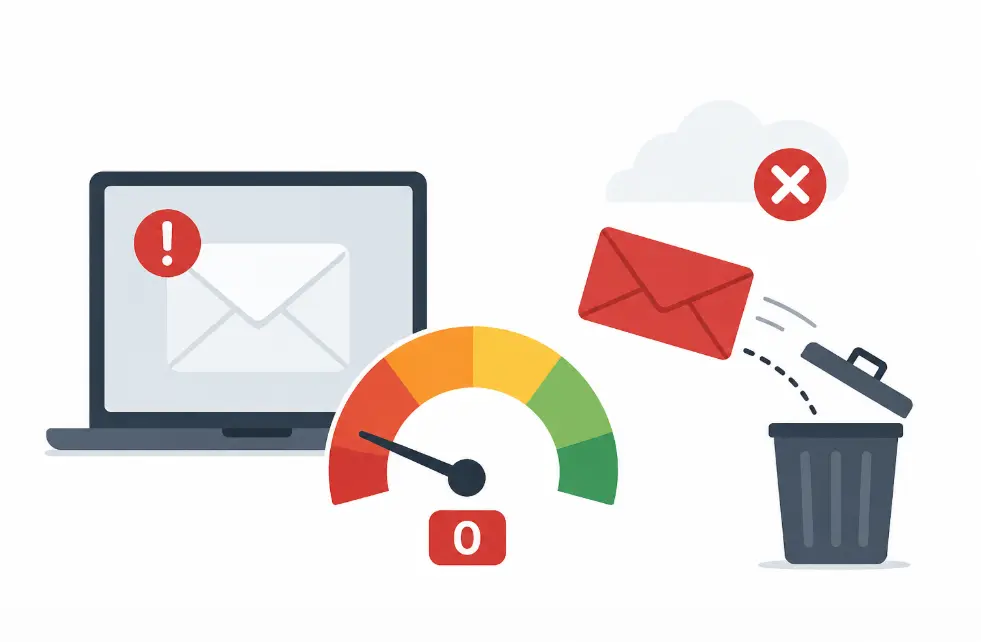
Every address your tool returns looks identical: no confidence score, no deliverability status, no way to separate high-risk contacts from verified ones before they enter a sequence.
Business Impact: Without a confidence score, low-confidence and high-confidence addresses get treated the same way. The invalid ones produce bounces, and those bounces pull down deliverability for every subsequent email.
Fix with this method: Open a recent export from your email finder. If there is no confidence score or deliverability status column, the tool is treating all addresses as equally valid and they are not.
Tools that verify during discovery return a score alongside each result, letting teams filter below a set threshold before a single email goes out. Contacts scoring above 85 represent the lowest bounce risk entering your sequence.
Business Impact: Without a confidence score, low-confidence and high-confidence addresses get treated the same way. The invalid ones produce bounces, and those bounces pull down deliverability for every subsequent email.
Fix with this method: Open a recent export from your email finder. If there is no confidence score or deliverability status column, the tool is treating all addresses as equally valid and they are not.
Tools that verify during discovery return a score alongside each result, letting teams filter below a set threshold before a single email goes out. Contacts scoring above 85 represent the lowest bounce risk entering your sequence.
Sign 6: Spot-Checking Contacts Reveals Stale Job Data
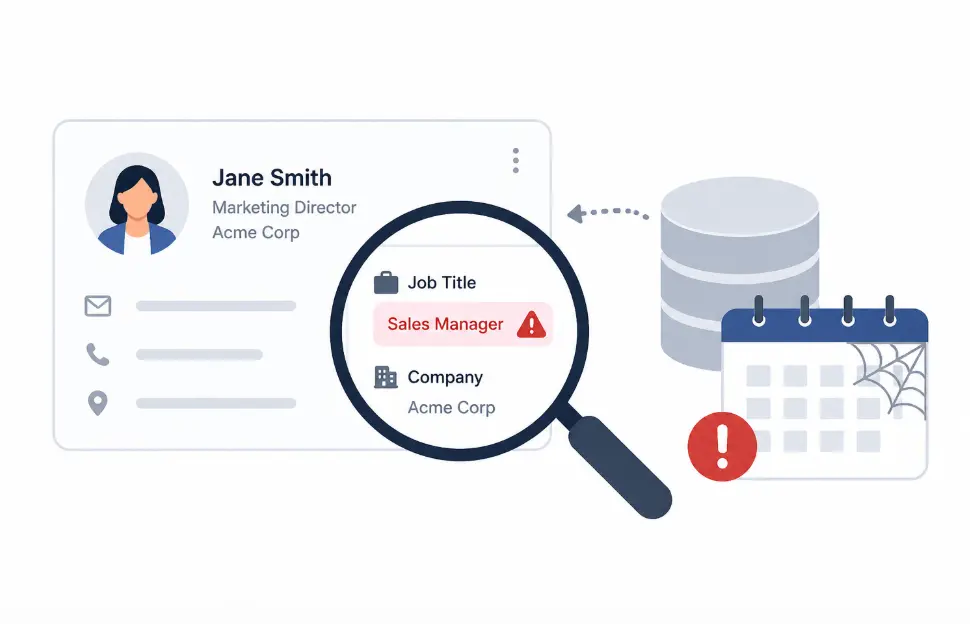
Manual spot-checks show contacts have changed roles or companies your email finder had no way of flagging it. Tools without an active refresh cycle pull from static databases. The older the data, the higher the proportion of undeliverable contacts entering your sequences.
Business Impact: B2B contact data decays at 22.5% annually. One in four contacts in a 12-month-old export is already unreachable and those bounces pull down deliverability across your entire sending domain.
Fix with this method: Export 20 contacts from a recent list and cross-check them on LinkedIn. If 3-4 or more have changed jobs or companies then the refresh cycle is not long enough. The fix is a tool that verifies the contact data on an ongoing basis and flag stale data.
Business Impact: B2B contact data decays at 22.5% annually. One in four contacts in a 12-month-old export is already unreachable and those bounces pull down deliverability across your entire sending domain.
Fix with this method: Export 20 contacts from a recent list and cross-check them on LinkedIn. If 3-4 or more have changed jobs or companies then the refresh cycle is not long enough. The fix is a tool that verifies the contact data on an ongoing basis and flag stale data.
Sign 7: Your Domain Has Been Blacklisted or Needs Constant Re-Warming
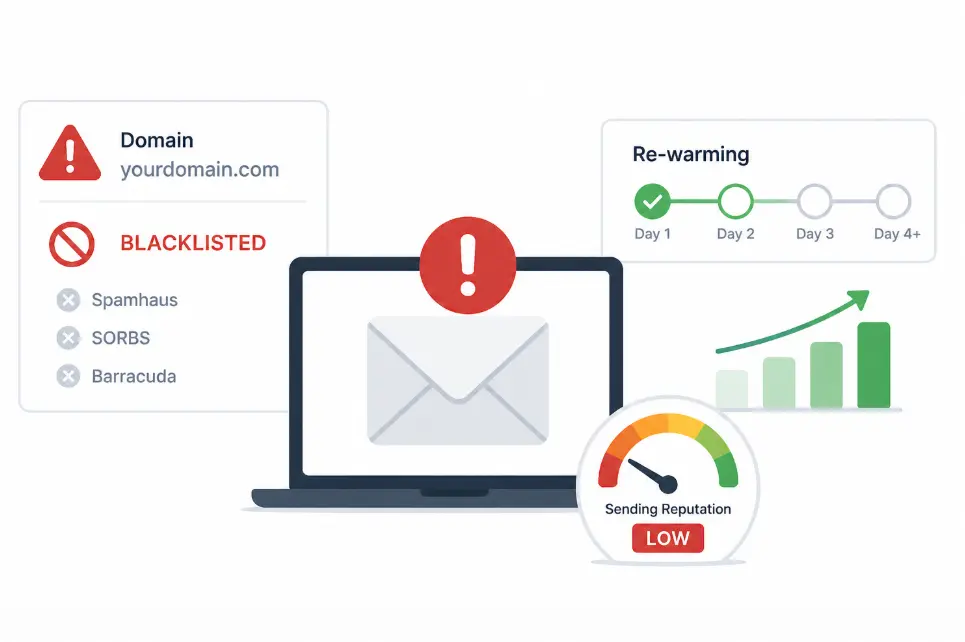
Domain blacklisting that traces back to outreach campaigns is a final-stage consequence of persistent data quality failure.
Getting listed on Spamhaus, Barracuda, or SORBS is not a minor inconvenience. Recovery requires delisting requests, reduced sending volume for weeks, and often full domain re-warming. The business cost is significant in missed pipelines during the recovery period.
The path from a low-accuracy email finder to a blacklisted domain is short. Here is the
Getting listed on Spamhaus, Barracuda, or SORBS is not a minor inconvenience. Recovery requires delisting requests, reduced sending volume for weeks, and often full domain re-warming. The business cost is significant in missed pipelines during the recovery period.
The path from a low-accuracy email finder to a blacklisted domain is short. Here is the
sequence:
- Email finder returns addresses without mailbox verification
- Hard bounce rate crosses 2%
- ISPs begin throttling your outbound mail
- Some bounced addresses are spam traps deactivated addresses ISPs use to identify senders with poor list hygiene
- Spam trap hits trigger blocklist entries
- Domain reputation collapses
No infrastructure investment fixes a data problem. If your domains need re-warming after every campaign, the data source is the issue not the sending setup.
What to check: Run your sending domain through MxToolbox's blacklist checker. Check your spam complaint rate in Google Postmaster Tools. If complaints have hit 0.1% and blacklisting events trace back to outreach campaigns, your email finder's verification standards are not meeting the threshold Gmail and Microsoft now enforce.
What to check: Run your sending domain through MxToolbox's blacklist checker. Check your spam complaint rate in Google Postmaster Tools. If complaints have hit 0.1% and blacklisting events trace back to outreach campaigns, your email finder's verification standards are not meeting the threshold Gmail and Microsoft now enforce.
How Do These Signs Compound Over Time?
These signs do not appear in isolation. Teams using a low-accuracy email finder experience them in sequence.
As bounce rates increase, sender reputation begins to decline, inbox placement and reply rates decrease.
Additionally, more volume is required to achieve the same results and more bad addresses are added to the pipeline.
When a domain is blacklisted or an ESP is suspended, several problems have already occurred. The cost at this stage is weeks of recovery work, domain reputation and lost outreach momentum.
Hence, identifying the root cause early at the data source reduces recovery cost significantly.
As bounce rates increase, sender reputation begins to decline, inbox placement and reply rates decrease.
Additionally, more volume is required to achieve the same results and more bad addresses are added to the pipeline.
When a domain is blacklisted or an ESP is suspended, several problems have already occurred. The cost at this stage is weeks of recovery work, domain reputation and lost outreach momentum.
Hence, identifying the root cause early at the data source reduces recovery cost significantly.
Your Current Tool vs. Clearout: What's the Difference?
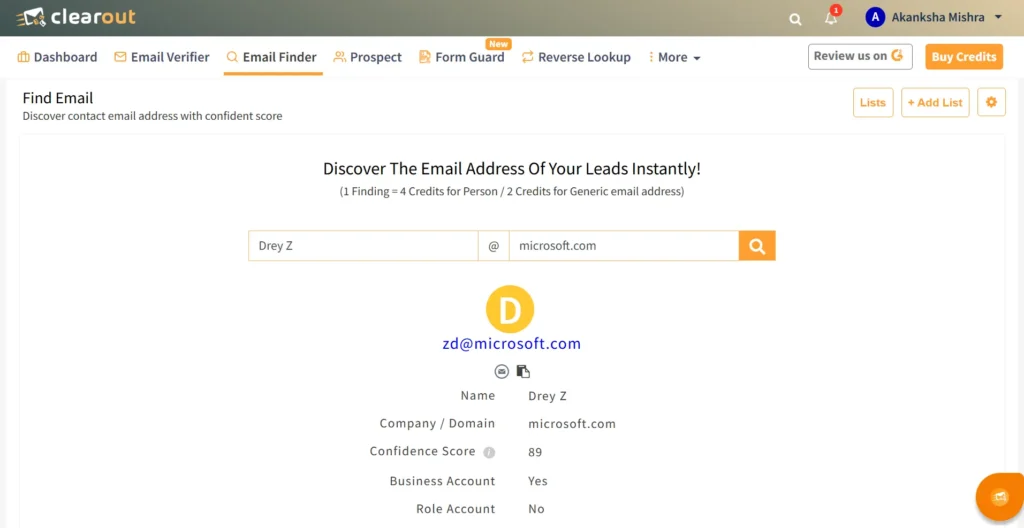
Clearout's Email Finder goes beyond just finding addresses; it pre-verifies every result in real time, assigns a confidence score, and filters out risky contacts before they reach your outreach.
| Feature | Typical Low Accuracy Finder | Clearout Email Finder |
|---|---|---|
| Confidence scoring | Not provided or static | AI-driven, calculated per result |
| Role-based filtering | Not available | Configurable opt-out in settings |
| Built-in verification | Separate step or absent | Pre-verified in real time at point of discovery |
| Catch-all detection | Often flagged as valid | Resolved as valid or invalid with risk signal |
| Domain validation | Company name lookup | Strict Domain Check available |
Here is what each difference looks like in practice:
- Clearout runs layered checks on every address domain validation, pattern logic, and SMTP verification.
- Each result then returns a confidence score based on those checks.
- Catch-all domains are resolved as valid or invalid not passed through as unknown.
- Strict domain filtering runs searches only against a confirmed domain or website URL, not a guessed company name.
- Role-based email control lets you include or exclude generic addresses like info@ or sales@ depending on your outreach needs.
Is It Time to Switch Your Email Finder?
If you are seeing any of these signs like rising bounce rates, ESP warnings, low-quality contacts, or missing confidence scores, your current email finder definitely needs a replacement.
Hence, switch to a tool like Clearout's Email Finder that delivers pre-verified contacts, real-time confidence scoring, catch-all resolution, and strict domain validation.
Ultimately, your business outcomes will change to a cleaner pipeline and better data on which you can actually act on.
Hence, switch to a tool like Clearout's Email Finder that delivers pre-verified contacts, real-time confidence scoring, catch-all resolution, and strict domain validation.
Ultimately, your business outcomes will change to a cleaner pipeline and better data on which you can actually act on.
No credit card required
FAQs
1. What is an acceptable hard bounce rate for cold outreach campaigns?
A hard bounce rate under 2% is the accepted industry threshold. Rates above 5% can put your domain at active blacklisting risk with Gmail, Outlook, and Yahoo.
2. How do I know if my email finder is causing my high bounce rates?
Pull your last 90 days of hard bounce data from your ESP and filter by data source. If the majority of permanent failures trace back to addresses your email finder returned, the tool is the cause.
3. Can a damaged sender reputation recover on its own?
No. Recovery requires a period of reduced sending volume, clean list rebuilding, and consistent good-sending behavior often taking weeks. The sooner the data source is resolved, the sooner recovery will be possible.
4. What is a confidence score in an email finder, and why does it matter?
A confidence score is an indicator from an email finder tool to determine if an address is deliverable. If you don't get a confidence score, you can't distinguish bad addresses from good ones before they get into your campaign. Hence, you must use tools like Clearout Email Finder to get the confidence score.
5. Does Clearout's Email Finder verify addresses during the discovery process?
Yes. Clearout runs real-time verification including domain validation, SMTP checks, and confidence scoring as part of finding the address. You will receive a confidence score with every result.